


JetBrains IDE Plugin
Flexible Swift: Swift and iOS IDE Plugin for JetBrains
Write Swift, debug with LLDB and run your app in the iOS Simulator, all inside your JetBrains IDE.
JetBrains IDEs: IntelliJ IDEA · PyCharm · WebStorm · PhpStorm · and other JetBrains IDEs
- LLDB
- Debugger for Swift
- iOS
- Simulator support
- MCP
- AI assistant and MCP server
01
Run Your App in the iOS Simulator
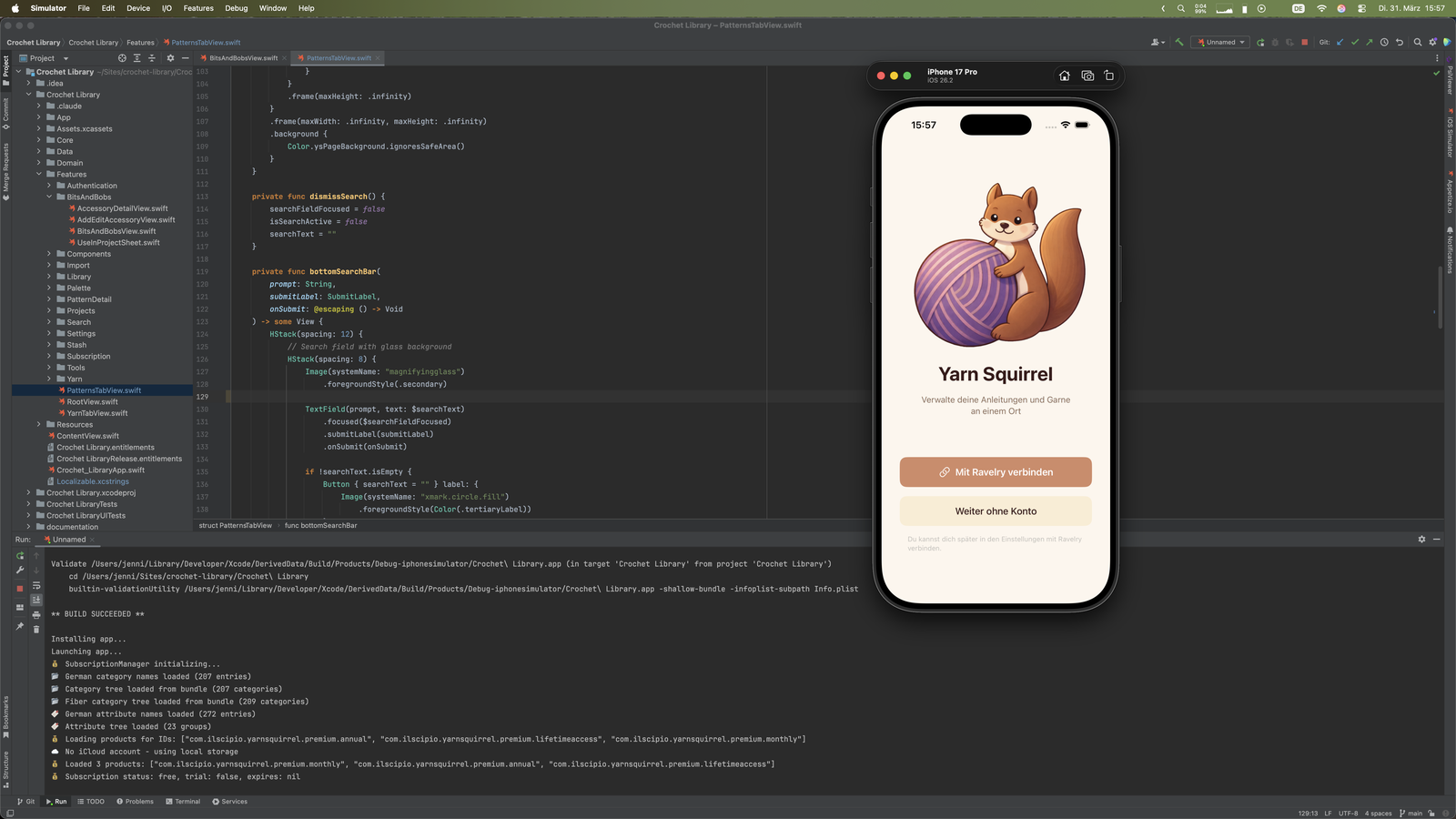
Build, install and launch your iOS app in the iOS Simulator from the IDE. The plugin uses xcodebuild, and you pick the scheme and configuration. The Run window shows the build output with clickable file and line references.
02
Choose Your Device
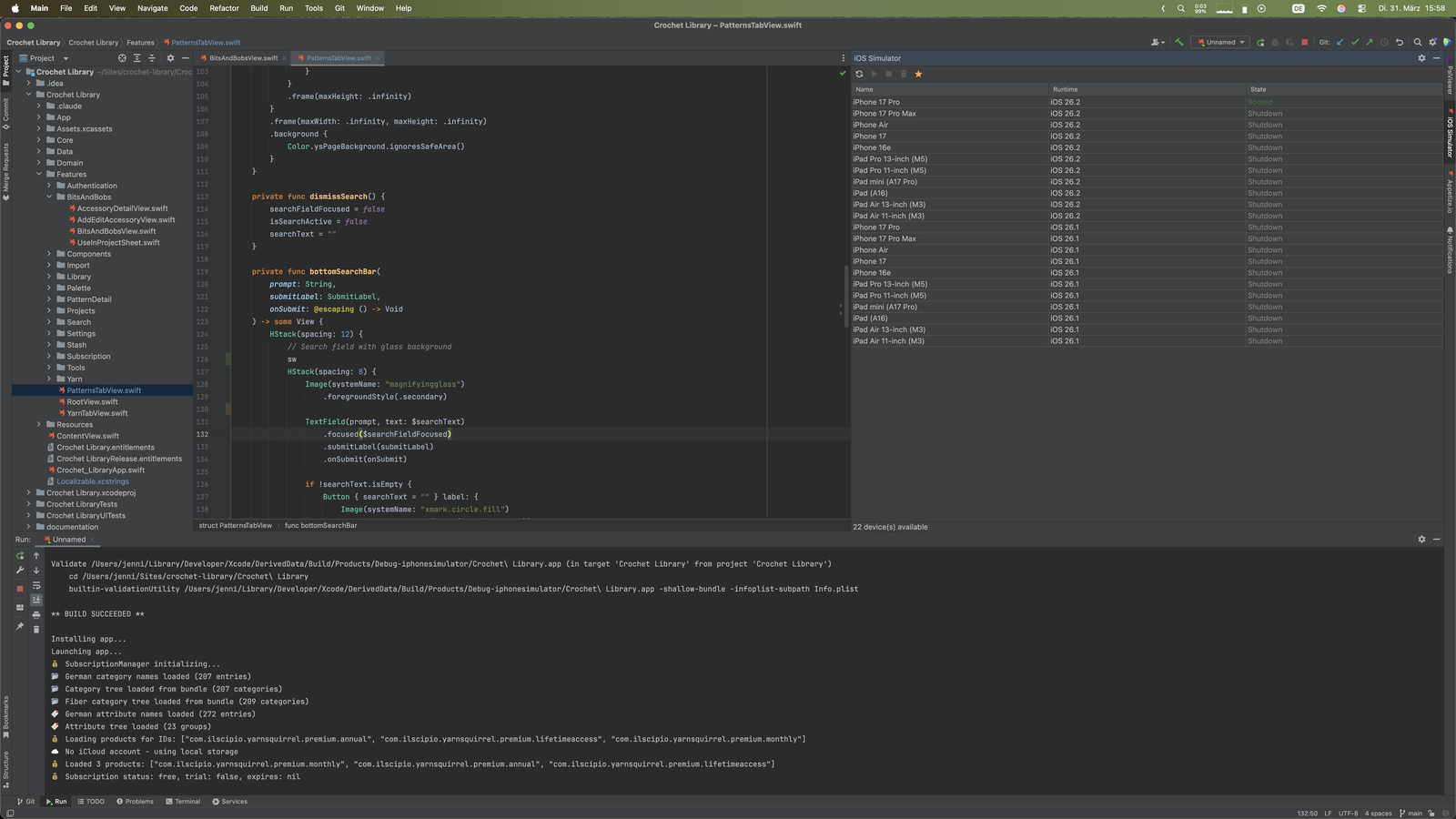
The iOS Simulator tool window lists the available iPhones and iPads with their iOS runtime and state. Pick a device and start it from the IDE.
03
Live Templates
Type
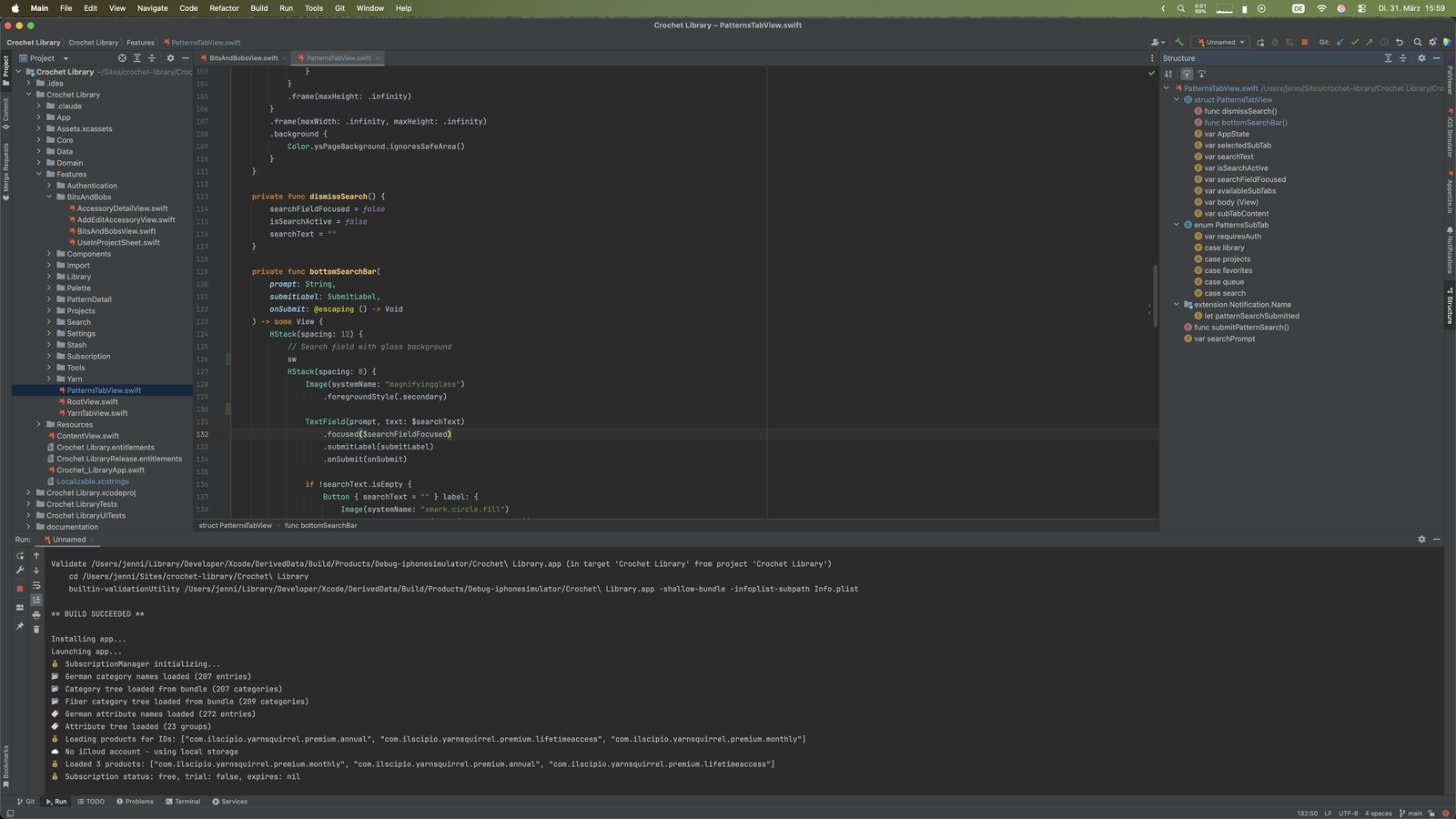
sw: and press Tab to expand live templates for actor, async, class, closure, do, enum, extension, for, func and guard. There are also 13 postfix templates, such as .if, .guard, .let, .unwrap, .map and .filter.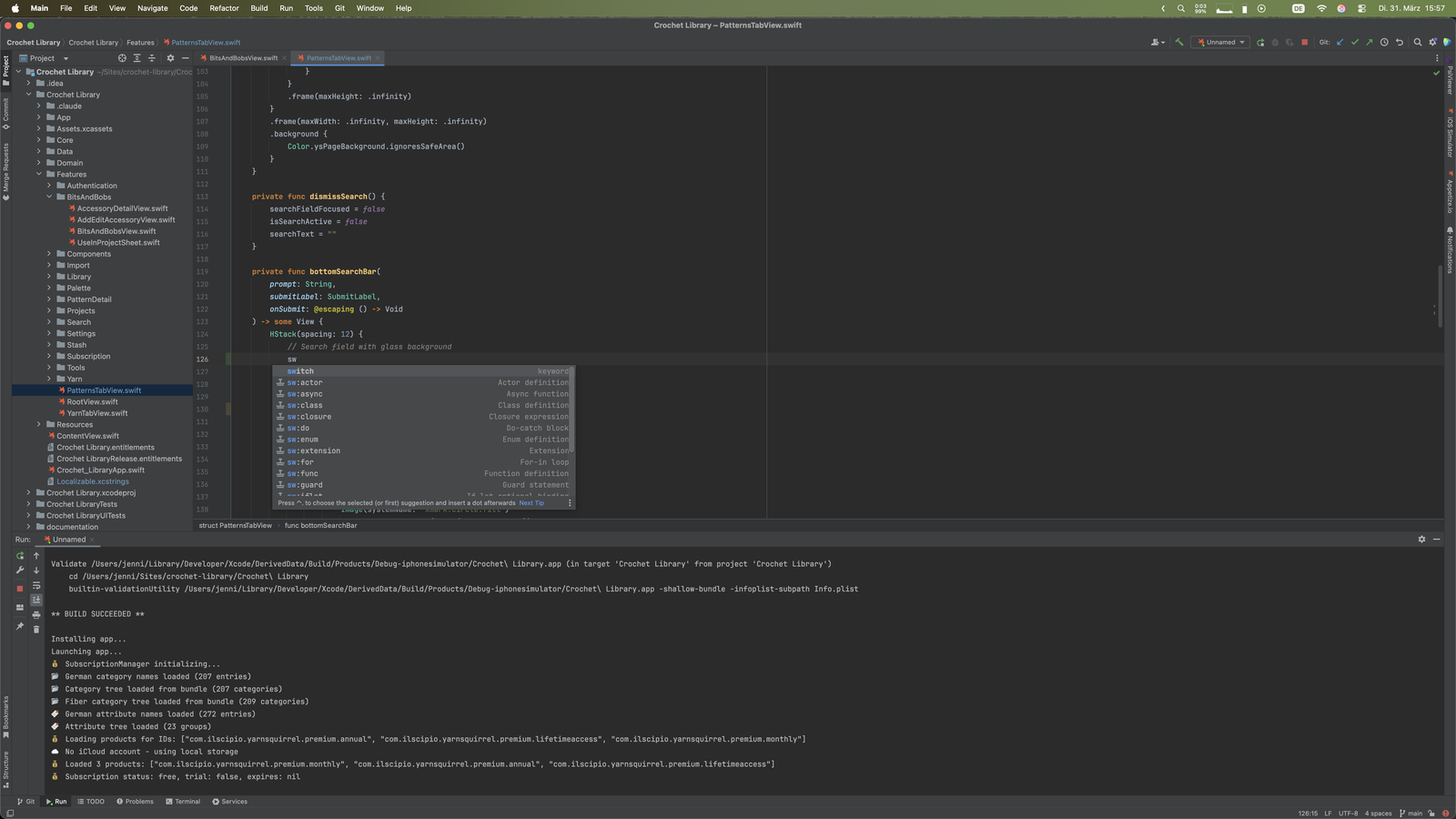
04
Context-Aware Completion
Get local symbols, dot completion and contextual keywords. Completion also offers SwiftUI modifiers for view building. In the screenshot, typing
Te lists Text, TextEditor and TextField.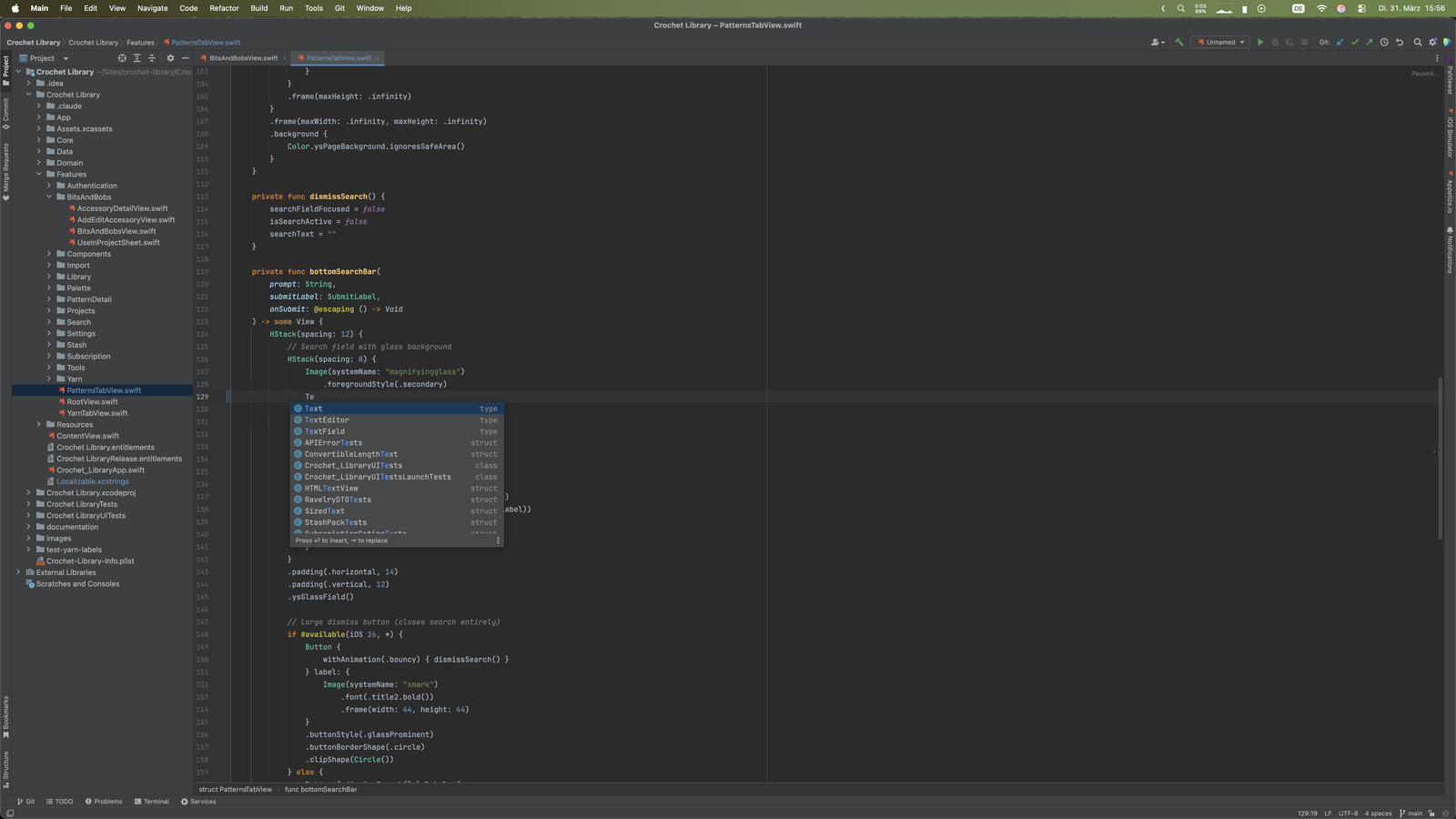
05
Structure View and Navigation
The structure view shows functions, properties, enums and extensions of the open file. Go to declaration (Ctrl+Click), go to implementation (Ctrl+Alt+B), find usages (Alt+F7) and call hierarchy (Ctrl+Alt+H) work across your project.
06
Debug with LLDB
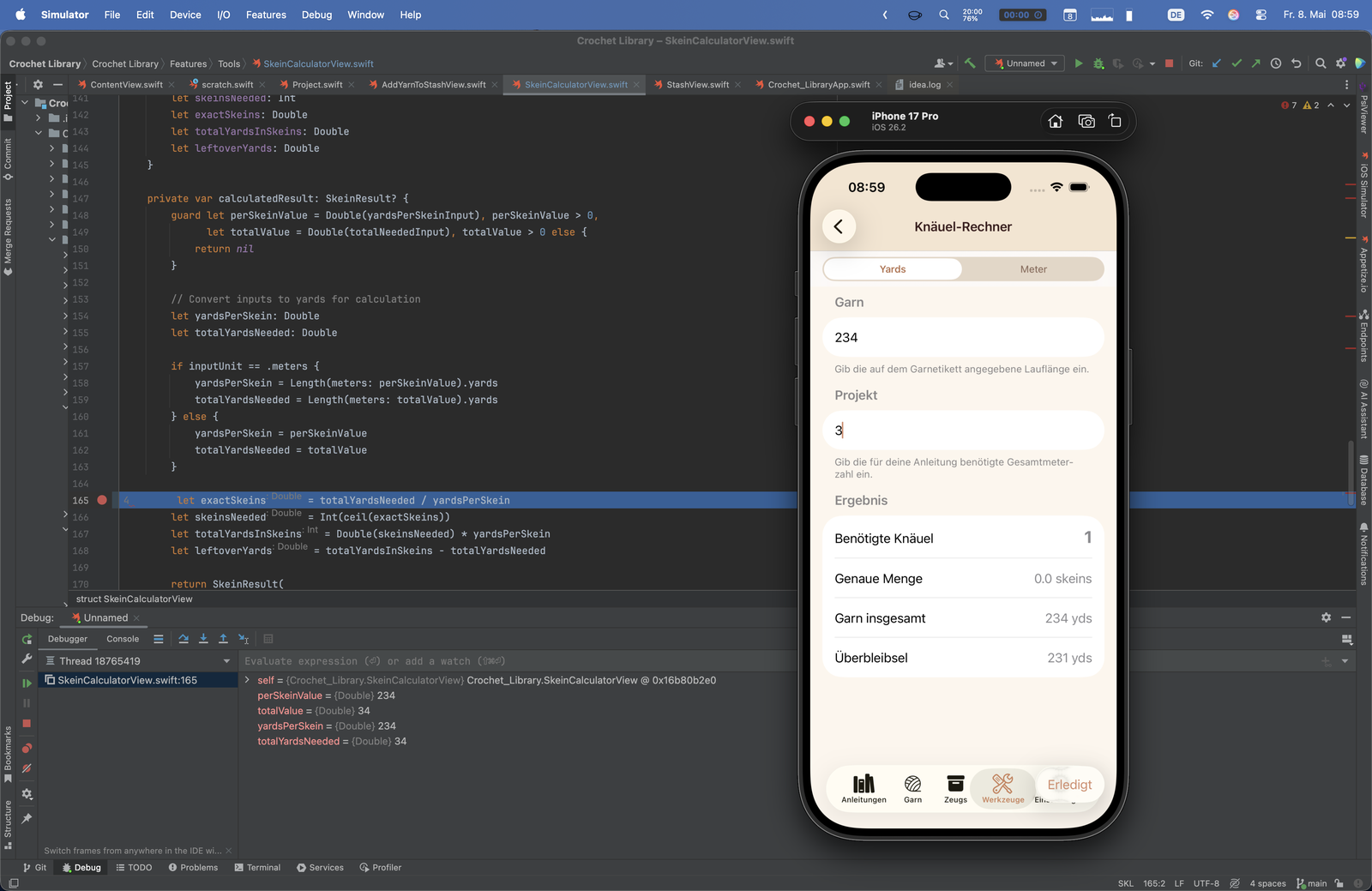
Set line breakpoints in .swift files and click Debug on an iOS Simulator run configuration. The plugin builds, installs and launches the app suspended and attaches LLDB. Step over, step into, step out and inspect local variables at the breakpoint.
Simple, Transparent Pricing
Start with a 7-day free trial. Purchase through JetBrains Marketplace.
Individual
For solo developers
$4.90/month
or $49/year (save 17%)
- Swift 5.x language support
- LLDB debugger
- iOS Simulator run configurations
- Live and postfix templates
- AI assistant and MCP server
TEAMS
Organization
For teams and companies
$9.90/month
or $99/year (save 17%)
- Everything in Individual
- Organization license for teams and companies
- The same 7-day free trial
- Purchase through JetBrains Marketplace
Students & open source contributors: Contact us about discounts. Your first feedback earns 20% off the annual subscription.
Write Swift in Your JetBrains IDE
Install Flexible Swift from the JetBrains Marketplace and open a Swift project.