


JetBrains IDE Plugin
Flexible For Schematics: KiCad and PCB Viewer in the IDE
Open KiCad, EasyEDA, Eagle and Gerber files in a visual canvas inside your JetBrains IDE. Edit schematics and boards, check electrical rules, look up parts with live stock and export a package for your manufacturer.
IntelliJ IDEA · PyCharm · WebStorm · PhpStorm · CLion · GoLand · Rider · + All JetBrains IDEs (2023.3 and newer)
- 4
- Formats: KiCad, EasyEDA, Eagle and Gerber
- 3D
- Software board view, no GPU needed
- 5
- Manufacturer profiles for export
01
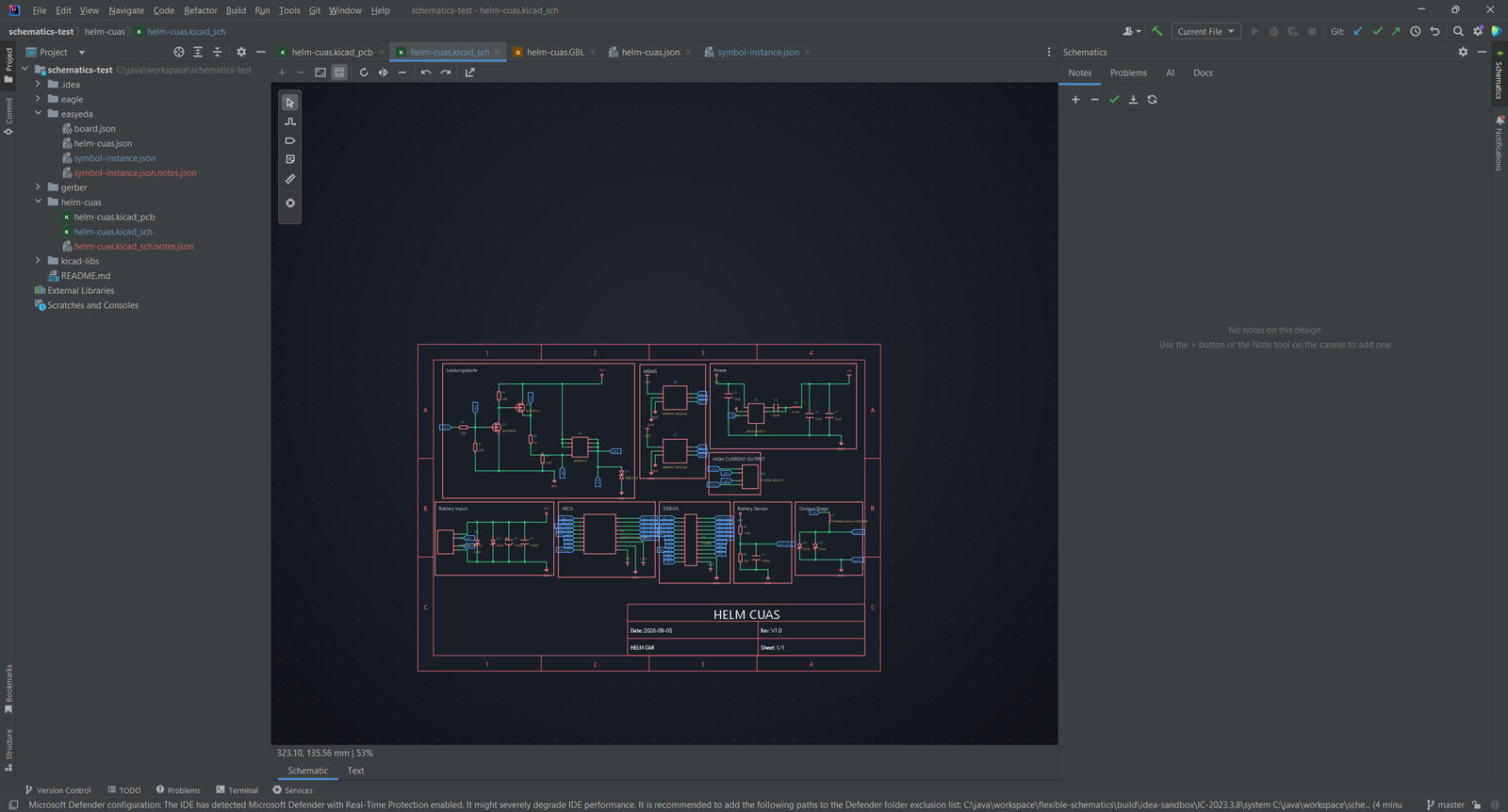
A Visual Canvas for Schematics
Open a KiCad, EasyEDA or Eagle design and work on it in a visual canvas. The text editor stays one click away.
- The canvas is the first editor tab
- Zoom, pan and grid snap; tools for select, wire, label, note and measure
- Place a part, rotate and mirror it, undo and redo every edit
- Every change is written back to the source file
02
Parts and Notes
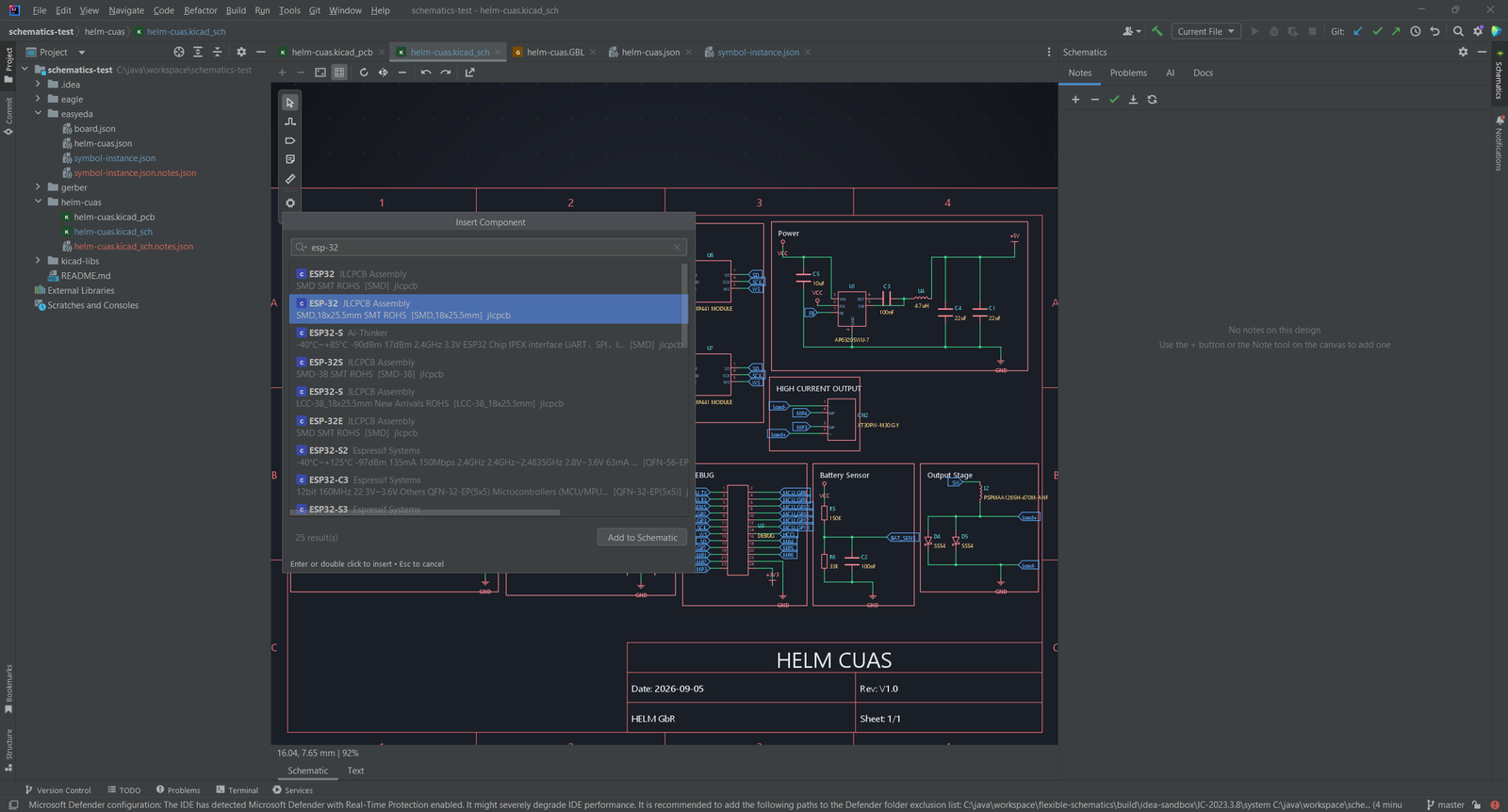
Search a part database and drop the part on the sheet with its symbol and footprint.
- Live part sources including JLCPCB and LCSC stock and prices, EasyEDA symbols and footprints, and the KiCad symbol library
- Part details with manufacturer, package, stock, price tiers and a datasheet link
- Sticky notes anchored to components, stored in a sidecar file so the manufacturer files stay clean
03
Board View and Gerber Viewer
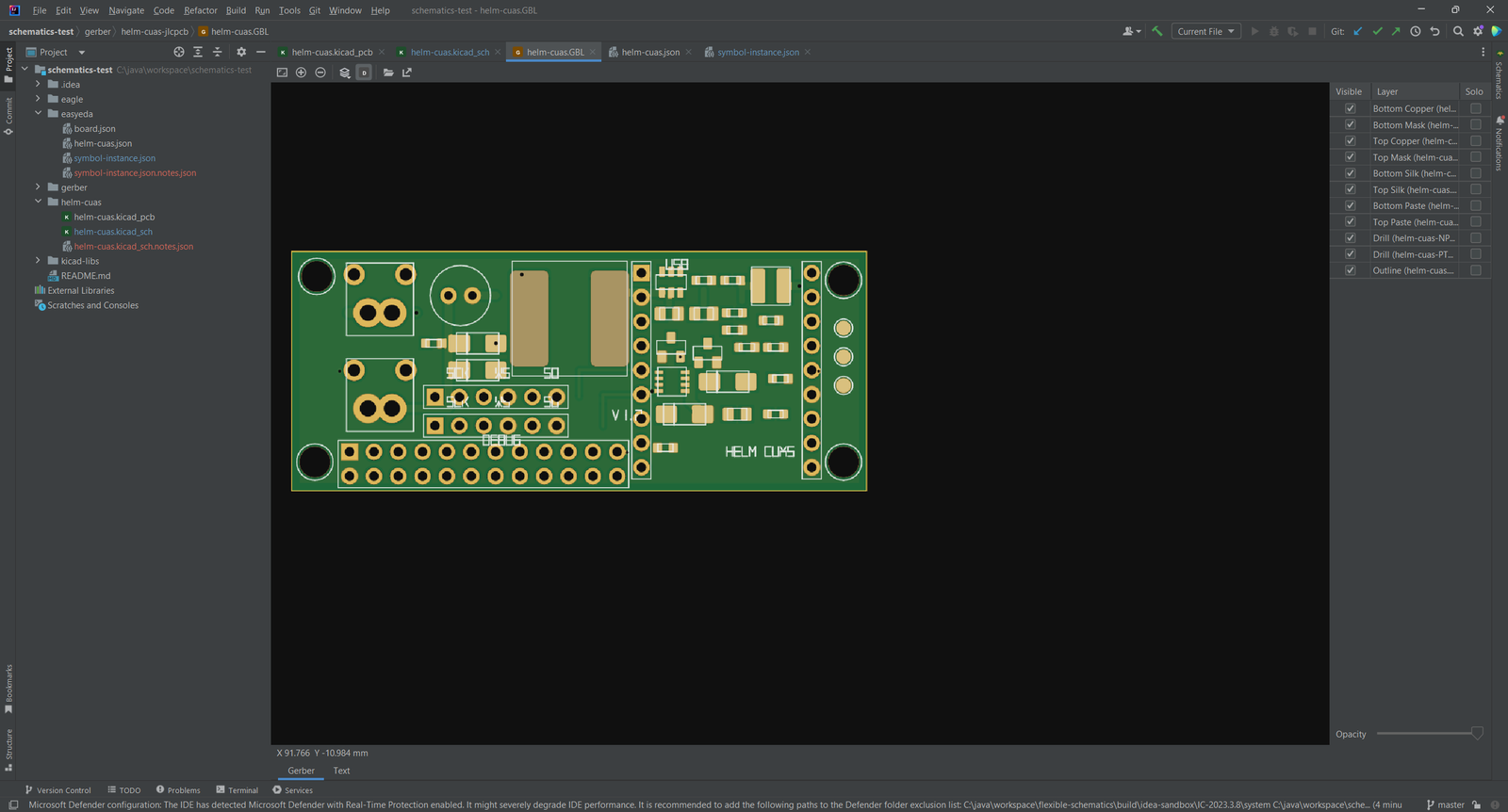
See the board the way the fabricator sees it.
- Layer manager with per-layer visibility and a bottom view
- Pad shapes, drill holes and copper pours
- Gerber and Excellon viewer that finds every layer of the folder and draws the real board
04
3D Board View Without a GPU
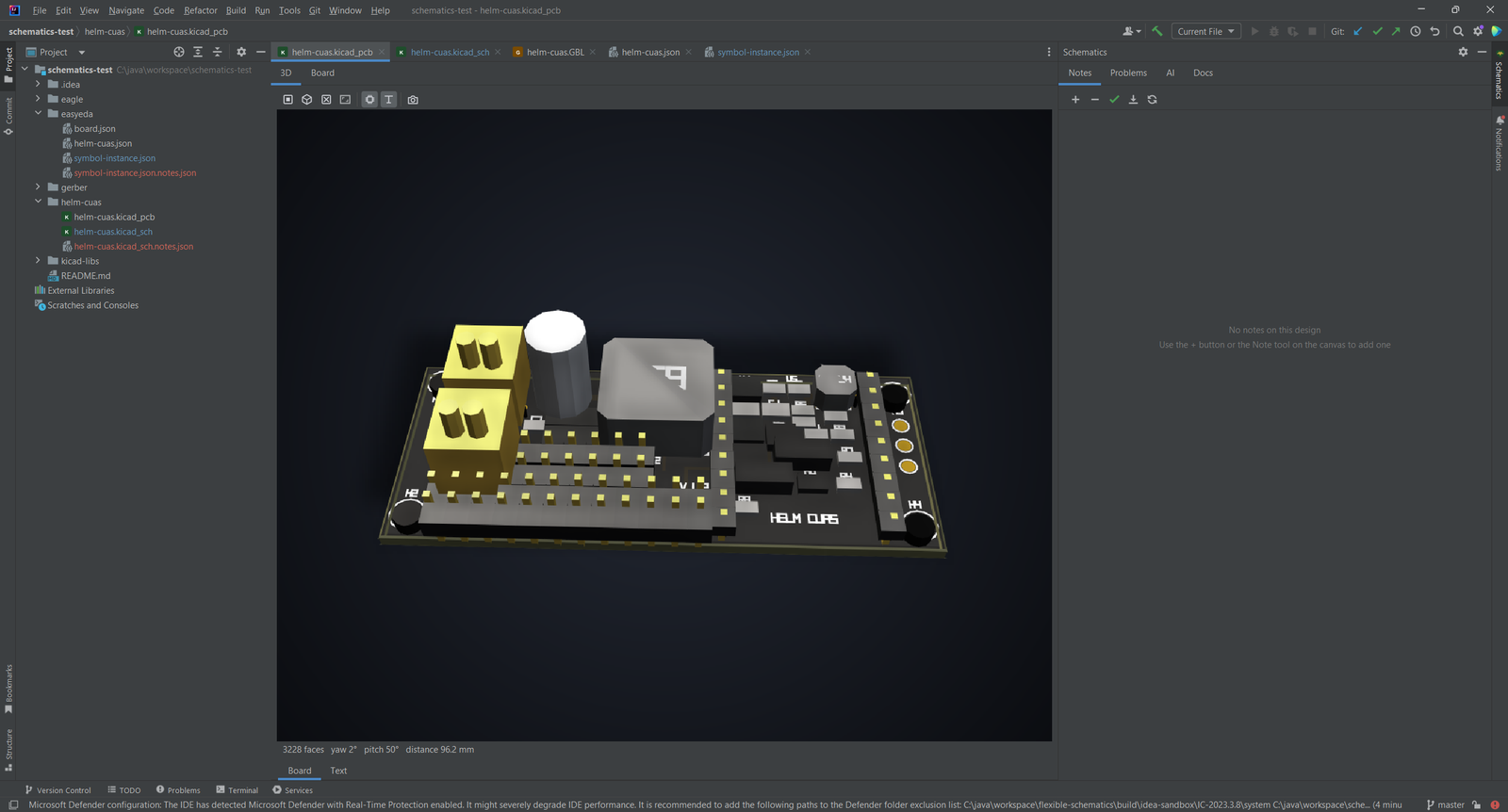
A software 3D view of the board. It needs no GPU and no browser.
- Orbit, zoom and view presets for top and isometric
- Component heights from the footprint or from package heuristics
- PNG snapshot of the 3D scene for a report or a datasheet
05
Rule Checks, Export and AI Assistant
Check the design, then send it to your manufacturer.
- Electrical rule checks for unconnected pins, duplicate references, missing footprints and missing part numbers
- One-click package for JLCPCB, PCBWay, Eurocircuits, OSH Park and Aisler, with BOM and pick-and-place CSV
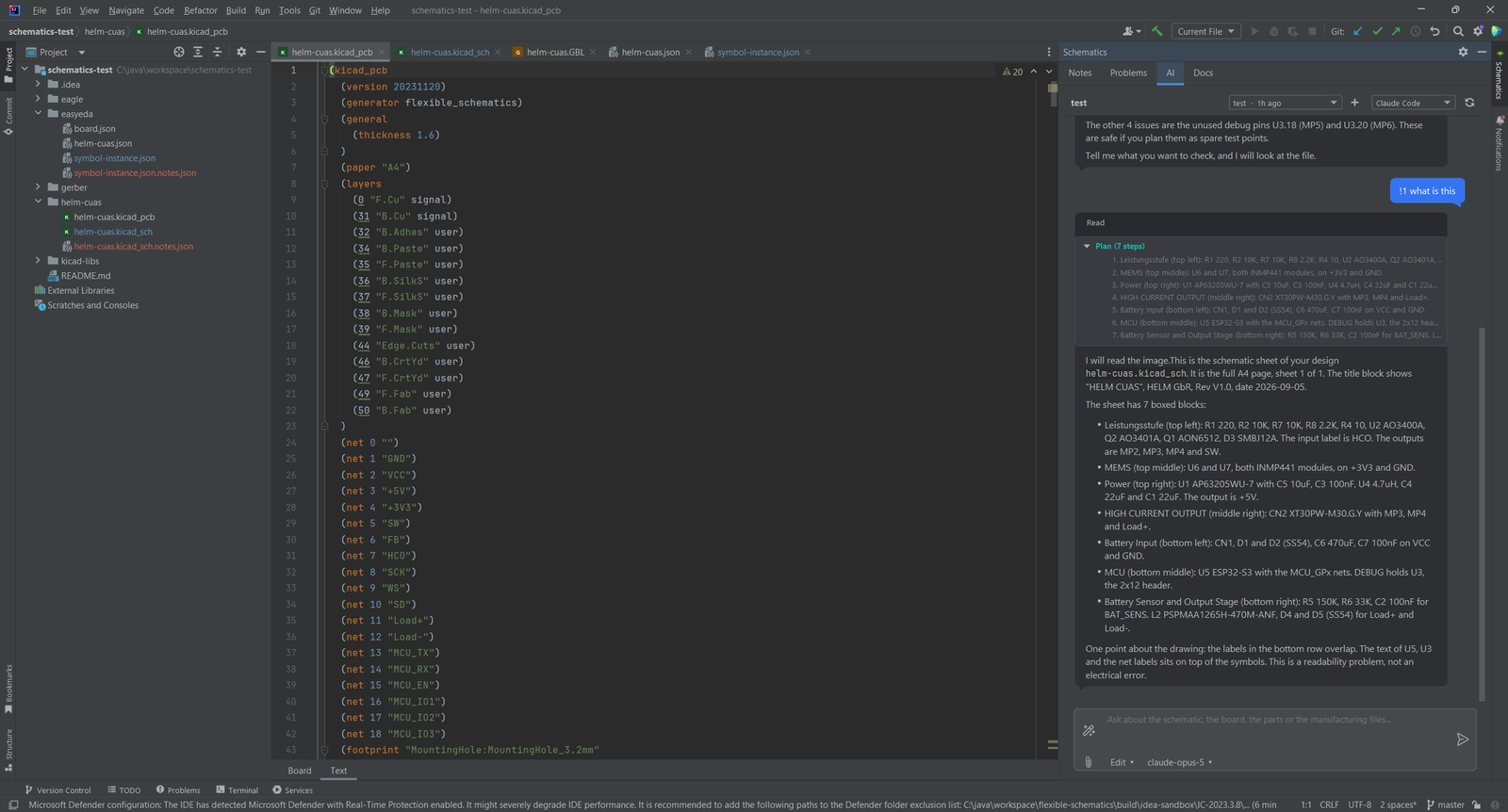
- An AI assistant tab in the Schematics tool window with the full design context, using the backend you choose
06
Language Intelligence for KiCad Files
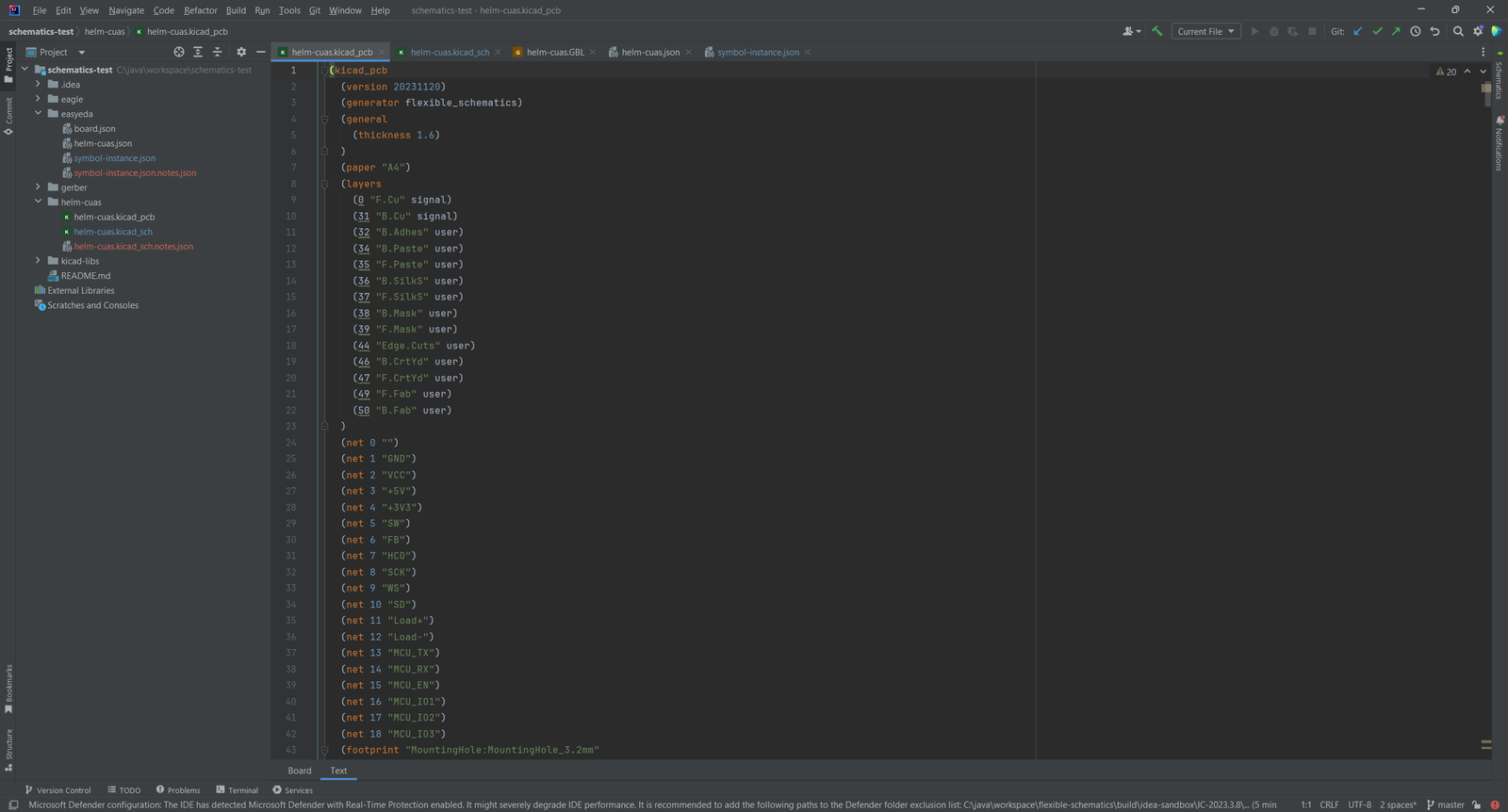
The text editor is a full editor for KiCad S-expression files, and for Gerber and Excellon files.
- Syntax highlighting, code completion and a structure view
- Quick documentation on hover, brace matching and formatting
- References and rename for net labels and components
Simple, Transparent Pricing
Start with a 30-day trial. Purchase through JetBrains Marketplace.
Individual
For solo developers
$2.90/month
or $29/year (save 17%)
- Visual canvas for KiCad, EasyEDA, Eagle and Gerber
- Board view and software 3D view
- Electrical rule checks
- Manufacturer export package
TEAMS
Organization
For teams and companies
$7.90/month
or $79/year (save 17%)
- Everything in Individual
- One license for the whole team
- Purchase through JetBrains Marketplace
- Questions: info@ilscipio.com
Open source community: contact us for discounts. We support the community.
Keep Your Schematics Next to Your Code
Install the plugin from the JetBrains Marketplace and open a KiCad, EasyEDA, Eagle or Gerber file.