


JetBrains IDE Plugin
Flexible for OpenSCAD: Live 3D Preview in JetBrains IDEs
Write OpenSCAD in your JetBrains IDE and see the model update in a live 3D preview, with no OpenSCAD executable needed for the preview.
IntelliJ IDEA · PyCharm · WebStorm · CLion · + All JetBrains IDEs (2023.3+)
- 3D
- Live preview that updates on save
- Gizmo
- Move, rotate and scale in the viewport
- Customizer
- Sliders and dropdowns for parameters
01
Language Support and Completion
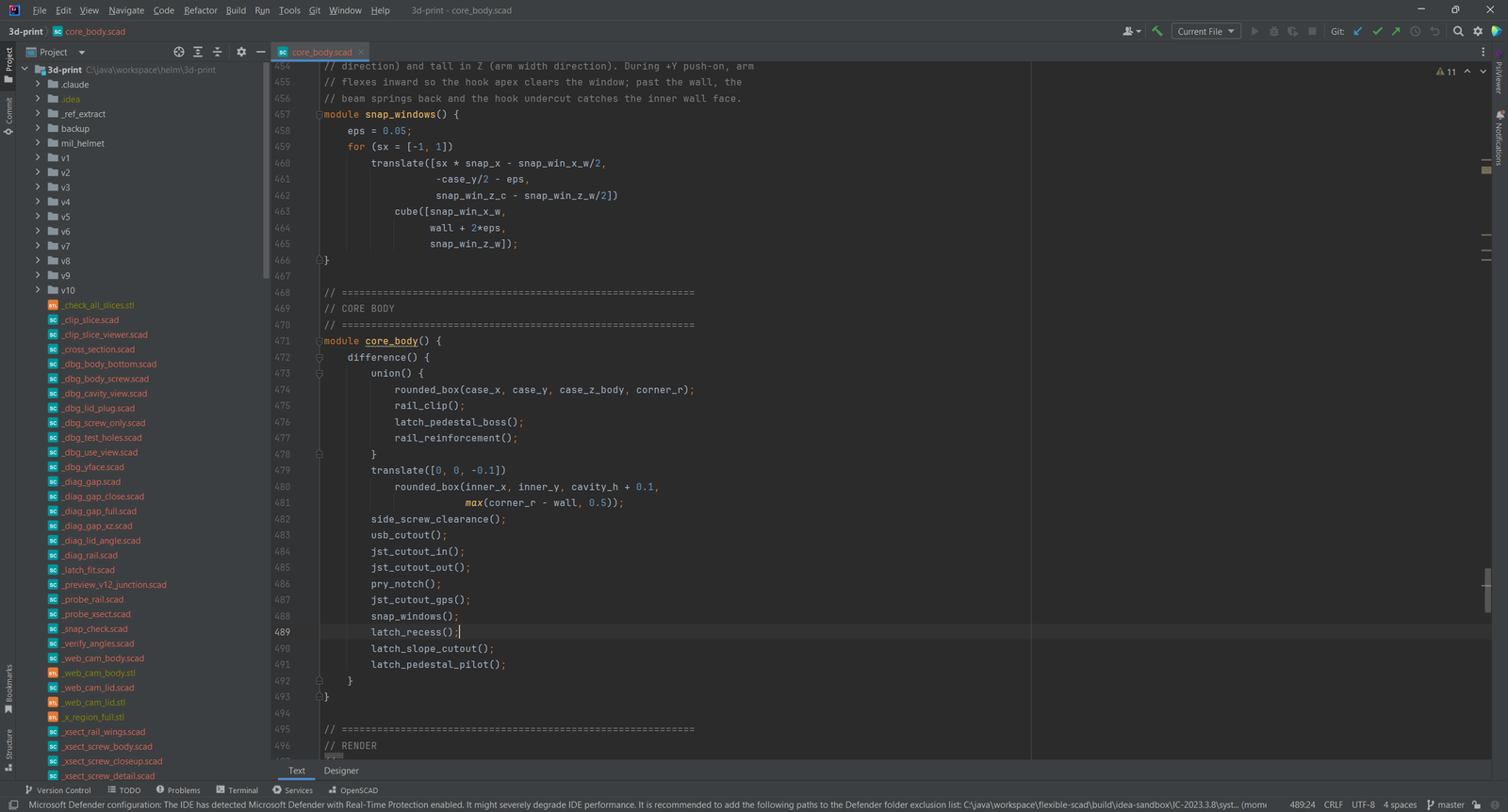
Work on OpenSCAD files with highlighting, folding, brace matching, a code formatter and a structure view of modules, functions and variables.
- Completion for built-in functions and modules, keywords and your own symbols
- Documentation on hover and with Ctrl+Q
- Go to Definition, Find Usages and rename across
includeandusefiles
02
Live 3D Preview
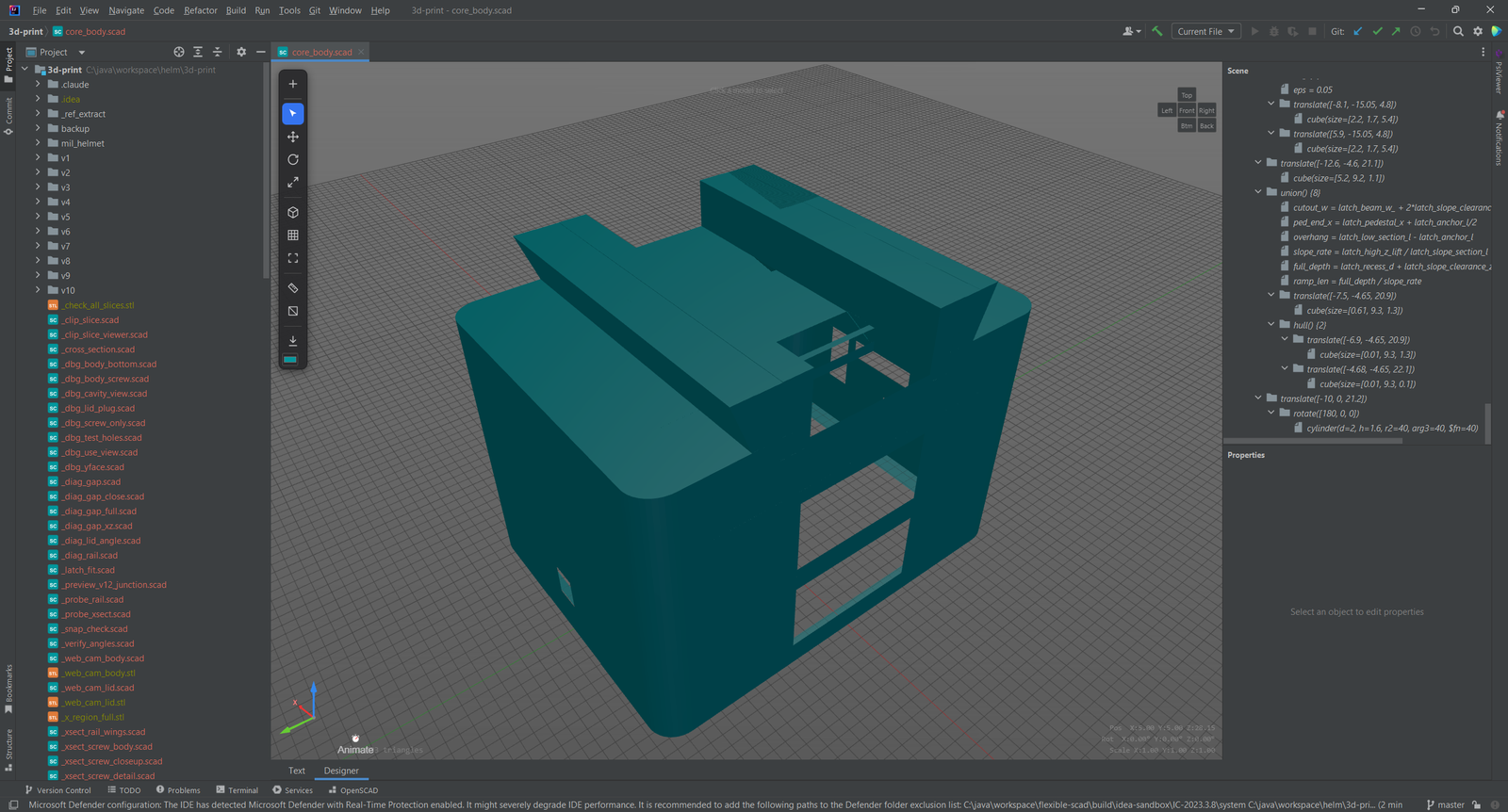
The plugin evaluates supported geometry inside the IDE and renders it with three.js, so the preview needs no OpenSCAD executable. Orbit, pan and zoom the model. It updates when you save.
03
Gizmo Editing
Drag a transform gizmo in the viewport to move, rotate or scale a part. The plugin writes the change back into your source as a
translate(), rotate() or scale() wrapper, and you can undo it as one step.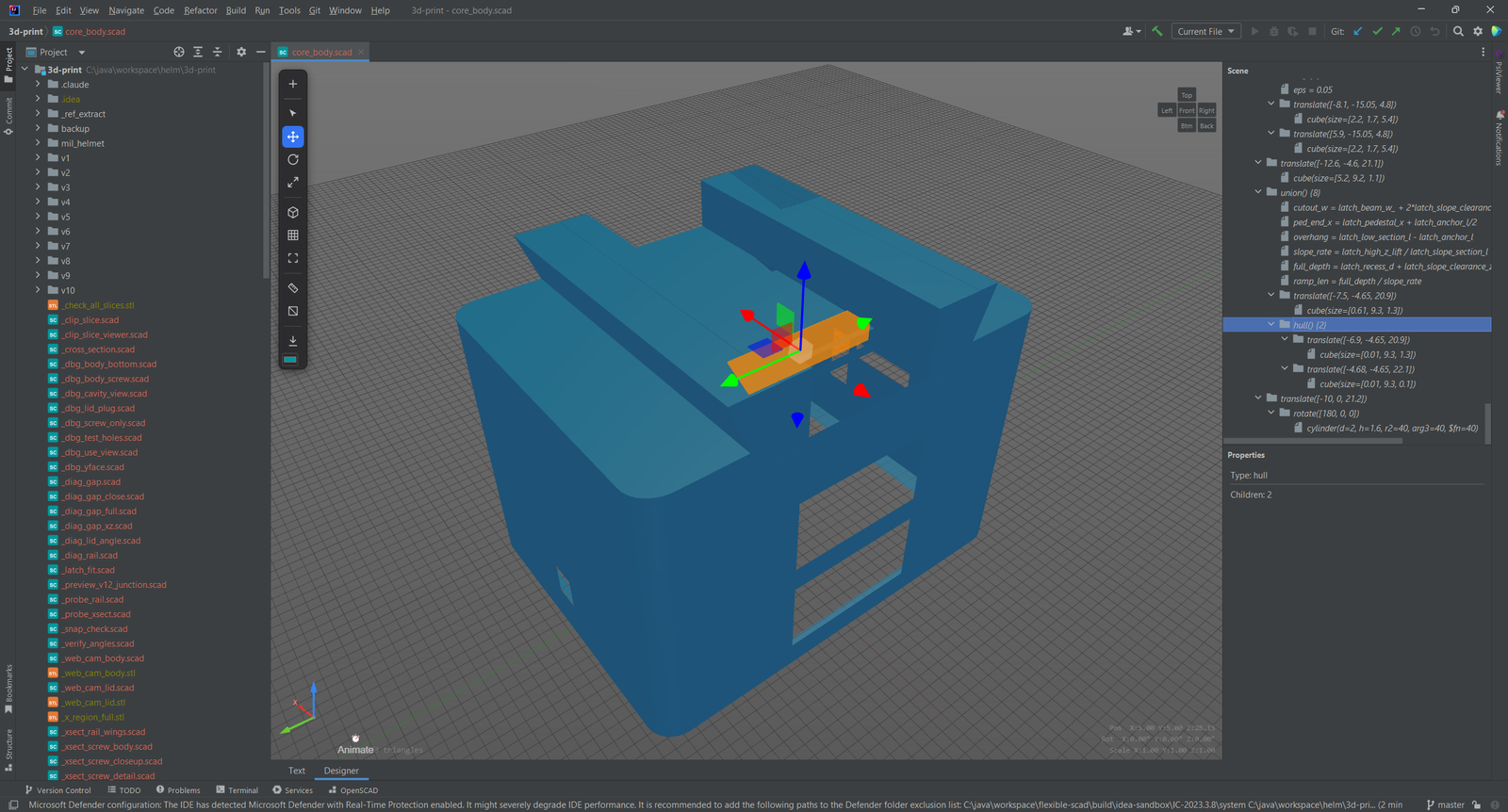
04
Measure, Clip and Animate
Measure with a 2-click distance tool or a 3-click angle tool (press M). Cut a cross-section with a clipping plane to inspect the inside (press X). An animation timeline drives the
$t variable.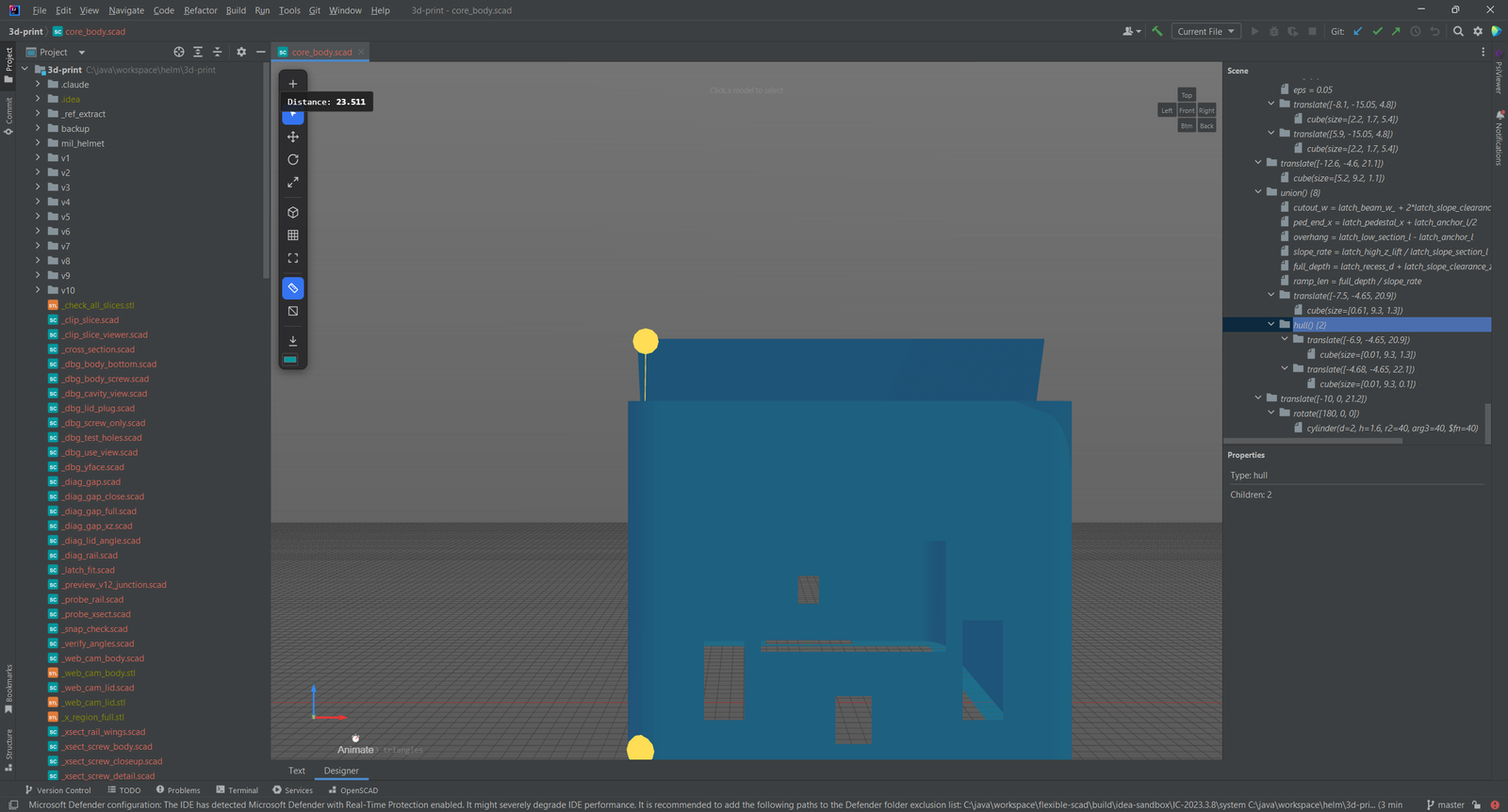
05
Customizer and Outliner
The Customizer tool window reads your // [min:max], // [step], // [a,b,c] and labeled enum annotations and shows sliders, dropdowns and checkboxes. A change re-renders the model.
The Outliner lists the top-level statements with visibility and isolate toggles, and a click takes you to the source.
06
STL Viewer and Export
View
.stl files in an interactive three.js viewer with orbit controls. Export to STL straight from the IDE with the built-in CSG engine, no external tools needed. Export to 3MF, AMF, DXF, SVG and PNG uses a locally installed OpenSCAD.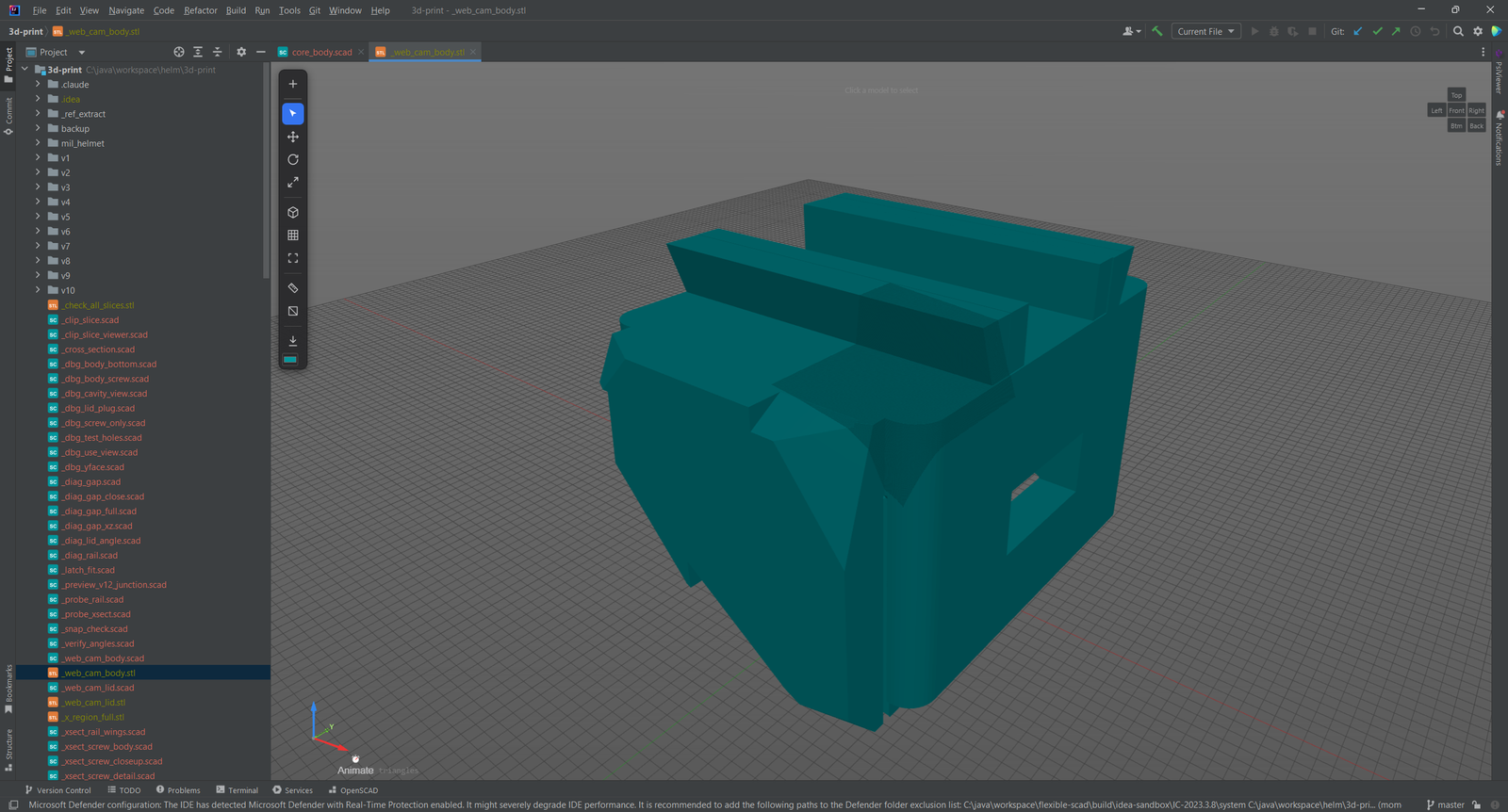
Simple, Transparent Pricing
Start with a 7-day free trial. Purchase through JetBrains Marketplace.
Individual
For solo developers
$4.90/month
or $49/year (save 17%)
- Live 3D preview, no OpenSCAD install needed
- Gizmo editing in the viewport
- Customizer and Outliner
- Completion, navigation and inspections
TEAMS
Organization
For teams and companies
$9.90/month
or $99/year (save 17%)
- Everything in Individual
- For teams and companies
- 7-day free trial
- Purchase through JetBrains Marketplace
Open source contributors and individual developers: Contact us for discounts. We support the community.