


JetBrains IDE Plugin
Magnolia CMS Integration
IntelliJ IDEA · WebStorm · PyCharm · PhpStorm · + All JetBrains IDEs
- Complete
- YAML + Freemarker IDE support
- 6.4+
- Supports latest Magnolia version
- 15+ Years
- Magnolia development experience
01
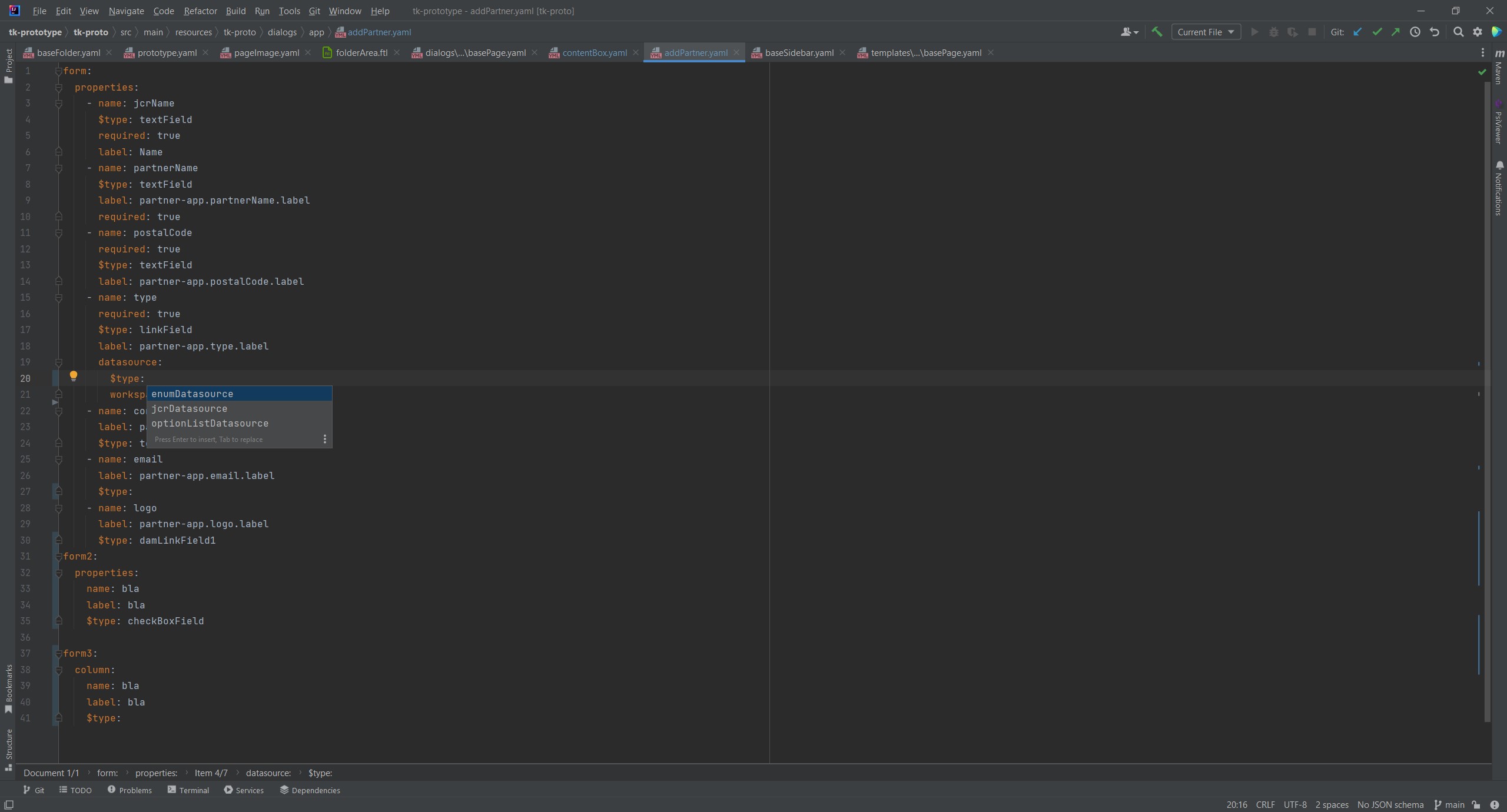
YAML Schema Autocomplete
Stop guessing YAML structure and property names. The plugin provides intelligent schema-based autocomplete for all Magnolia light module configurations, including dialogs, fields, actions, and more.
As you type, the IDE suggests valid properties, field types, and action configurations based on the Magnolia schema. Navigate directly from class attributes to Java definitions with a single click.
Key features
- Schema autocomplete for dialogs, fields, and actions
- Java class navigation (jump-to-definition for class attributes)
- Module path detection for templateScript, dialogId references
- FTL reference linking – navigate from YAML to Freemarker templates
- Live templates (type m: for quick options)
02
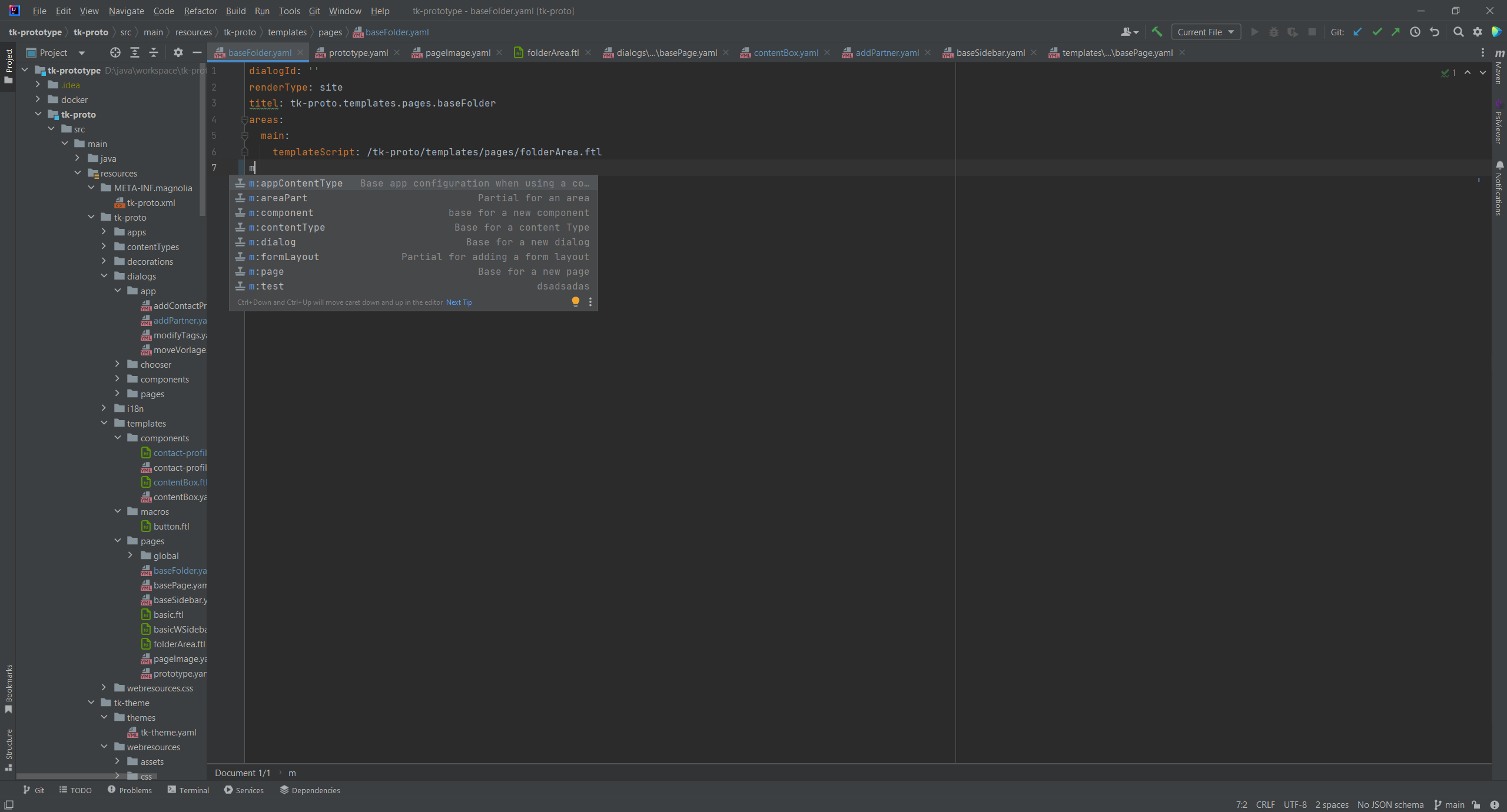
Smart Templates & Live Templates
Accelerate your Magnolia development with intelligent code generation. Type short prefixes and expand them into complete, properly structured code blocks for common Magnolia patterns.
Live templates understand Magnolia’s conventions and generate valid YAML configurations, Freemarker directives, and component structures. Perfect for creating new dialogs, templates, and page definitions quickly.
Template shortcuts
- Type
m:for Magnolia-specific options - Quick dialog and field scaffolding
- Template definition generators
- Component area patterns
- Action configuration templates
03
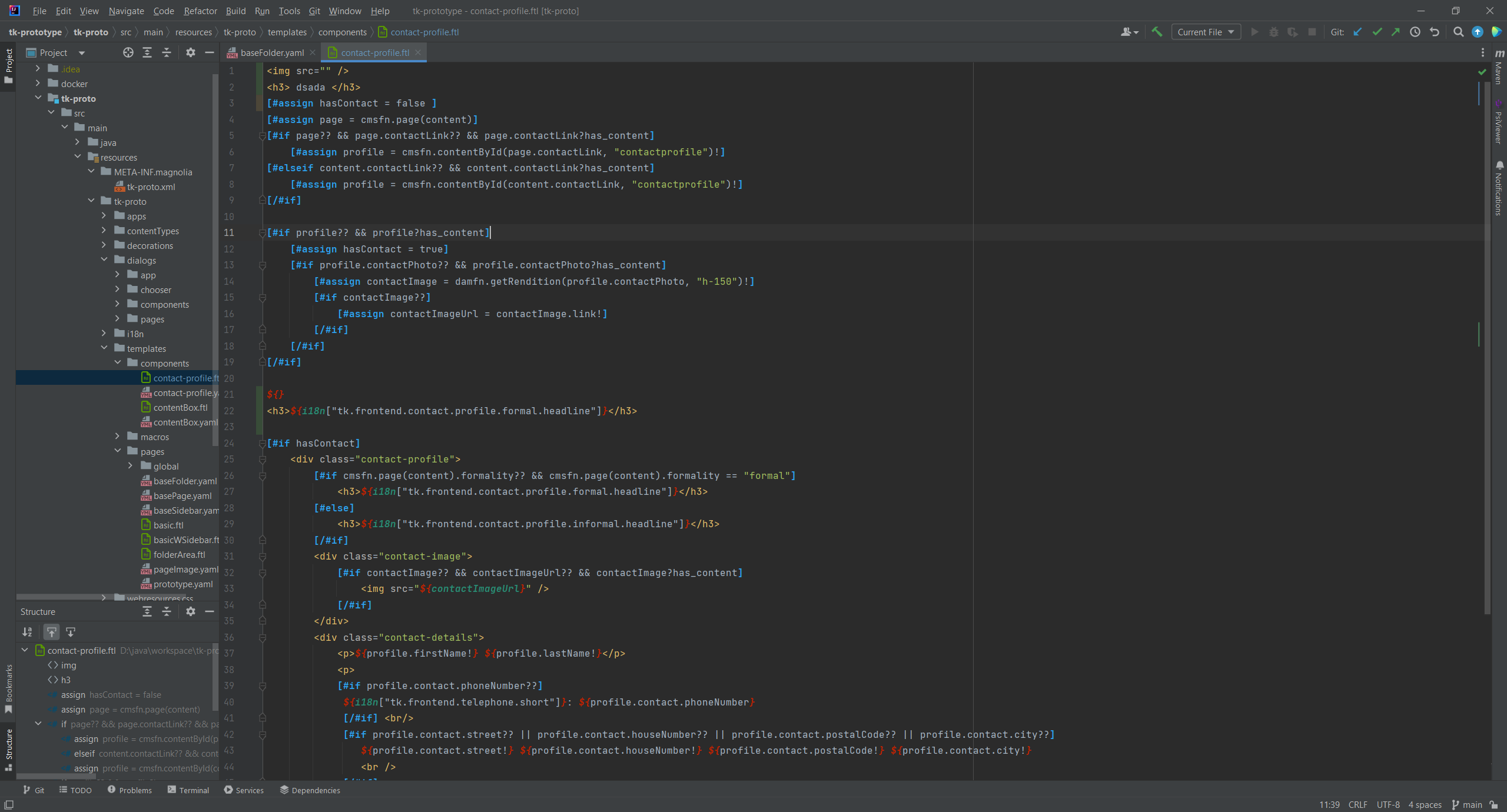
Full Freemarker Implementation
A complete Freemarker editor specifically designed for Magnolia CMS. Full autocomplete for Magnolia functions, [#directives], and [@cms.*] user directives – everything you need to build powerful templates.
The plugin understands Magnolia’s template context, providing intelligent suggestions for cms directives, built-in functions, and the respdamfn namespace for image handling.
Freemarker features
- Full autocomplete for Magnolia functions
- [#directive] and [@cms.*] user directive support
- Smart syntax highlighting and code folding
- Structure view for template navigation
- Real-time error detection and validation
04
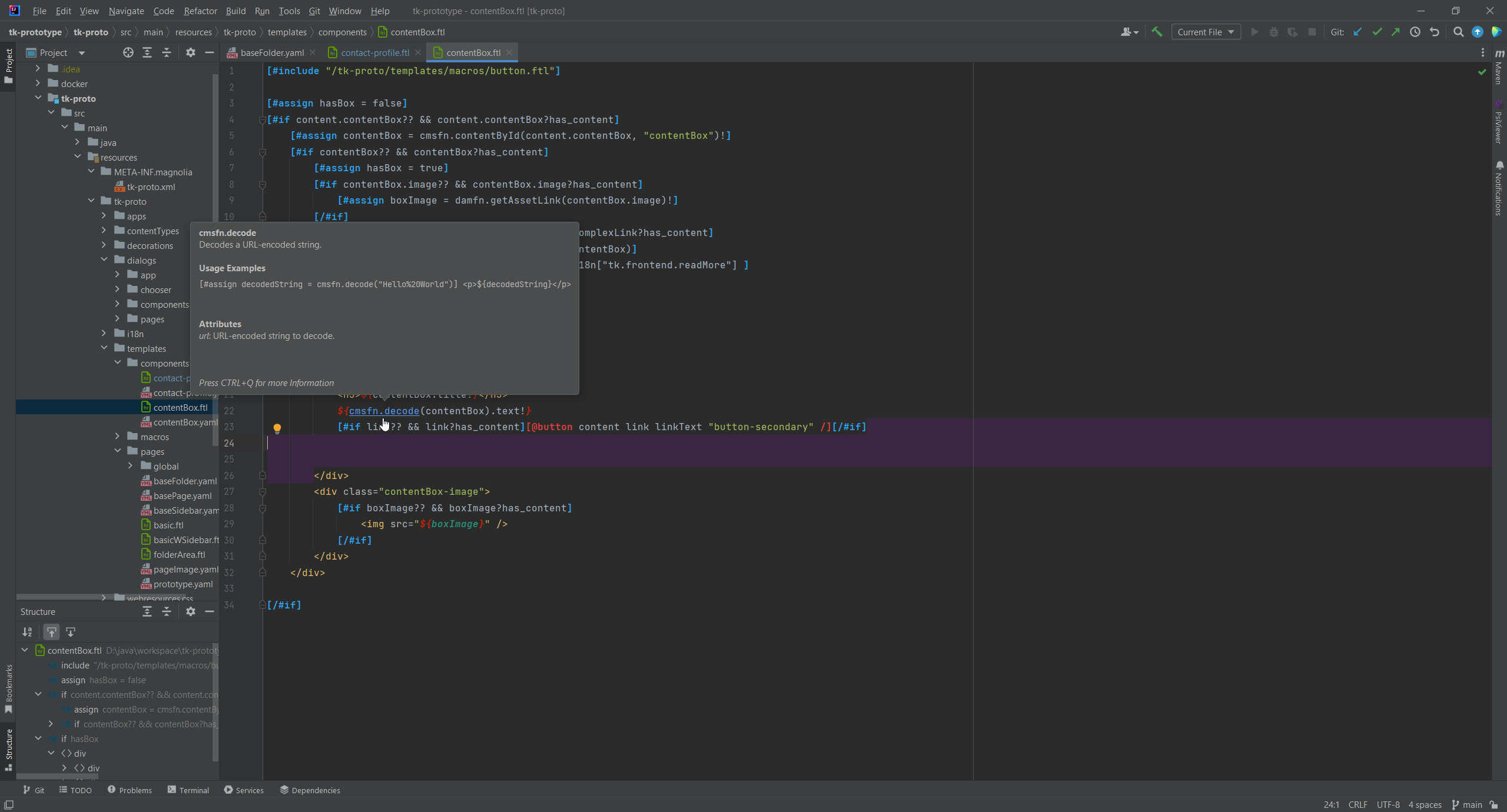
On-Hover Documentation
Instant documentation for every Magnolia function and directive, right inside your IDE. Use Ctrl+Hover to see detailed explanations, parameter descriptions, and usage examples without leaving your editor.
Whether you’re working with [@cms.area], [#list], or custom Magnolia functions, the documentation panel provides everything you need to understand and use each feature correctly.
Documentation includes
- Complete documentation for all Magnolia directives
- Function signatures with parameter descriptions
- [@cms.*] directive reference
- Quick examples and usage patterns
- Context-aware help based on cursor position
05
More IDE Features You’ll Love
YAML Features
- Dialog type autocomplete
- Field type suggestions
- Action type definitions
- Java class navigation
Freemarker Features
- [@cms.*] directive support
- [#directive] autocomplete
- Magnolia functions library
- respdamfn namespace (image focal point)
Navigation & Refactoring
- Find usages across YAML and FTL
- Jump to definition (Ctrl+Click)
- Rename support for templates
- YAML to FTL navigation
Project Intelligence
- Auto-detection of Java modules
- Magnolia facet for project structure
- Light module support
- Plugin recommendations for .ftl files
Simple, Transparent Pricing
Individual
For solo developers
$4.90/month
or $49.99/year (save 15%)
- All IDE features
- YAML schema autocomplete
- Full Freemarker support
- Magnolia 6.4 compatibility
- All future updates
TEAMS
Organization
For teams and companies
$12/month
or $120/year (save 17%)
- Everything in Individual
- Team license management
- Shared configurations
- Priority support
- Invoice billing

15+ Years of Magnolia Expertise
Made by Ilscipio GmbH, a team with over 15 years of Magnolia CMS development experience. We’ve built enterprise Magnolia solutions for clients across industries and know the challenges developers face every day.
We created Magnolia CMS Integration because we needed it ourselves. After years of working with Magnolia’s light modules, YAML configurations, and Freemarker templates, we built the IDE tooling we always wished existed. From automatic schema detection to seamless navigation between templates and configurations – every feature comes from real-world Magnolia development experience.
What developers say
4.6 2 ratings · JetBrains Marketplace-
★★★★★
“The Freemarker editor works very well and has held up. Definitely going to be a must for mgnl dev work.”
Pascal P ·
-
★★★★★
“Finally the plugin I was waiting for! It really boosted my productivity while working on Magnolia projects. Kudos for the good job!”
Jonatan Soto ·