


JetBrains IDE Plugin
Flexible Tailwind: Tailwind CSS in Every JetBrains IDE
Get Tailwind CSS autocomplete, hover docs and color previews in any language where you write classes: HTML, JSX, Vue, PHP, Python templates and more. Drop in ready-made components from a snippet browser with live preview.
4.6
3 ratings · JetBrains Marketplace
IntelliJ IDEA · WebStorm · PhpStorm · PyCharm · GoLand · RubyMine · CLion · Rider · Android Studio (2023.3 and newer)
- 3500+
- Built-in Tailwind v3 classes with descriptions
- 163
- Copy-paste components in 15 categories
- Any
- Language: HTML, JSX, Vue, PHP, Python and more
01
What Developers Are Saying
★★★★★
“Beautifully made plugin that helps a ton with Tailwind styling. Keep it up! ♥♥♥”
Boogy — JetBrains Marketplace
★★★★★
“Gives great help building tailwind components.”
Juan Jose Gonzalez — JetBrains Marketplace
★★★★★
“Provides completion where built-in integration doesnt”
jetbrains.vexingly422 — JetBrains Marketplace
02
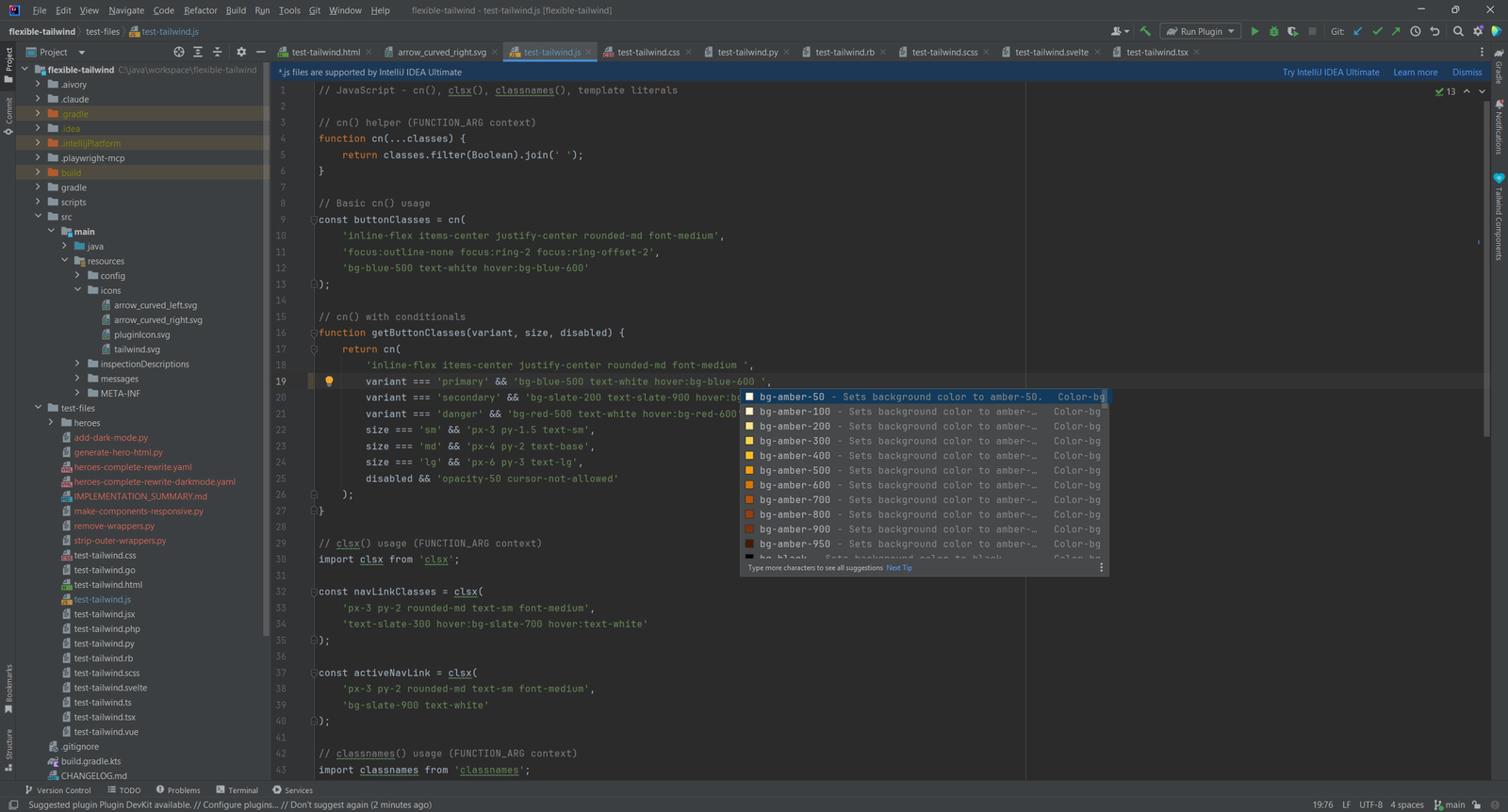
Autocomplete in Every Language
Tailwind classes complete wherever you write them: HTML, JSX, TSX, Vue, PHP, Python templates and more. The plugin ships 3500+ Tailwind v3 classes with descriptions.
- Completion in
class="",className=""and@apply - Arbitrary values such as
bg-[#ff0000]and modifiers such ashover:,dark:andmd: - Works in helper calls such as
cn()in JavaScript
03
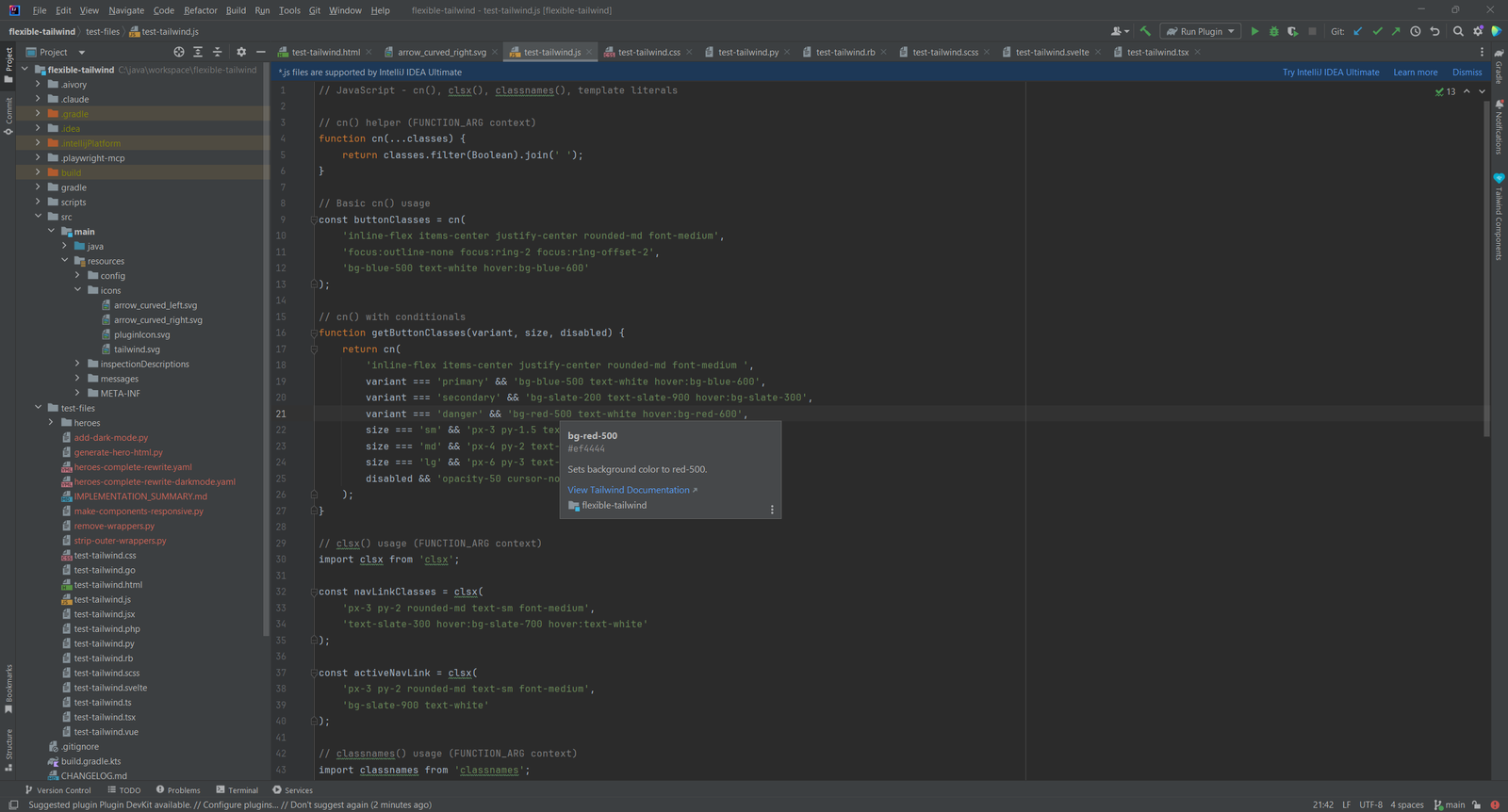
Hover Docs With the CSS Output
Hover over a class to see what it does. The popup shows the CSS property and links to the Tailwind documentation.
- The CSS property output for each class
- Color swatches for color classes
- Links to the official Tailwind documentation
04
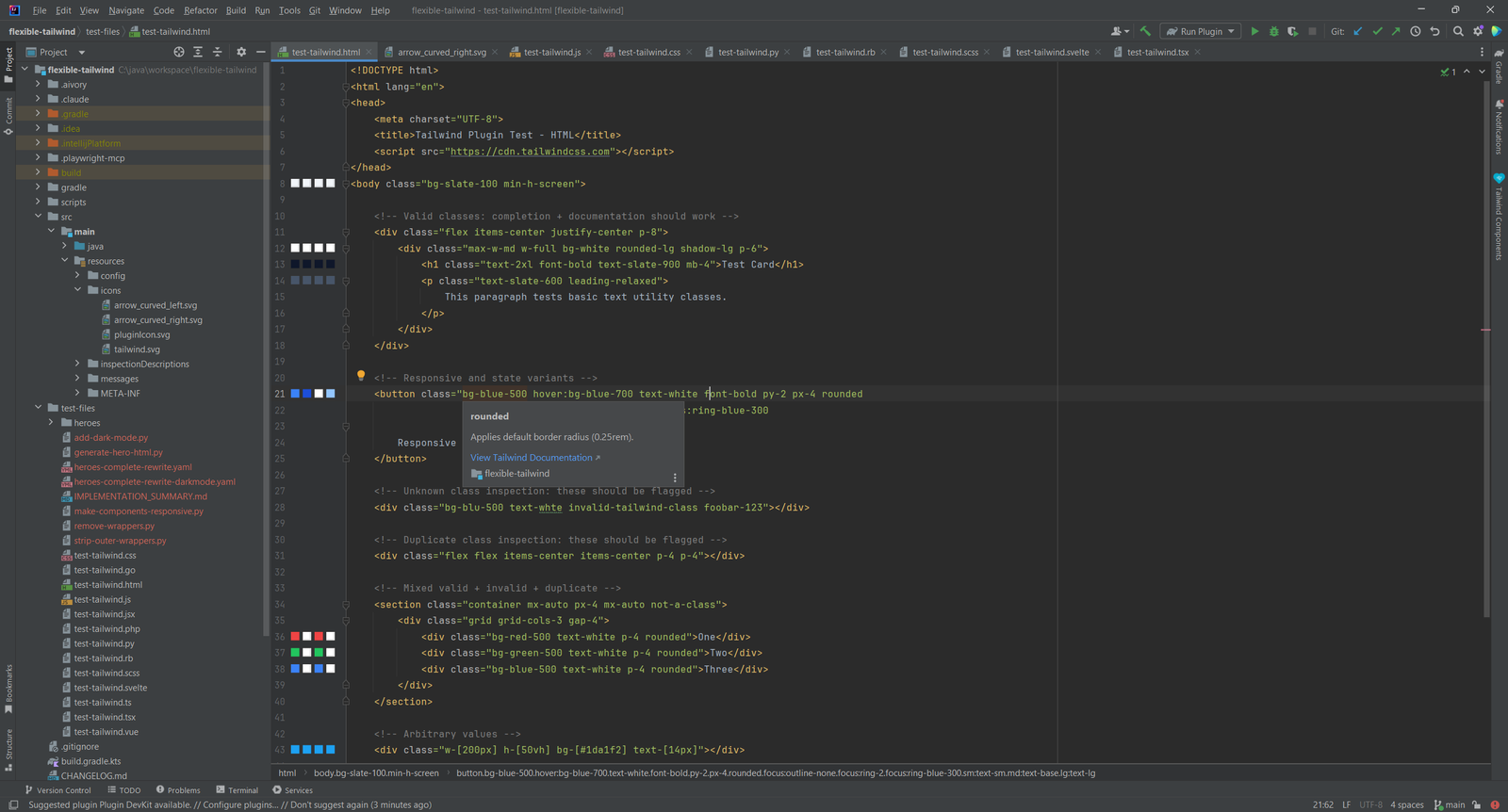
Color Previews & Inspections
Color classes get an inline swatch in the gutter, so you see the color before you run the page.
- Swatches for background, text, border, ring and more
- A warning for unknown Tailwind classes
- A warning for duplicate classes in the same attribute, with a quick fix to remove them
05
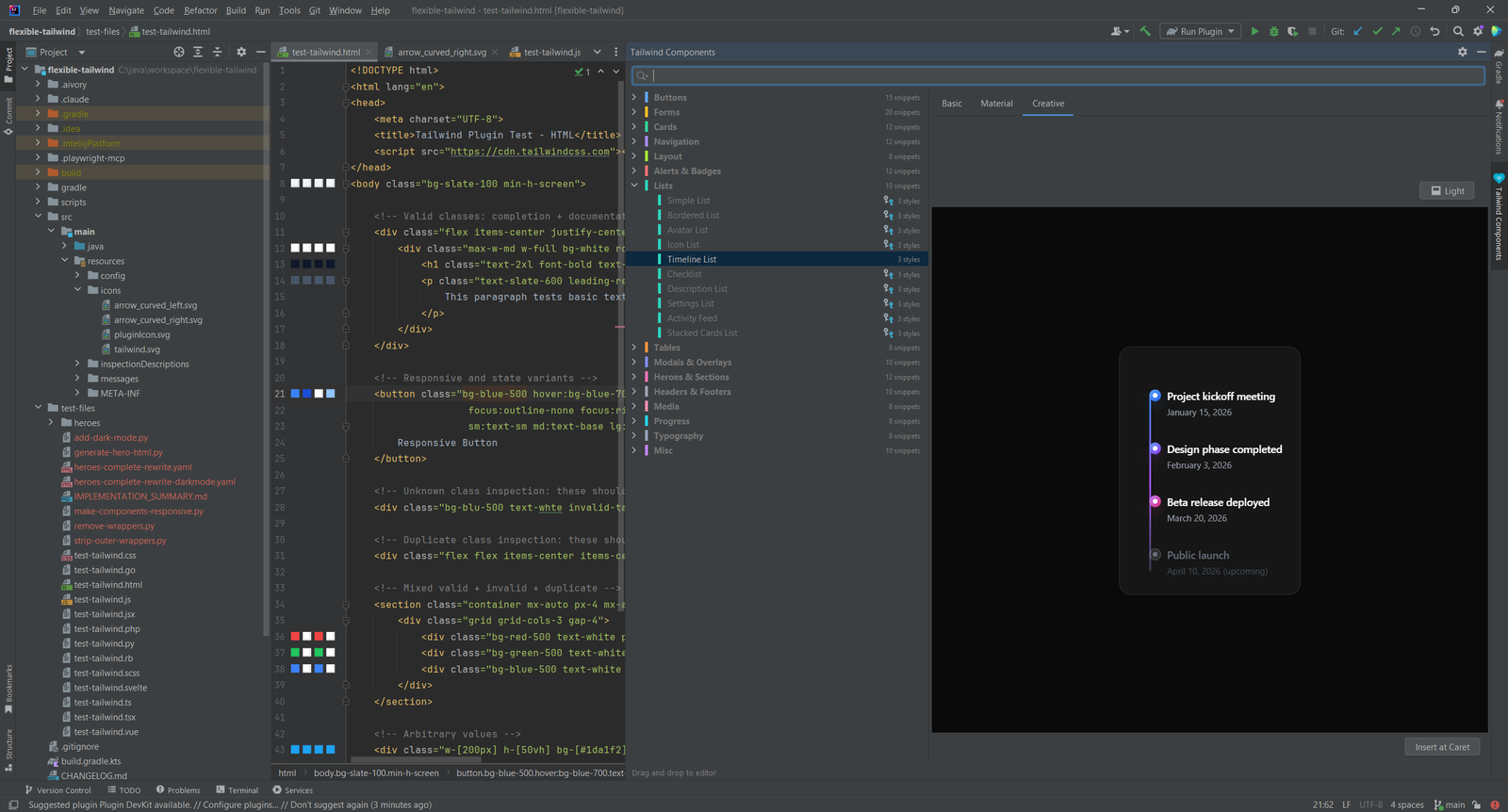
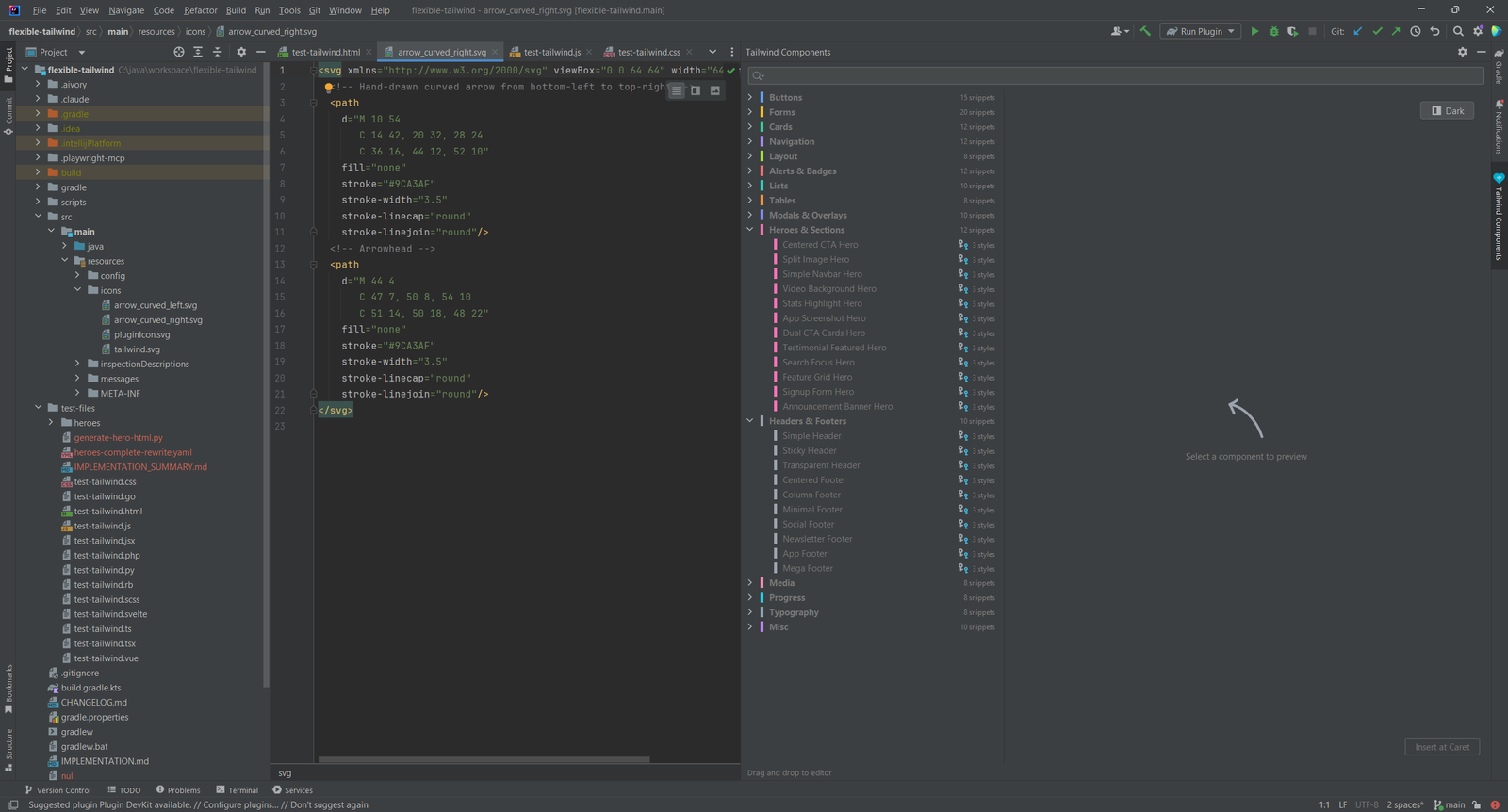
Component Snippets With Live Preview
The Tailwind Components tool window holds 163 ready-made components in 15 categories. Pick one to see it rendered.
- Three design variants for each component: Basic, Material and Creative
- Switch the preview between light and dark mode
- Copy a component into your project, with no wrapper styling to remove
06
Heroes, Cards, Forms and More
Browse by category: heroes, cards, buttons, forms, alerts, navigation, tables, lists, typography, headers and footers, progress, media, layout and more.
- Full-width heroes with navbars, CTAs and responsive layouts
- Responsive, mobile-first components with Tailwind breakpoints
07
Pricing
Flexible Tailwind is freemium. See the Marketplace page for the current plans and prices.
Write Tailwind Faster in the IDE You Already Use
Install Flexible Tailwind from the JetBrains Marketplace and open any file with Tailwind classes.