


JetBrains IDE Plugin
Flexible Sim: Live Block Diagrams and Simulation in the IDE
Edit a block diagram and the model code side by side, and run the simulation in the same window. Flexible Sim supports Modelica, Julia, Dyad and Python, and keeps diagram and code in sync.
IntelliJ IDEA · PyCharm · WebStorm · CLion · GoLand · Rider · + All JetBrains IDEs (2023.3 and newer)
- 4
- Languages: Modelica, Julia, Dyad and Python
- Scope
- Bode, sweeps and signal plots
- 5 blocks
- Run models up to this size free
01
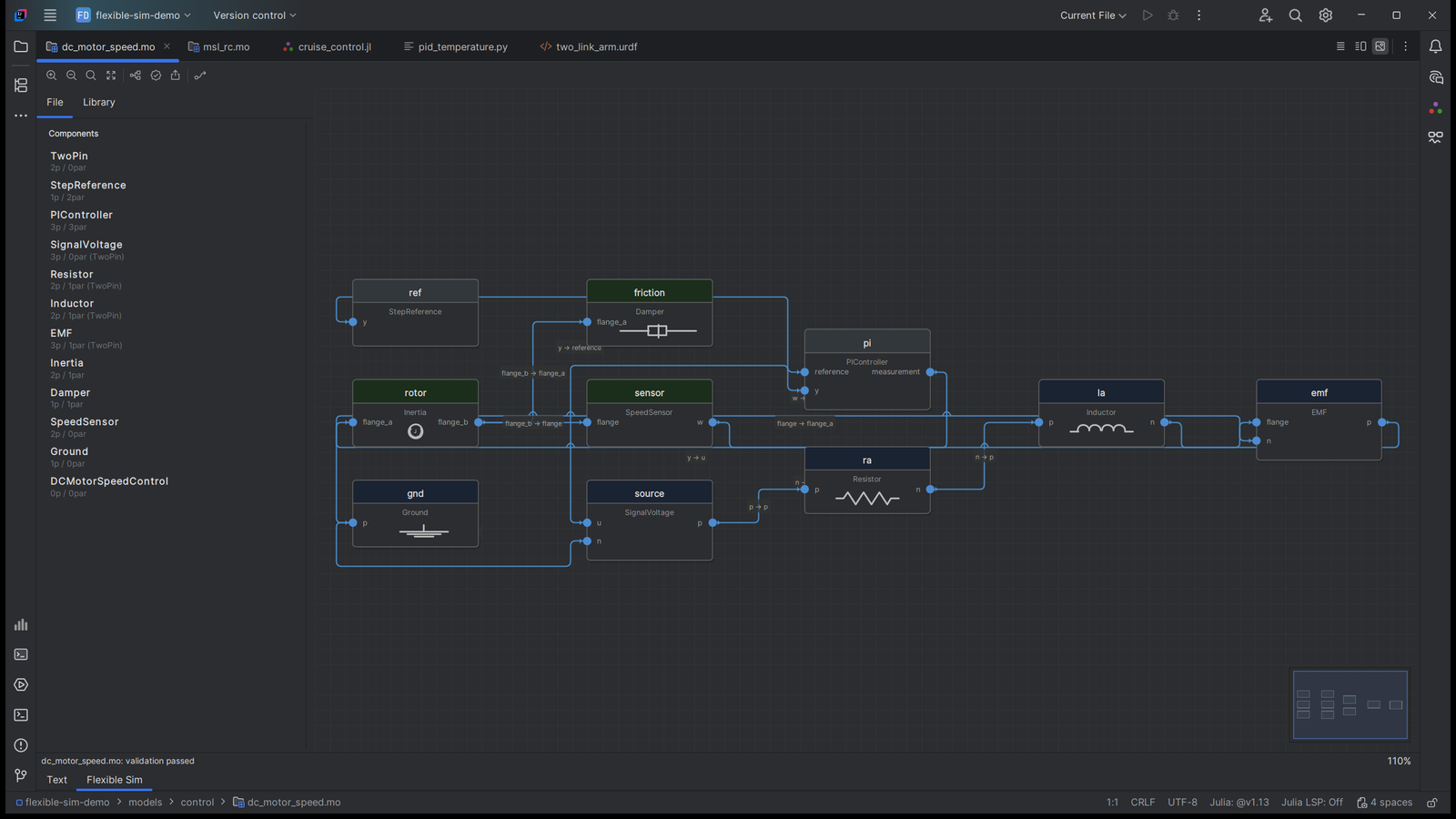
Diagram and Code in Sync
Edit the block diagram or the model code. Both stay in sync.
- Split editor with the source on the left and the live block diagram on the right
- Diagram edits in Dyad, Julia/ModelingToolkit and Modelica models write back to the code
- Block positions live in a small layout file, so the source stays clean
- Drag blocks from the library, connect ports, and validate unconnected ports and algebraic loops
02
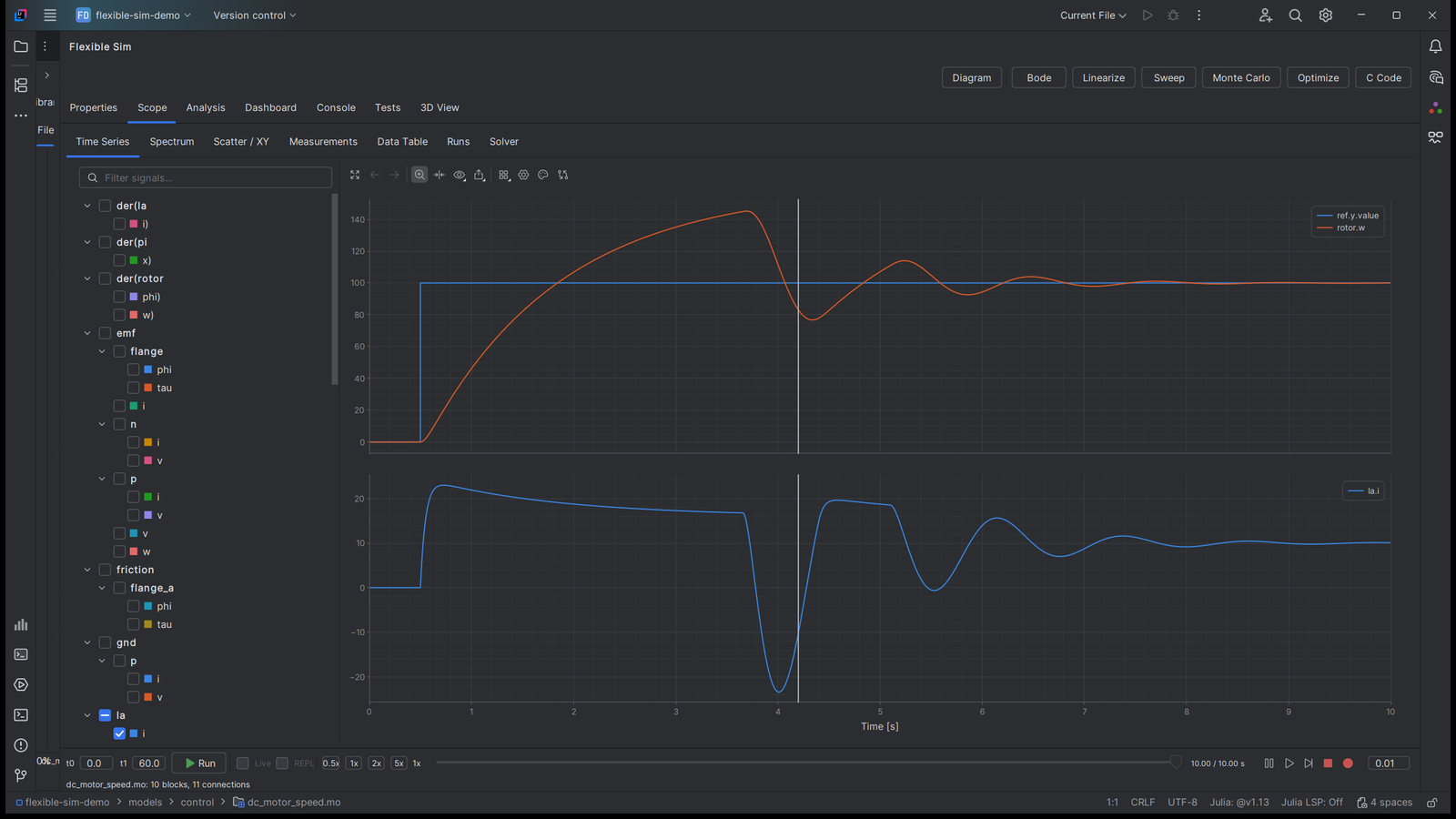
A Scope for Every Signal
Run the model and read the result in the Scope.
- Up to 4x4 subplots and a filterable signal tree
- Dual cursors with measurements, spectrum, scatter and a data table
- Export to PNG, SVG and CSV
03
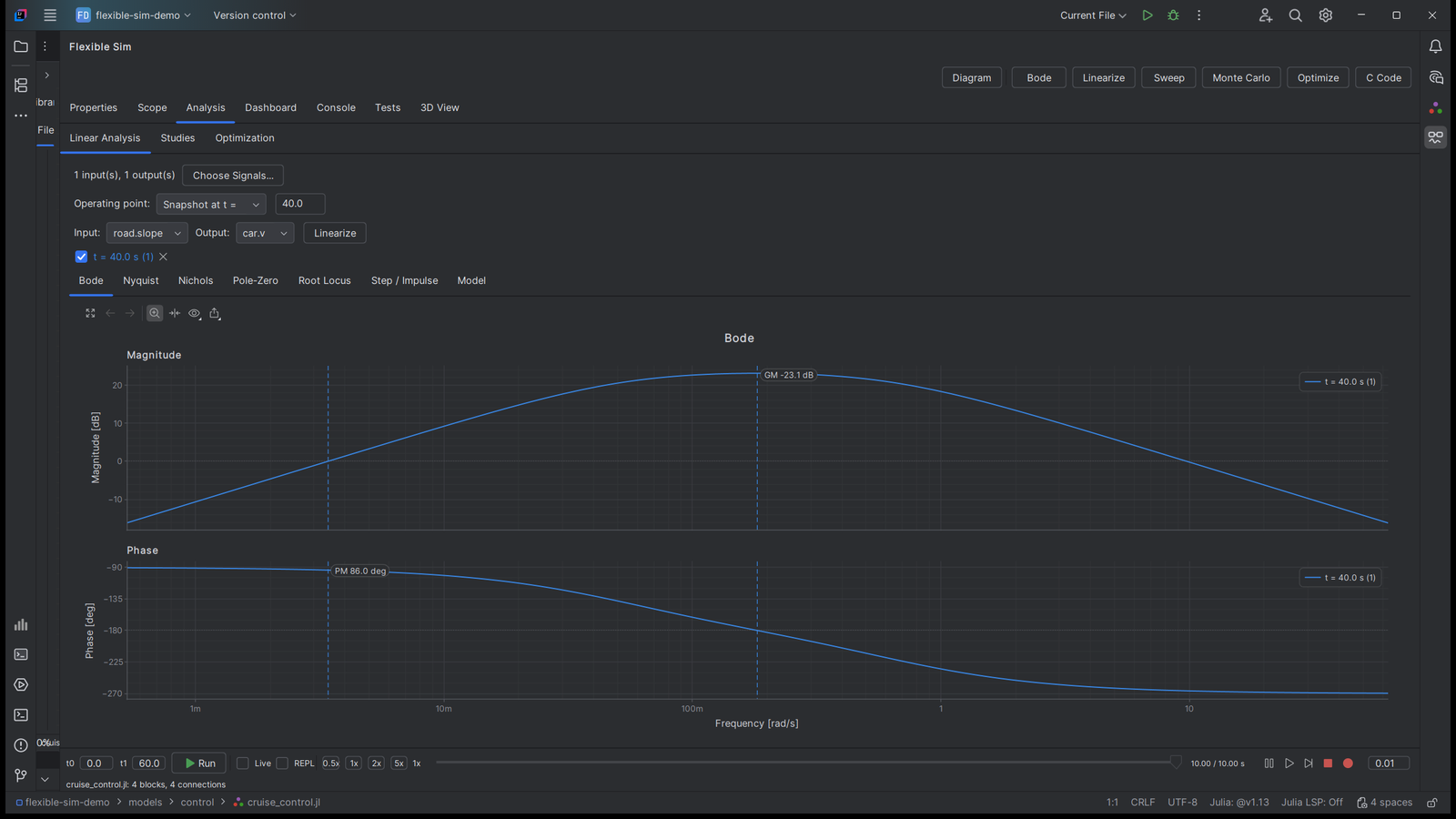
Linear Analysis
Bode, Nyquist, Nichols, root locus, pole-zero, and step and impulse response, with stability margins. Analysis points are marked on the diagram. Analysis is part of Pro.
04
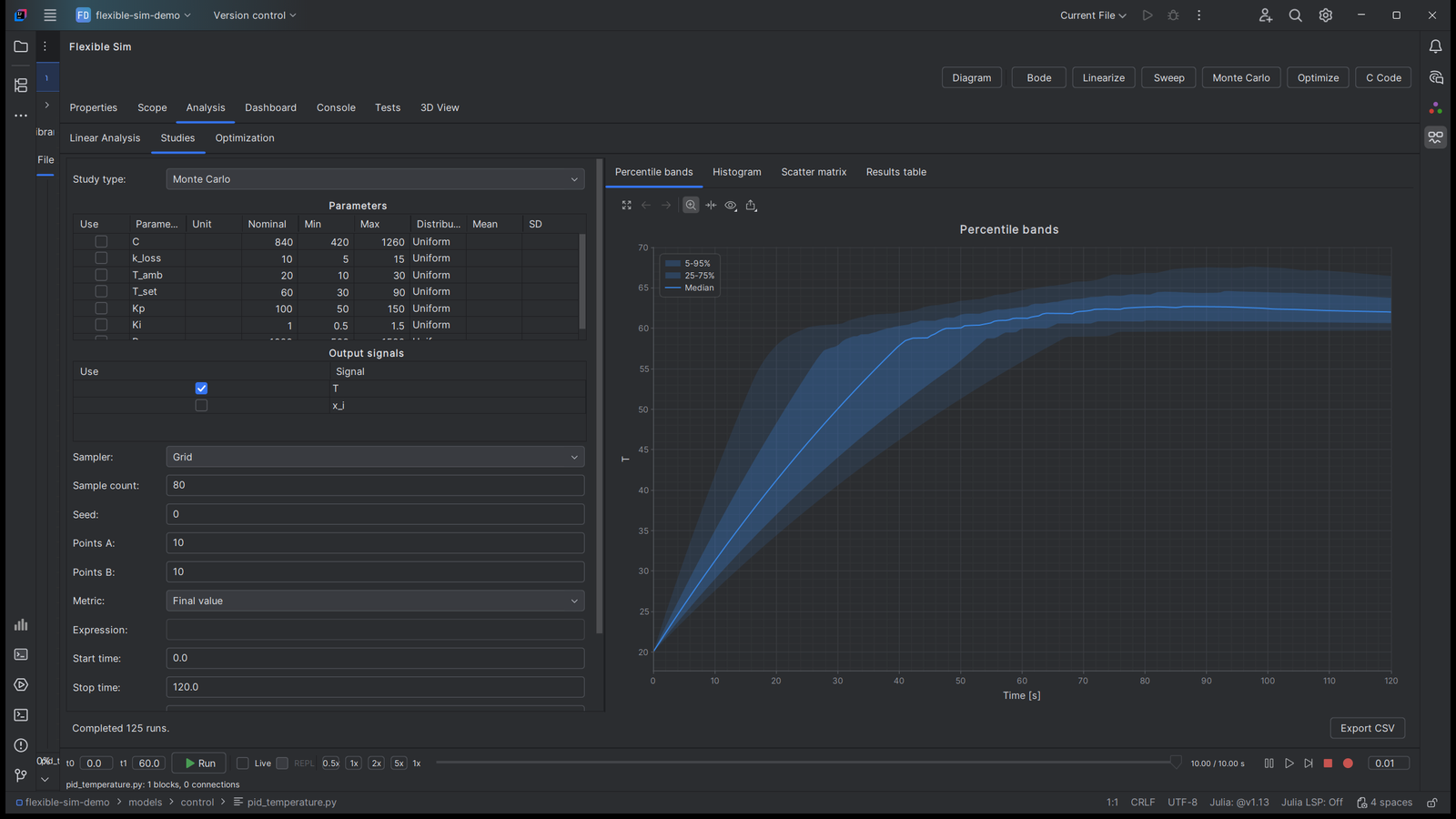
Parameter Studies and Optimization
Find out how the model reacts when the parameters change.
- 1D and 2D sweeps
- Monte Carlo with percentile bands
- Tornado, PRCC and Sobol sensitivity
- Optimization: tune parameters to a target response, or estimate them from measured CSV data
05
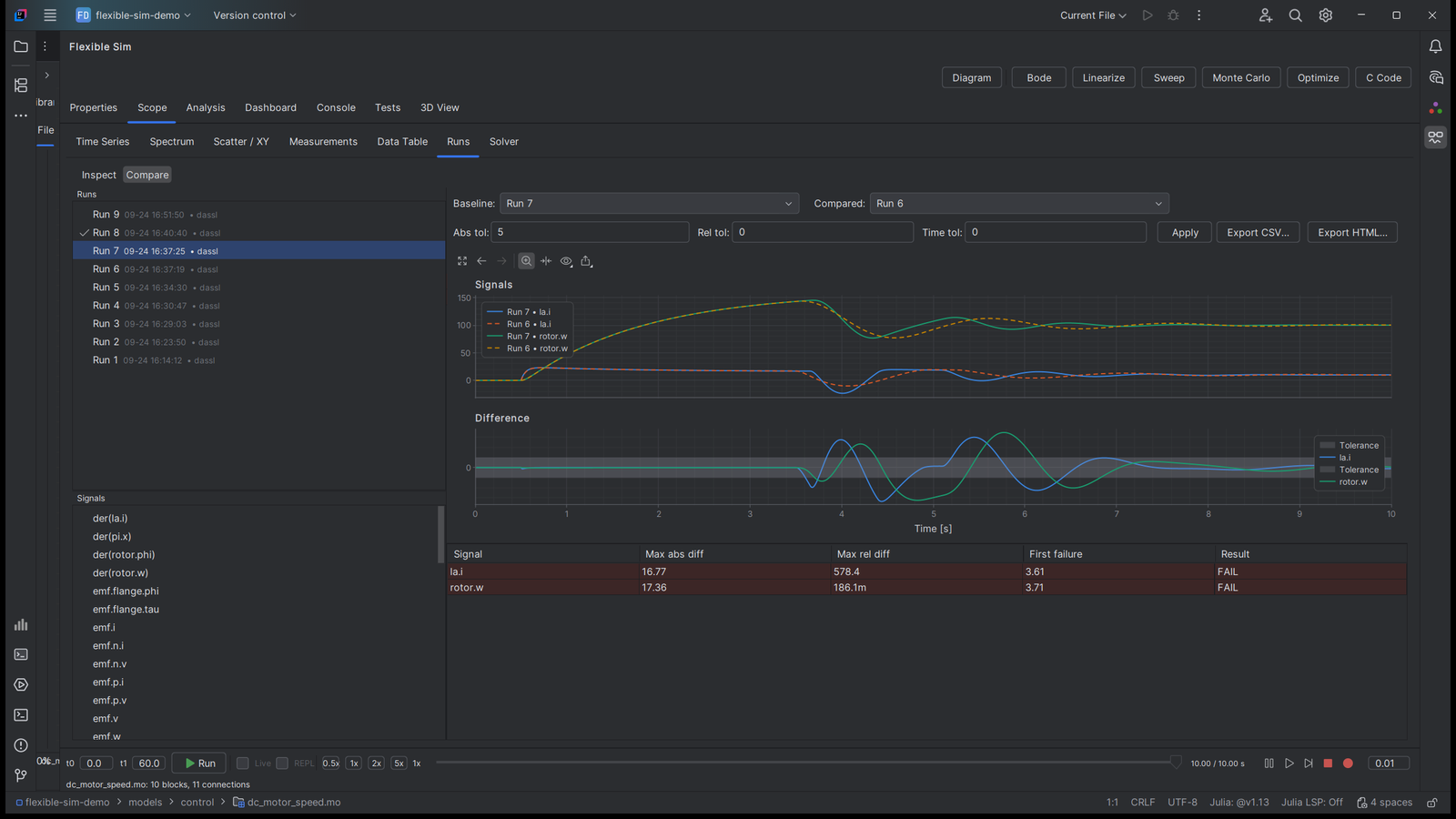
Runs Archive
Pin, rename, overlay and compare runs with tolerances. Reports come as HTML and CSV.
06
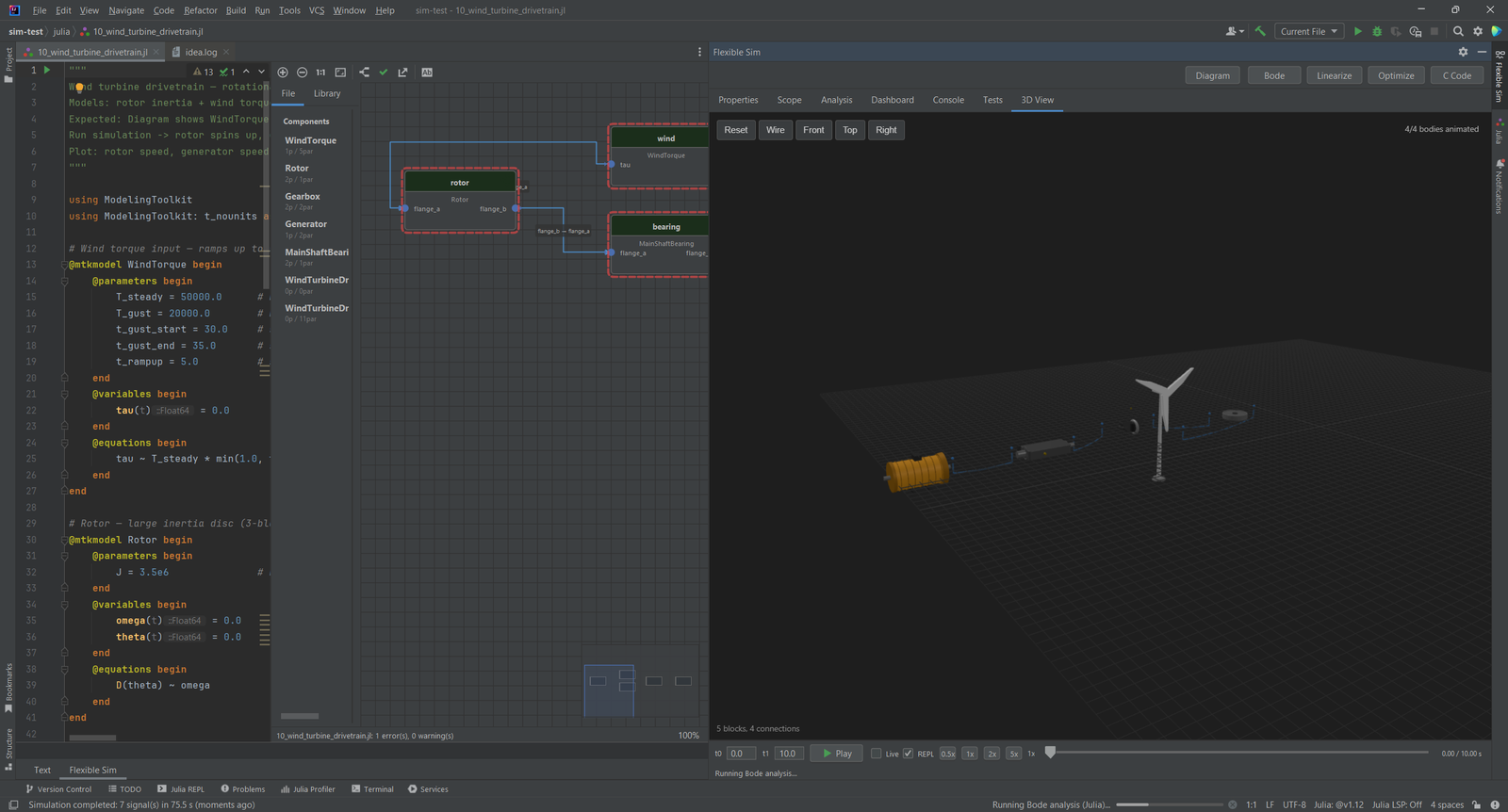
3D View
Animate multibody models in 3D with STL, OBJ and glTF geometry, or load a URDF robot built from its links and joints. A transport bar plays, pauses, steps and loops. Export a PNG screenshot or a WebM video. The 3D view is part of Pro.
Simple, Transparent Pricing
Free shows and edits models of any size and runs models with up to 5 blocks. Pro runs models of any size. 30-day trial from any locked tab. Purchase through JetBrains Marketplace.
Individual
Pro, for solo developers
$9.90/month
- Runs models of any size
- Analysis, Tests and Dashboard
- Model diff, FMU and code export
- 3D view
TEAMS
Organization
Pro, for teams and companies
$29.90/month
- Everything in Individual
- One license for the whole team
- Purchase through JetBrains Marketplace
- Questions: info@ilscipio.com
Free for students and open source projects. Non-profits get 50% off. Contact us.
Simulate Where You Write the Model
Install Flexible Sim free from the JetBrains Marketplace and open a Modelica, Julia, Dyad or Python model.