


JetBrains IDE Plugin
Flexible Haskell: Haskell IDE Plugin for JetBrains
Write Haskell with HLS completion and diagnostics, run a GHCi REPL and debug, all inside your JetBrains IDE.
4.6
3 ratings · JetBrains Marketplace
JetBrains IDEs: IntelliJ IDEA · PyCharm · WebStorm · PhpStorm · and other JetBrains IDEs
- HLS
- Completion, diagnostics and hover docs
- GHCi
- REPL and debugger in the IDE
- 100
- Live templates
01
What Developers Are Saying
★★★★★
“A very strong start. Extremely responsible and forward support.”
Andrei Dziahel — JetBrains Marketplace
★★★★★
“Works well already, and the developer is very responsive for feature requests. In my opinion this is clearly the go-to Haskell plugin now.”
Christopher Cowell — JetBrains Marketplace
02
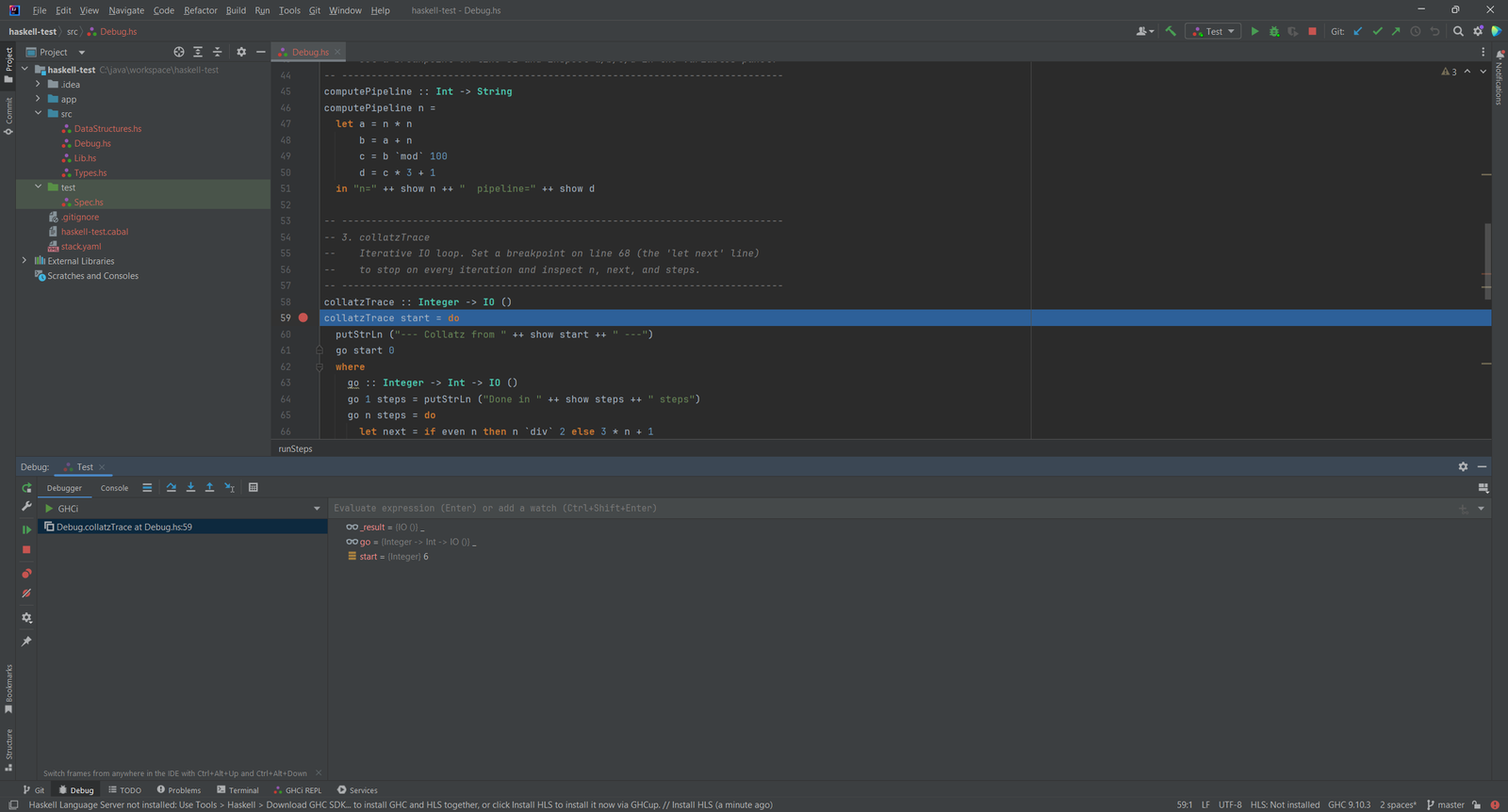
Debug with the GHCi Debugger
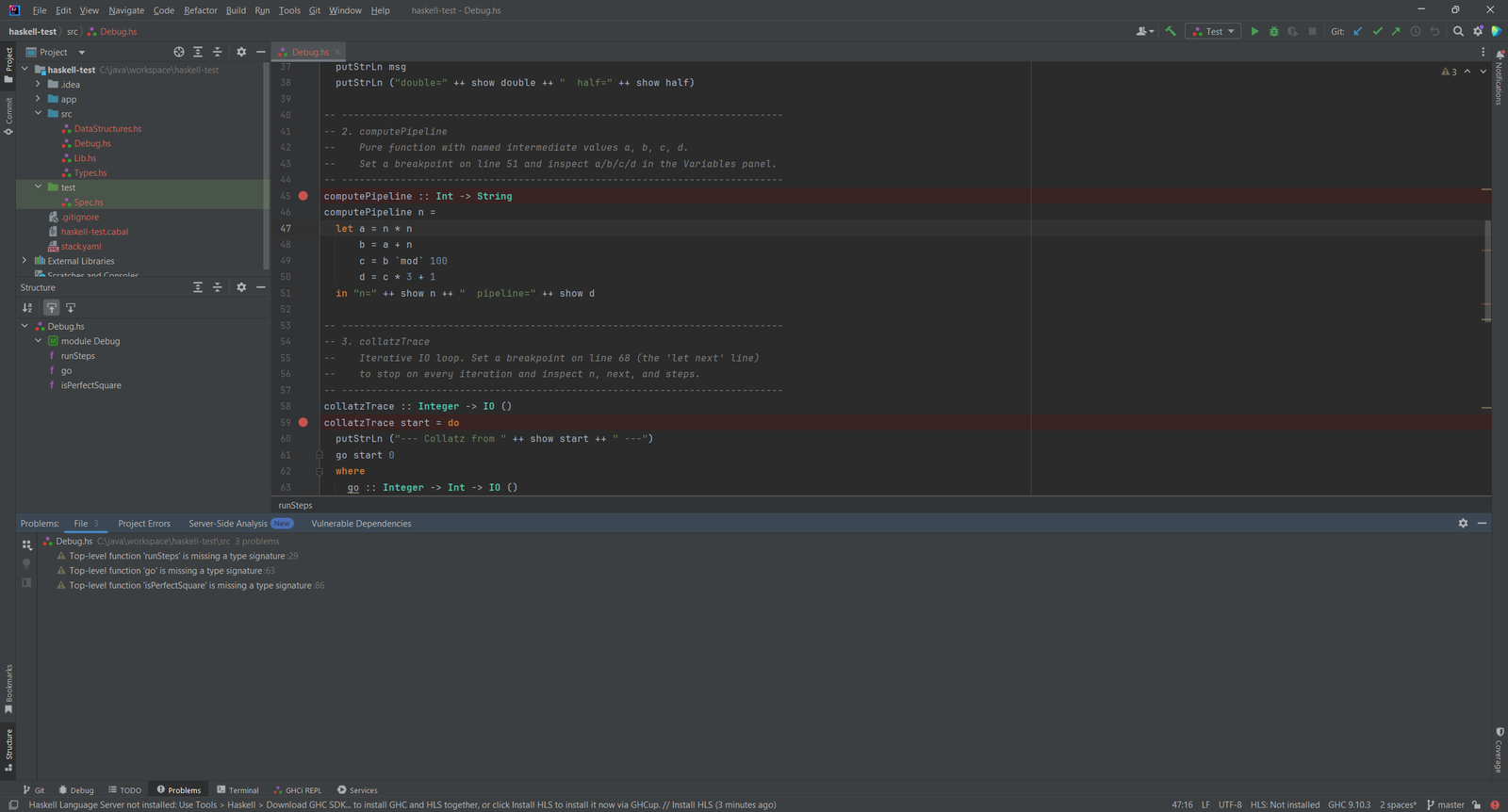
Set line breakpoints in Haskell code and step through it in the IDE Debug tool window. The debugger works over Stack, Cabal and runghc.
- Line breakpoints in the editor gutter
- Variables shown in the Debug tool window
- Integrated GHCi REPL in a tool window, with clickable GHC stack traces
03
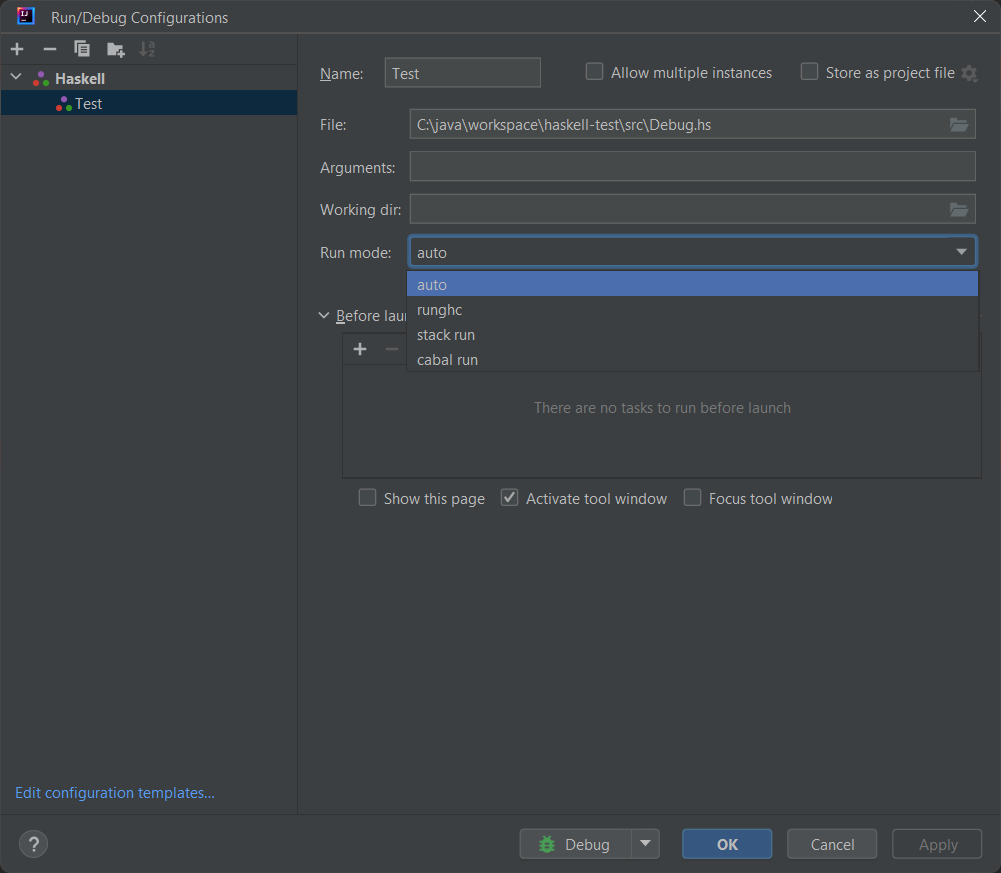
Run Configurations for Stack, Cabal and runghc
Run any .hs file from a run configuration. Choose the run mode, or let the plugin pick it.
- Run modes: auto, runghc, stack run and cabal run
- An auto-producer creates a run configuration for any .hs file
- A run gutter marker sits on
main
04
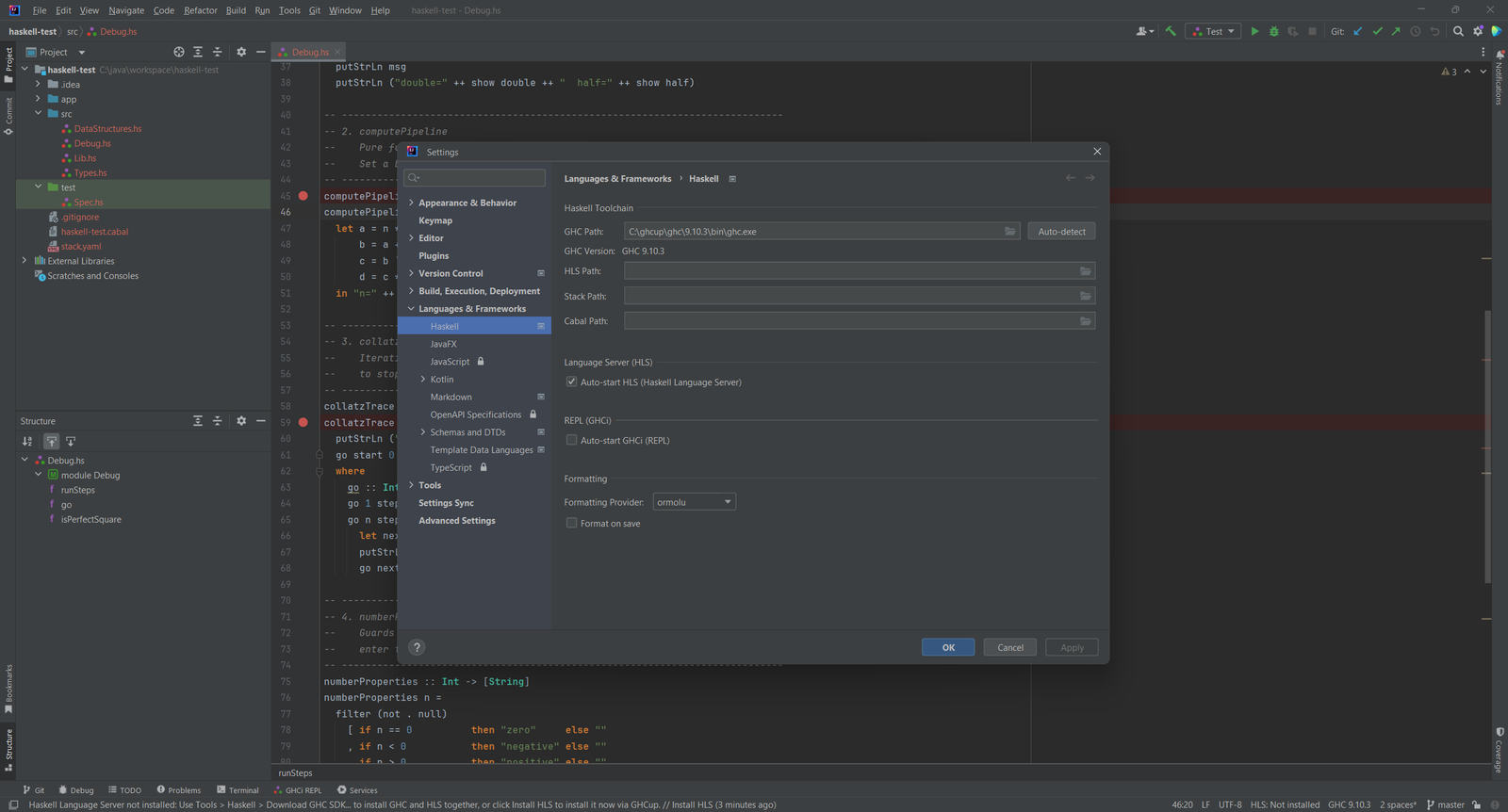
GHC, HLS and Cabal Settings
Point the plugin at your toolchain and switch on the Haskell Language Server.
- HLS gives completion, diagnostics, hover docs, inlay type hints and code lenses
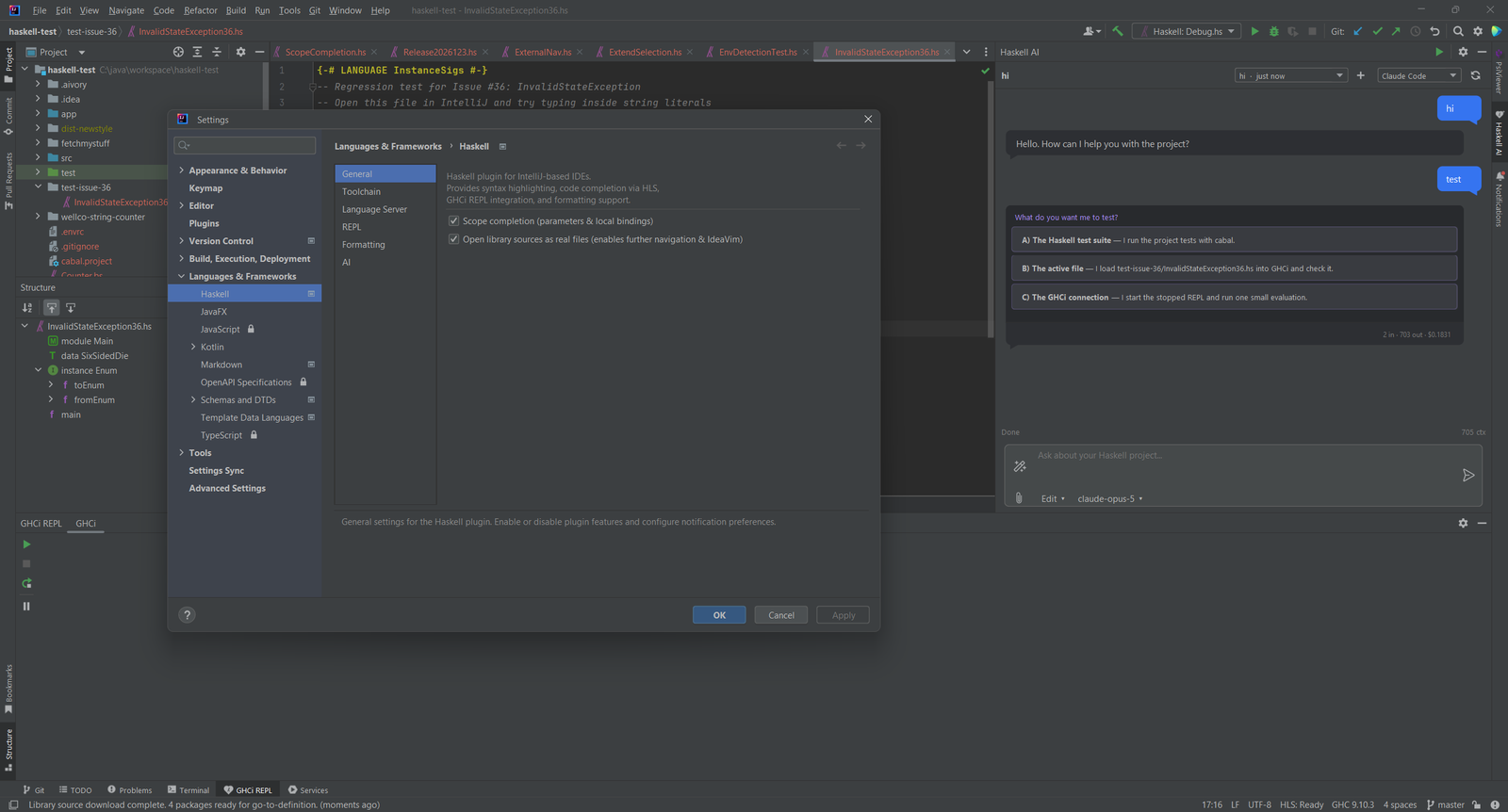
- Set GHC, HLS, Stack and Cabal paths in one settings page, or download a GHC SDK with GHCup from Tools > Haskell
- Choose ormolu, fourmolu or stylish-haskell as the formatter, with optional format on save
- Edit
.cabalandcabal.projectfiles with completion and cabal-fmt formatting
05
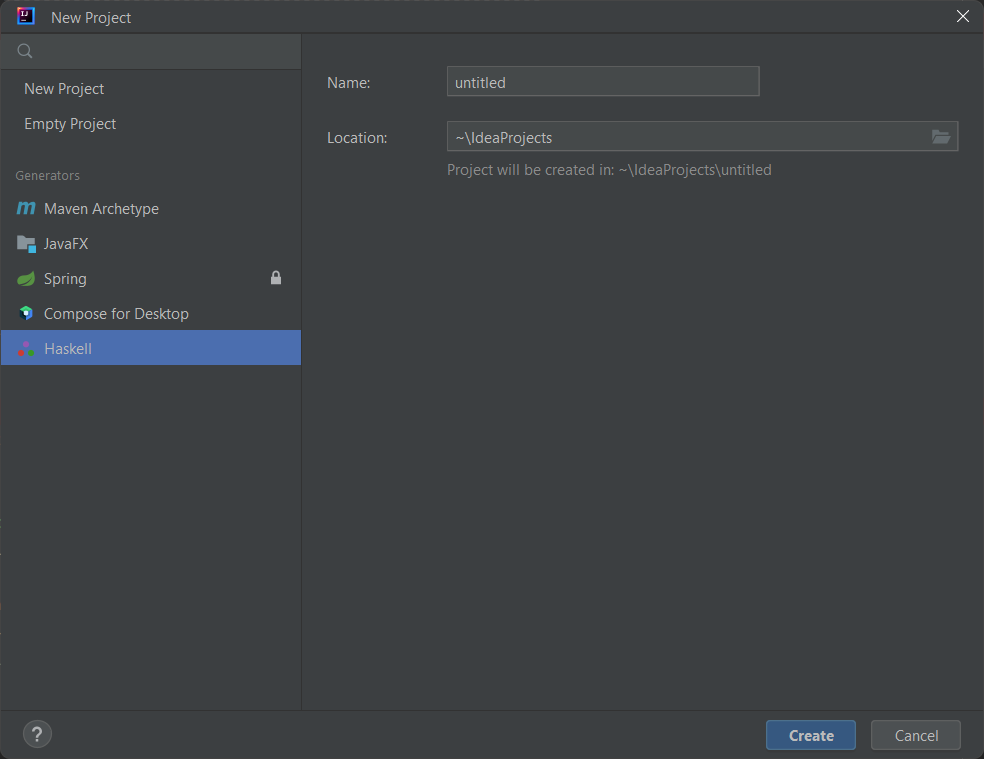
Start a Haskell Project
Create a project from the New Project wizard and add a GHC SDK from the project settings.
- A Haskell entry in the New Project wizard scaffolds a minimal
src/Main.hs - File templates for Haskell Module, Haskell Script and Haskell Test
- 100 live templates: type an abbreviation such as
fn,dtorinstand press Tab
06
Inspections and Quick Fixes
The IDE flags common Haskell problems while you type.
- 16 inspections, including missing type signatures, unused imports and possibly incomplete pattern matches
- 6 intention actions, such as add a missing import, add a type annotation and add a LANGUAGE pragma
- Import optimizer with
Ctrl+Alt+O
07
AI Assistant in the IDE
An optional AI chat tool window for your Haskell project. One switch in the settings turns it off.
- Works with Claude Code, Codex, Cursor, Windsurf, Antigravity, Aider or your own Anthropic, OpenAI, Gemini or Ollama key
- An MCP server with 32 IDE tools, installed into your agent CLI in one click
Simple, Transparent Pricing
Start with a 7-day free trial. Purchase through JetBrains Marketplace.
Individual
For solo developers
$4.90/month
or $49/year (save 17%)
- HLS completion and diagnostics
- GHCi REPL and debugger
- 100 live templates
- Cabal file support
TEAMS
Organization
For teams and companies
$9.90/month
or $99/year (save 17%)
- Everything in Individual
- A license for teams and companies
- Purchase through JetBrains Marketplace
- 7-day free trial
Students & open source contributors: Contact us for discounts. We support the community.
Write Haskell in Your JetBrains IDE Today
Install Flexible Haskell from the JetBrains Marketplace and open any .hs file.