


JetBrains IDE Plugin
Flexible for Penpot: Penpot Design Tokens in Your IDE
Bring your Penpot design system into the IDE. Complete and inspect design tokens in CSS, SCSS and Less, browse components with their variants, and generate a stylesheet from the design.
IntelliJ IDEA · WebStorm · PhpStorm · PyCharm · + All JetBrains IDEs (2025.3 and newer). Completion, hover and inspections need CSS support, as in WebStorm or IntelliJ IDEA Ultimate.
- Tokens
- Completion, hover and inspections in CSS, SCSS and Less
- Stylesheet
- Generated CSS, Tailwind v4 theme or TypeScript
- Linked
- Source files tell you when the design changed
01
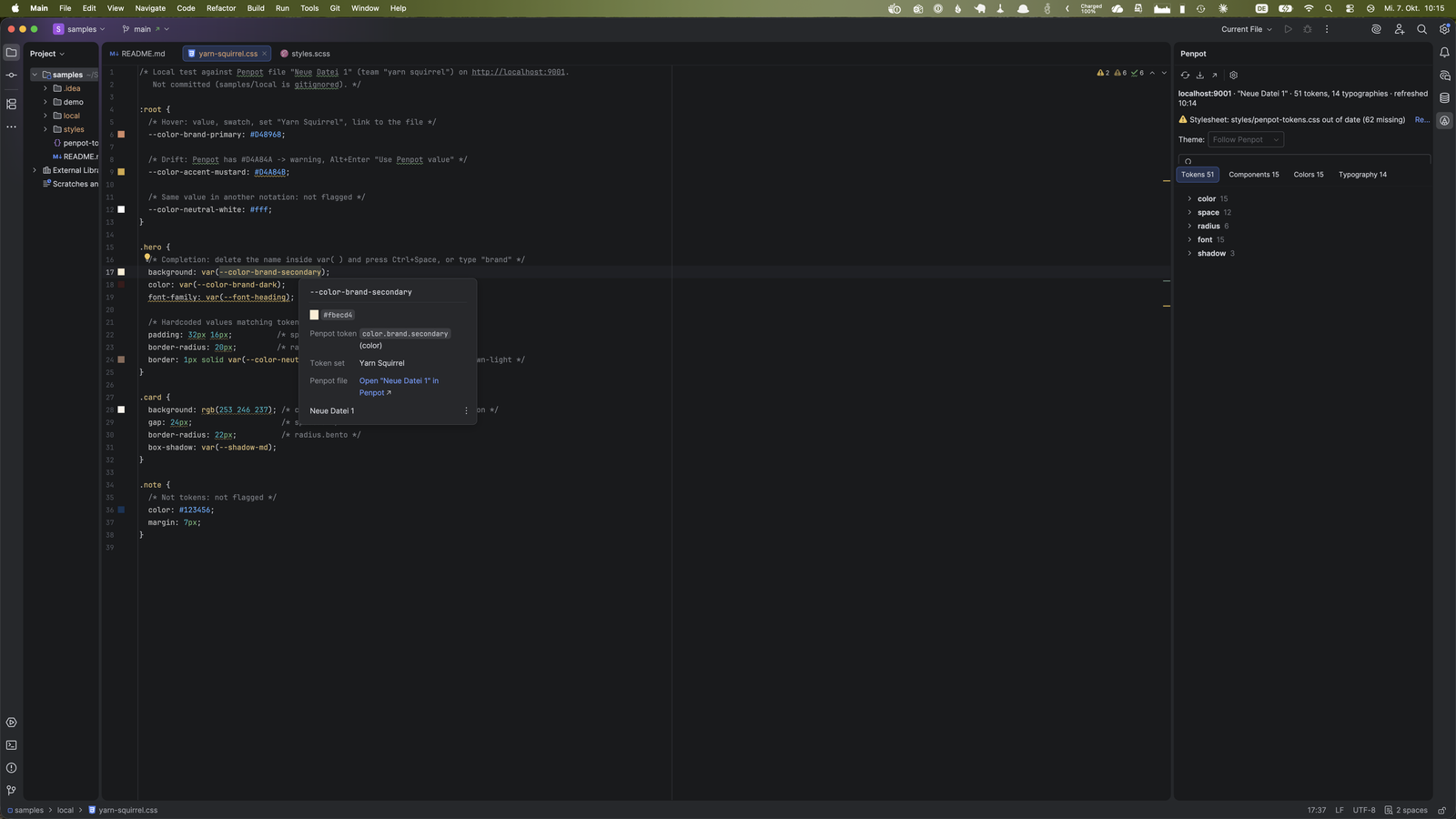
Token Completion and Hover
Use your Penpot tokens inside
var(...) in CSS, SCSS and Less. Hover a token to see where it comes from.- Completion of Penpot tokens inside
var(...) - Hover shows the resolved value, the alias chain, the token set and the value in each theme
- A color swatch and a link to the Penpot file
02
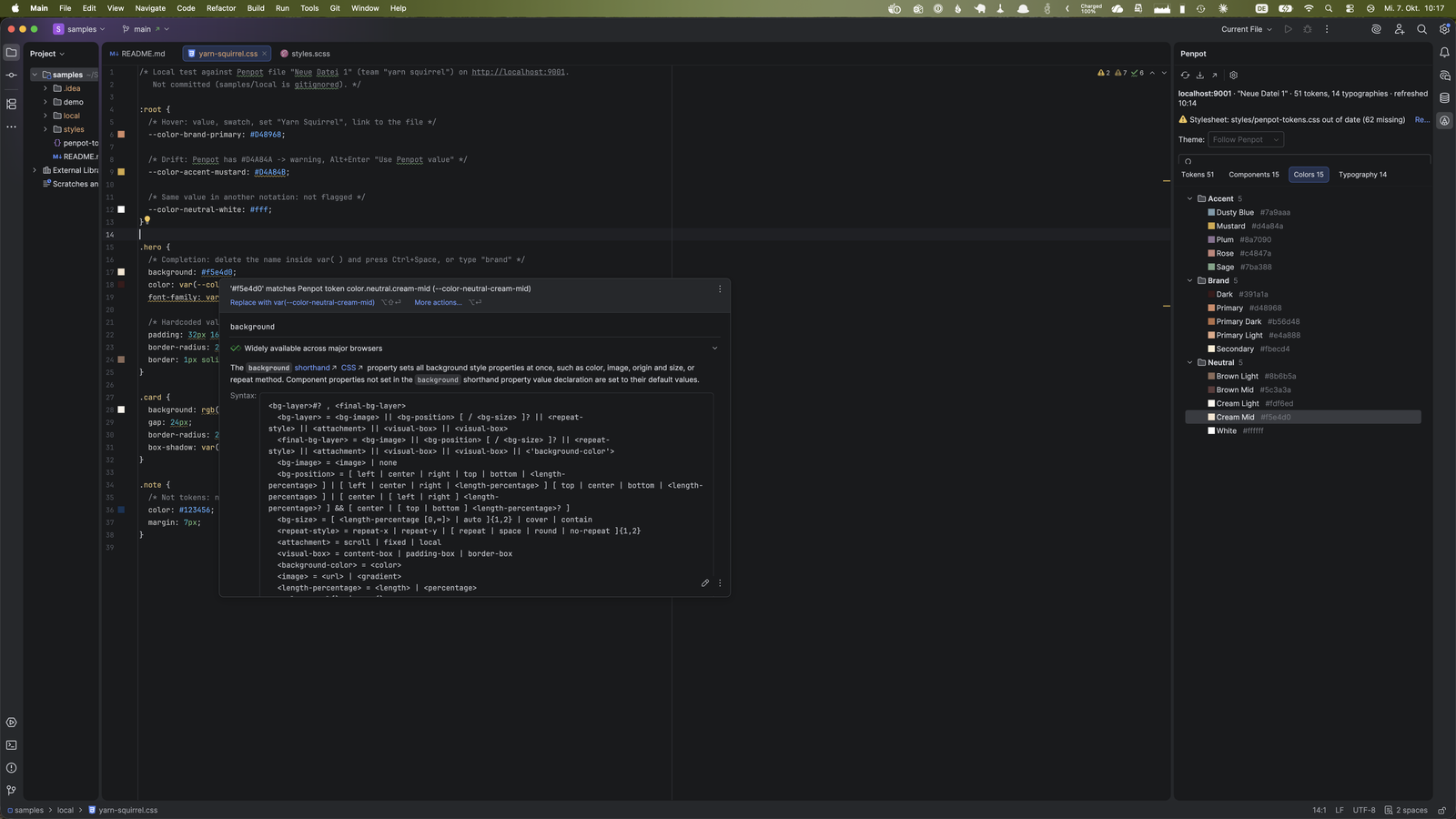
Inspections With Quick Fixes
The IDE tells you when a stylesheet and the design disagree. Each finding has a quick fix.
- Hardcoded values: colors, spacing and radius values that match a token, with a fix to use
var(...) - Drift: custom properties whose value differs from the Penpot token, with a fix to use the Penpot value
- Removed tokens:
var(...)references to tokens that were removed or renamed
03
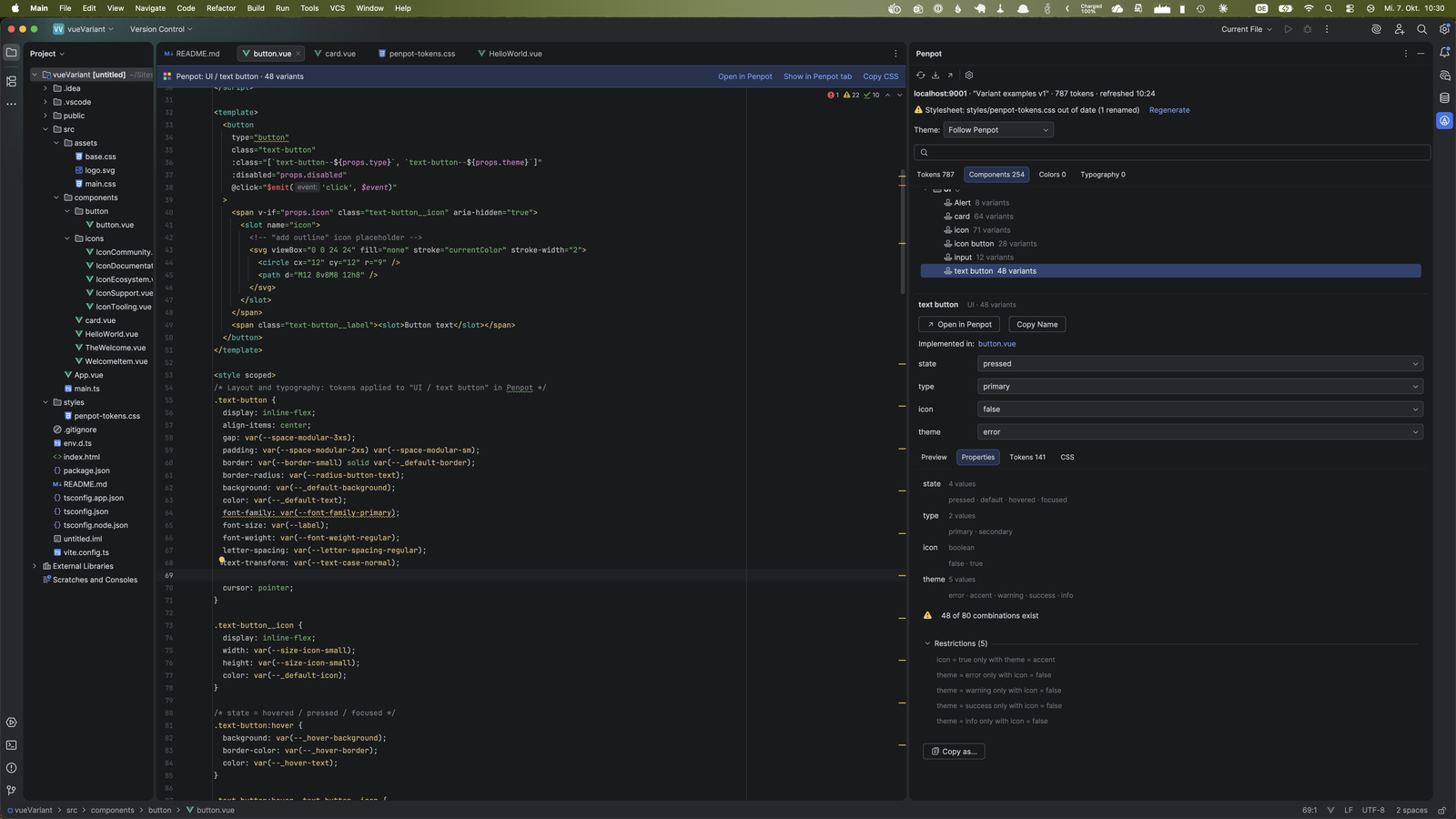
Components and Variants
Browse the components of your Penpot library without leaving the IDE.
- Folders, variant sets, a preview and a link to the component in Penpot
- Variant pickers and the valid combinations
- Variant properties as a list, TypeScript, JSON or attributes
- Tokens used by a component or by all its variants
04
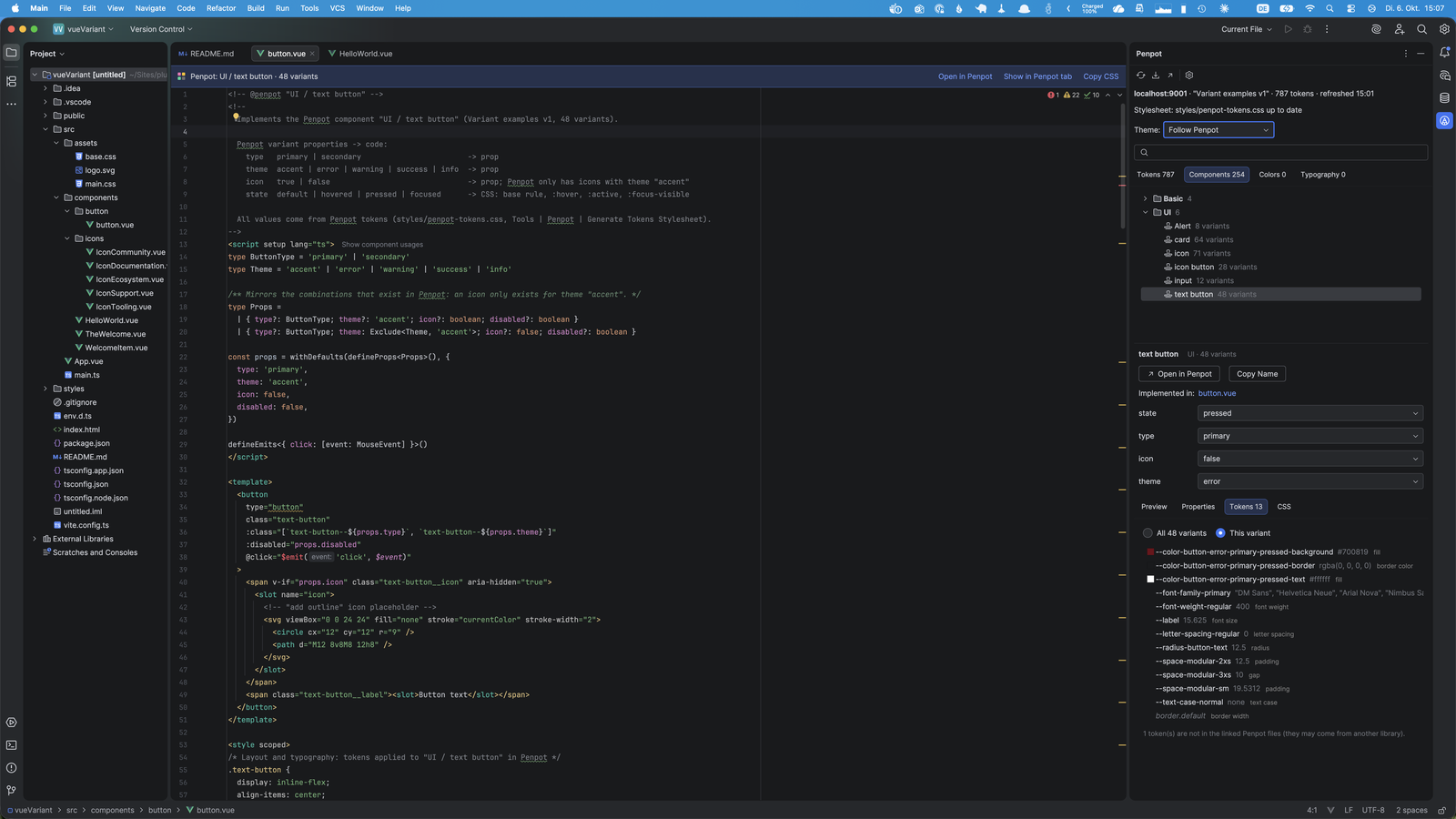
Code Linked to the Design
Link source files in Vue, React, Svelte, Angular, HTML and more to Penpot components. The links live in a file you can commit.
- An editor banner with a link to the component and Copy CSS
- A notice when the component changes in Penpot
- An Implemented in list for each component, and suggestions for files named like a component
05
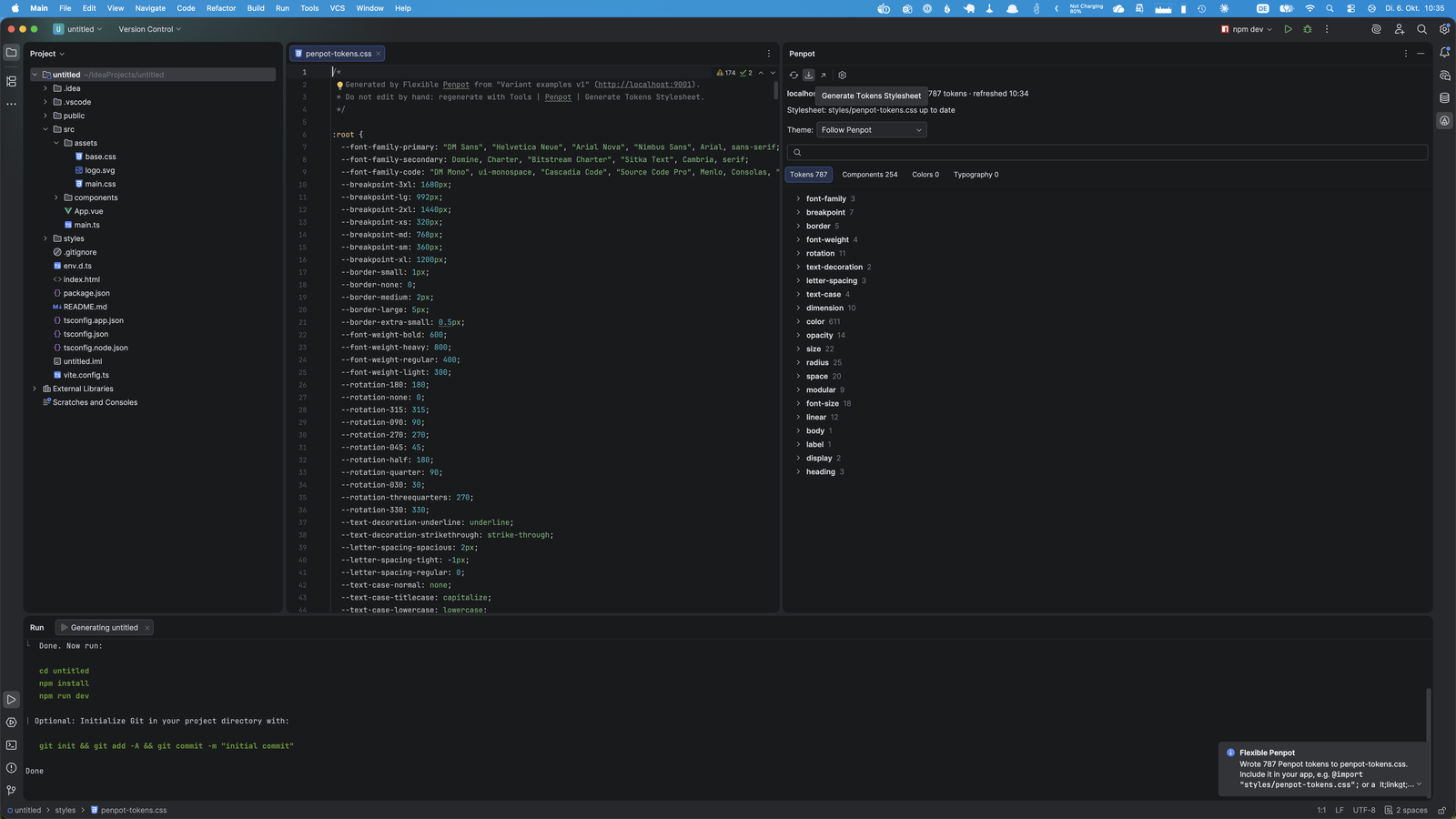
A Generated Stylesheet
Generate a stylesheet from the design with all themes.
- CSS custom properties or SCSS variables
- A Tailwind CSS v4 theme
- Tokens as TypeScript
- Component CSS from the Penpot shapes, with tokens as
var(...)and variants as modifier classes
06
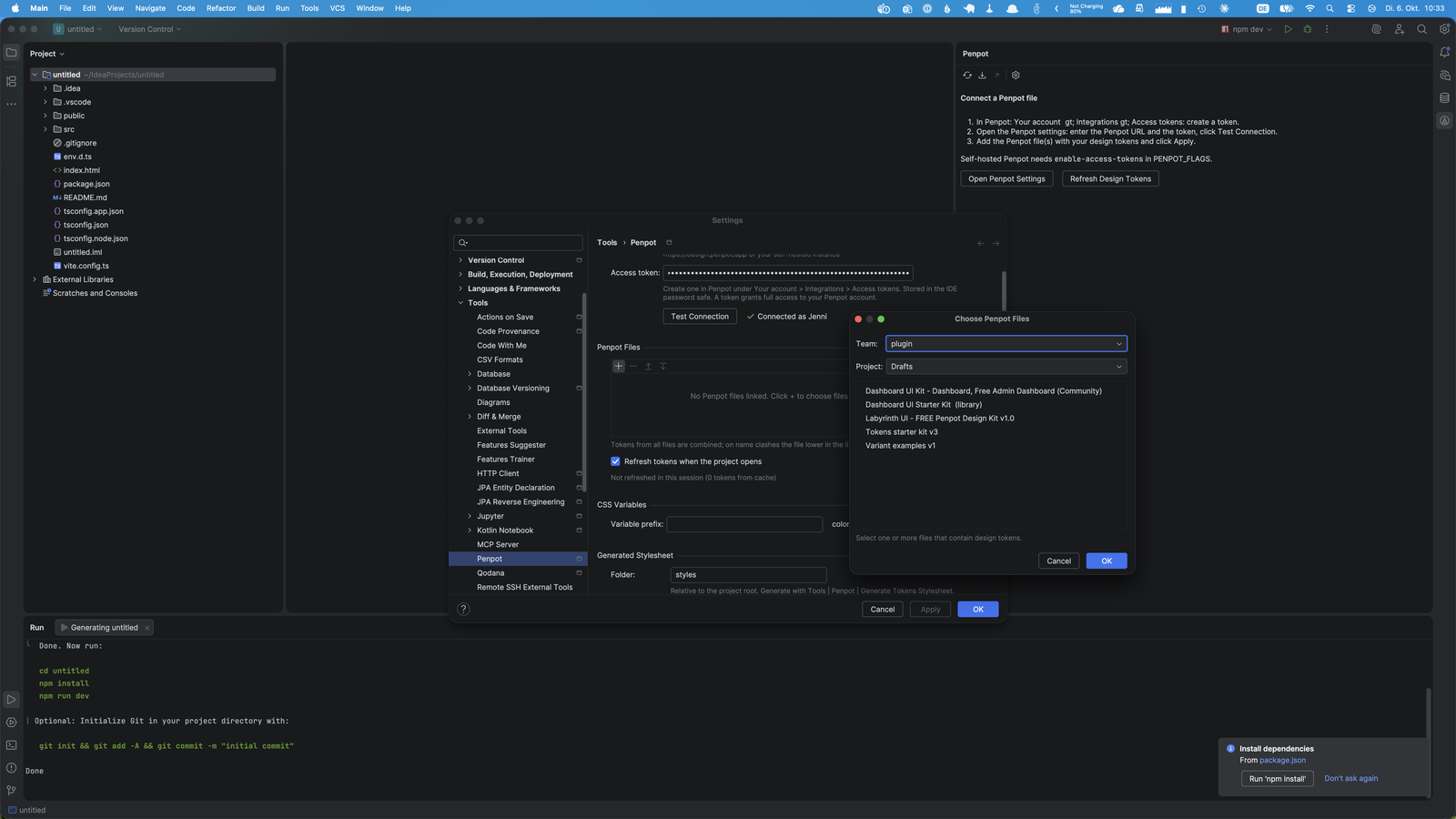
Connect Your Penpot File
Works with design.penpot.app or your own Penpot server. Enter the Penpot URL and an access token, test the connection, then choose the team, project and files that hold your design tokens.
Simple, Transparent Pricing
Purchase through JetBrains Marketplace.
Individual
For solo developers
$3.90/month
or $39/year (save 17%)
- Token completion, hover and inspections
- Components and variants browser
- Generated stylesheet
- Source files linked to the design
TEAMS
Organization
For teams and companies
$5.90/month
- Everything in Individual
- One license for the whole team
- Purchase through JetBrains Marketplace
- Questions: info@ilscipio.com
Feedback offer: report a bug or an idea and get 20% off the annual license, or one month free. Write to us.
Keep Code and Design in Step
Install Flexible for Penpot from the JetBrains Marketplace and connect your Penpot file.