


JetBrains IDE Plugin
Flexible for Mantine: Smart Completion & Drag-and-Drop
IntelliJ IDEA · PyCharm · WebStorm · CLion · + All JetBrains IDEs (2023.3+)
- Props
- Completion with types and enum values
- Browser
- Drag and drop with live preview
- Imports
- Inserted and merged automatically
01
Smart Completion
- Enum values: type
variant="and seefilled,light,outline,subtle,default,gradientand more - Mantine types: MantineColor, MantineSize, MantineRadius and MantineSpacing
- Compound components such as
Tabs.Tab,Menu.ItemandAccordion.Panel - Import paths: type
from "@mantine/to see the packages and their exports
02
Component Browser
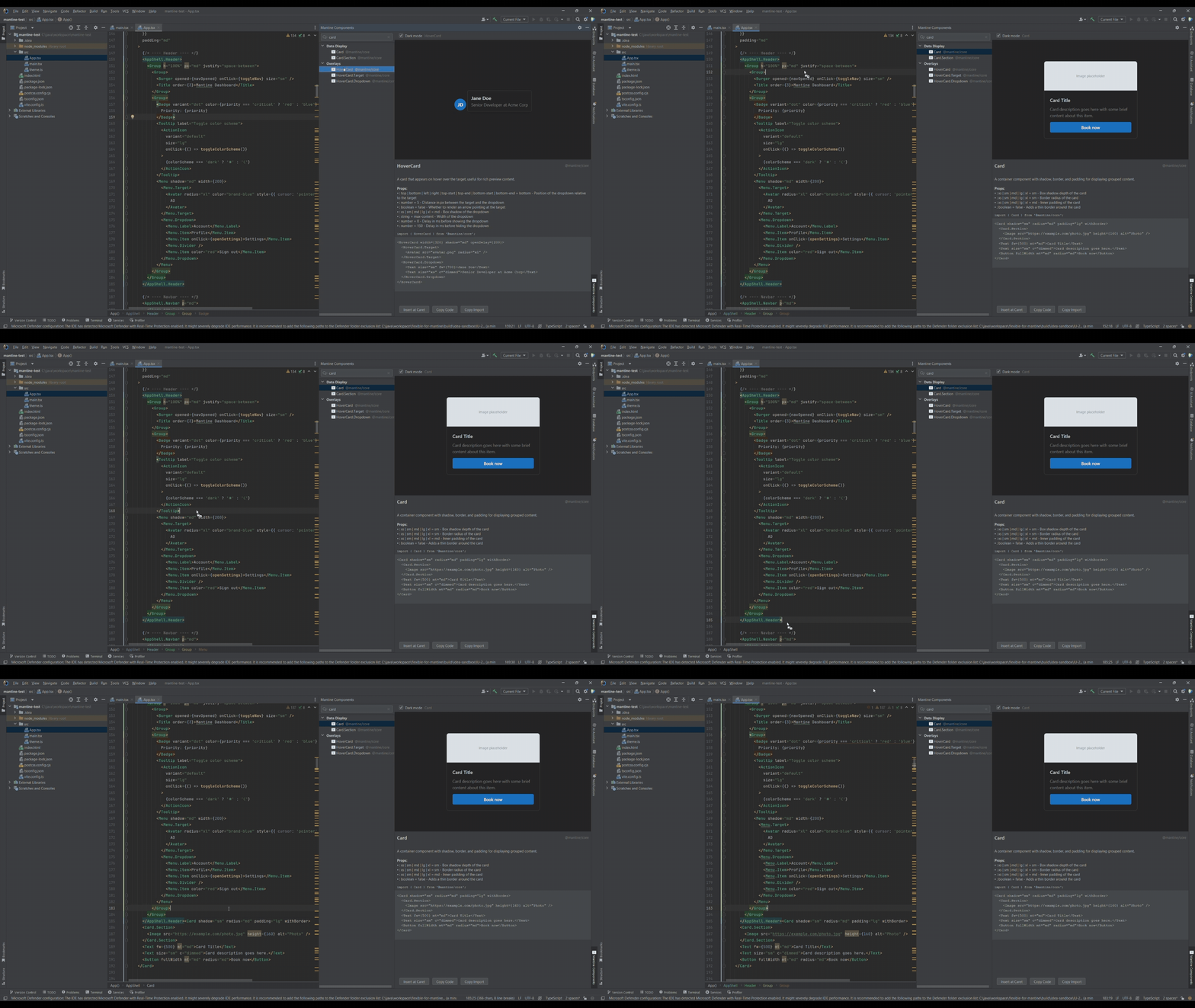
- Search across all components and hooks
- Double-click or press Enter to insert a component at the caret
- Drag a component into your open editor
- Use the Copy Code and Copy Import buttons for clipboard workflows
03
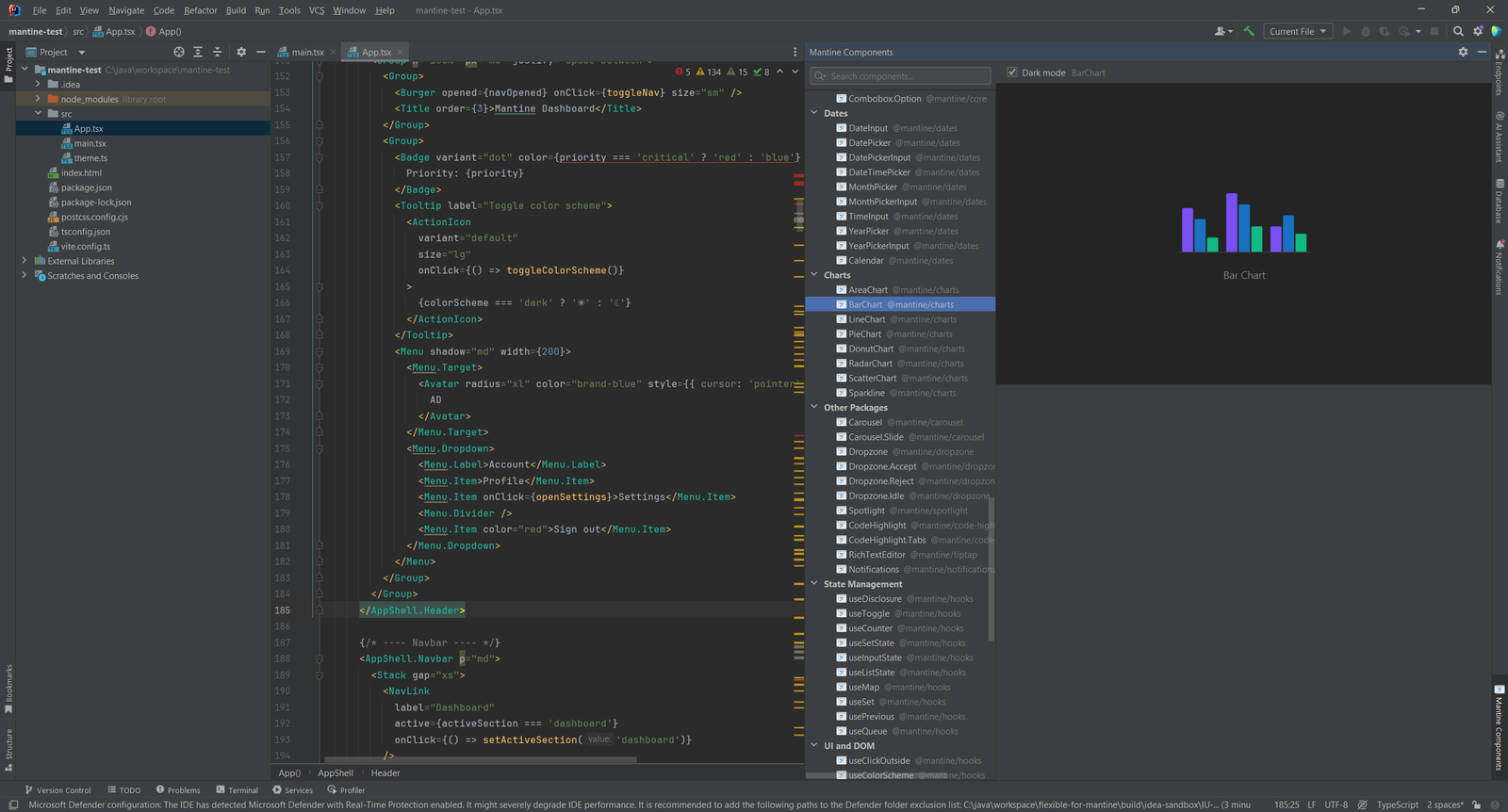
Live Preview and Supported Packages
@mantine/core,@mantine/hooksand@mantine/dates@mantine/charts,@mantine/notificationsand@mantine/spotlight@mantine/carousel,@mantine/dropzone,@mantine/code-highlightand@mantine/tiptap
04
Hover Documentation
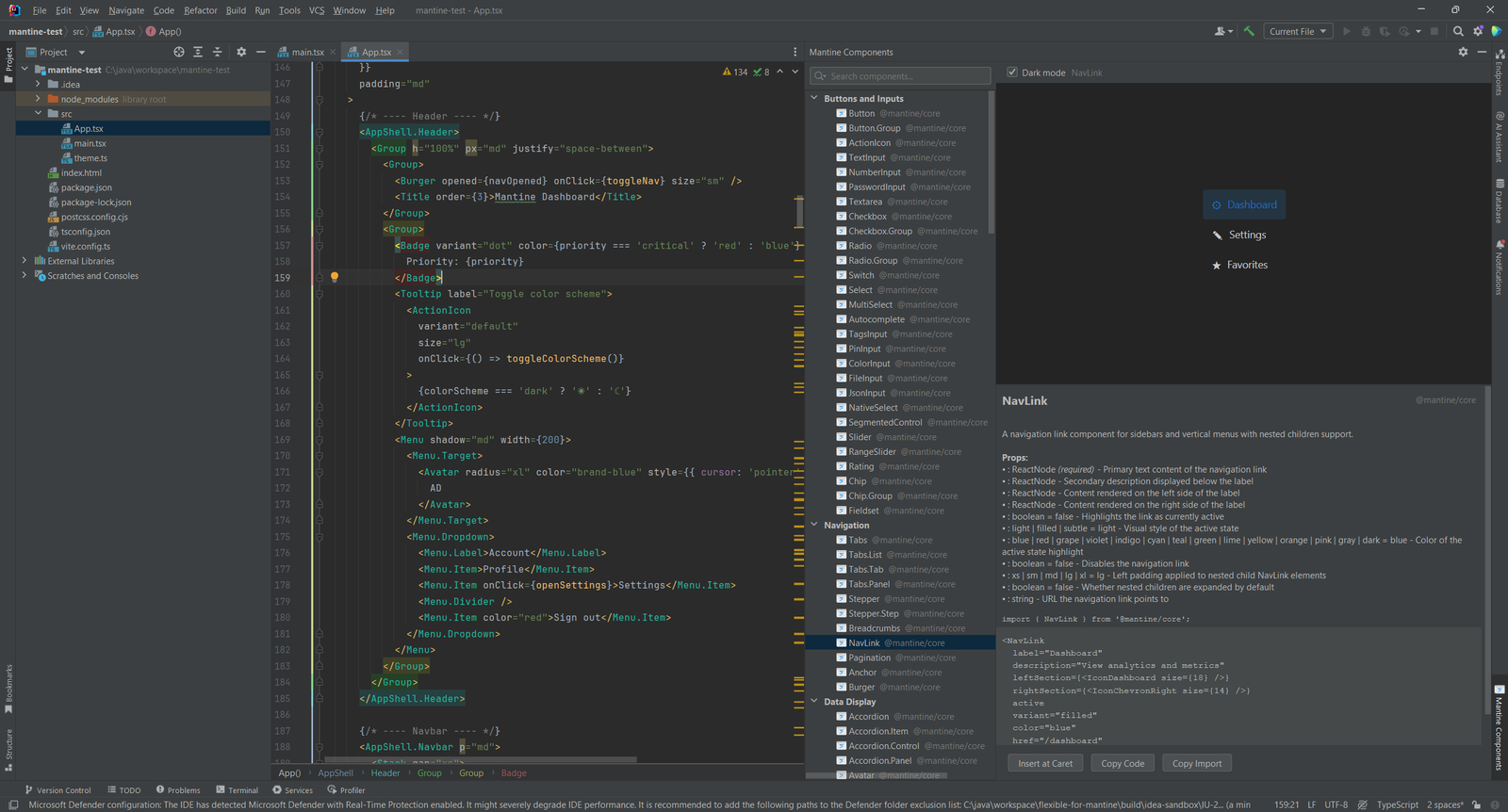
Press Ctrl+Q (F1 on macOS) or hover over any Mantine component tag to see its documentation.
The browser shows the same props list and a code sample for the selected component.
- A props table with type, default value and allowed values
- A badge for the
@mantine/*package the component belongs to - A link to the official mantine.dev page
05
Import Management and Inspections
Imports are placed after the last existing import, or at the top of the file. Inserting Modal when you already have import { Button } from "@mantine/core" gives you import { Button, Modal } from "@mantine/core" instead of a second line. Type imports are handled apart from value imports.
The unknown prop inspection highlights misspelled or non-existent props. It skips standard React props such as className, style, id, key and ref. Adjust it at Settings > Editor > Inspections > Mantine.
Simple, Transparent Pricing
Individual
For solo developers
$9.90one-time
Pay once through JetBrains Marketplace
- Props and enum value completion
- Component browser with drag and drop
- Imports added and merged automatically
- Hover docs and unknown prop warnings
TEAMS
Organization
For teams and companies
$19.90one-time
Pay once through JetBrains Marketplace
- Everything in Individual
- For teams and companies
- One-time purchase, no subscription
- Buy through JetBrains Marketplace