


JetBrains IDE Plugin
Flexible for Flox: Manage Flox Environments in the IDE
Manage your Flox environment from a tool window: install packages, start services, roll back a generation and sync with FloxHub.
IntelliJ IDEA · PyCharm · WebStorm · CLion · + All JetBrains IDEs (2023.3+)
- Packages
- Search the Flox catalog and install in the IDE
- Services
- Start, stop and read live logs
- Rollback
- Switch or diff generations
01
One-Click Installer
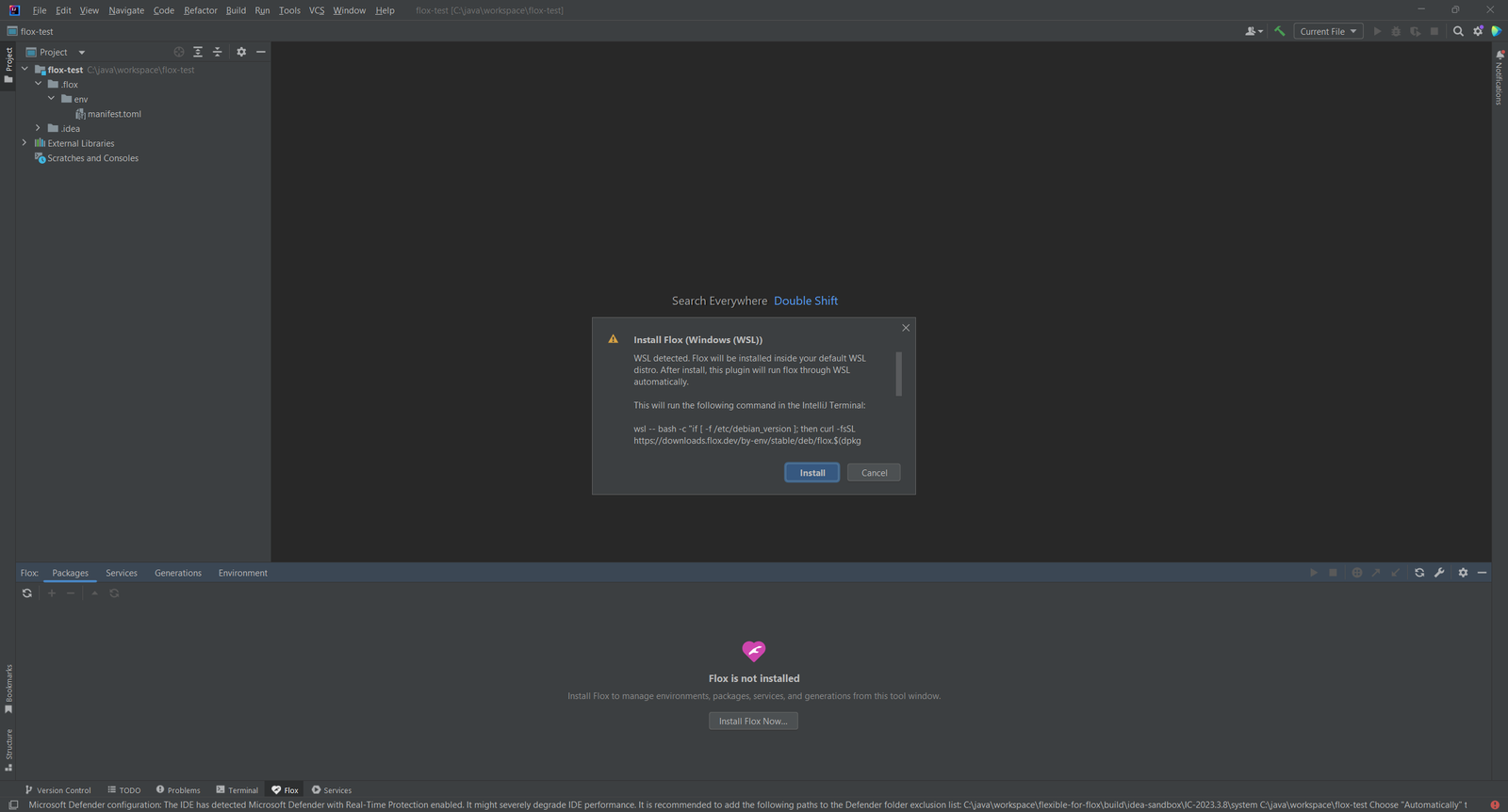
Install Flox from the IDE on macOS (Homebrew), Debian/Ubuntu (apt) and Fedora/RHEL (dnf).
On Windows the plugin detects WSL, installs Flox inside your default distro and runs every command as wsl -- flox .... You need no PATH setup. A background check every 2 minutes picks up Flox as soon as it is available.
02
Package Management
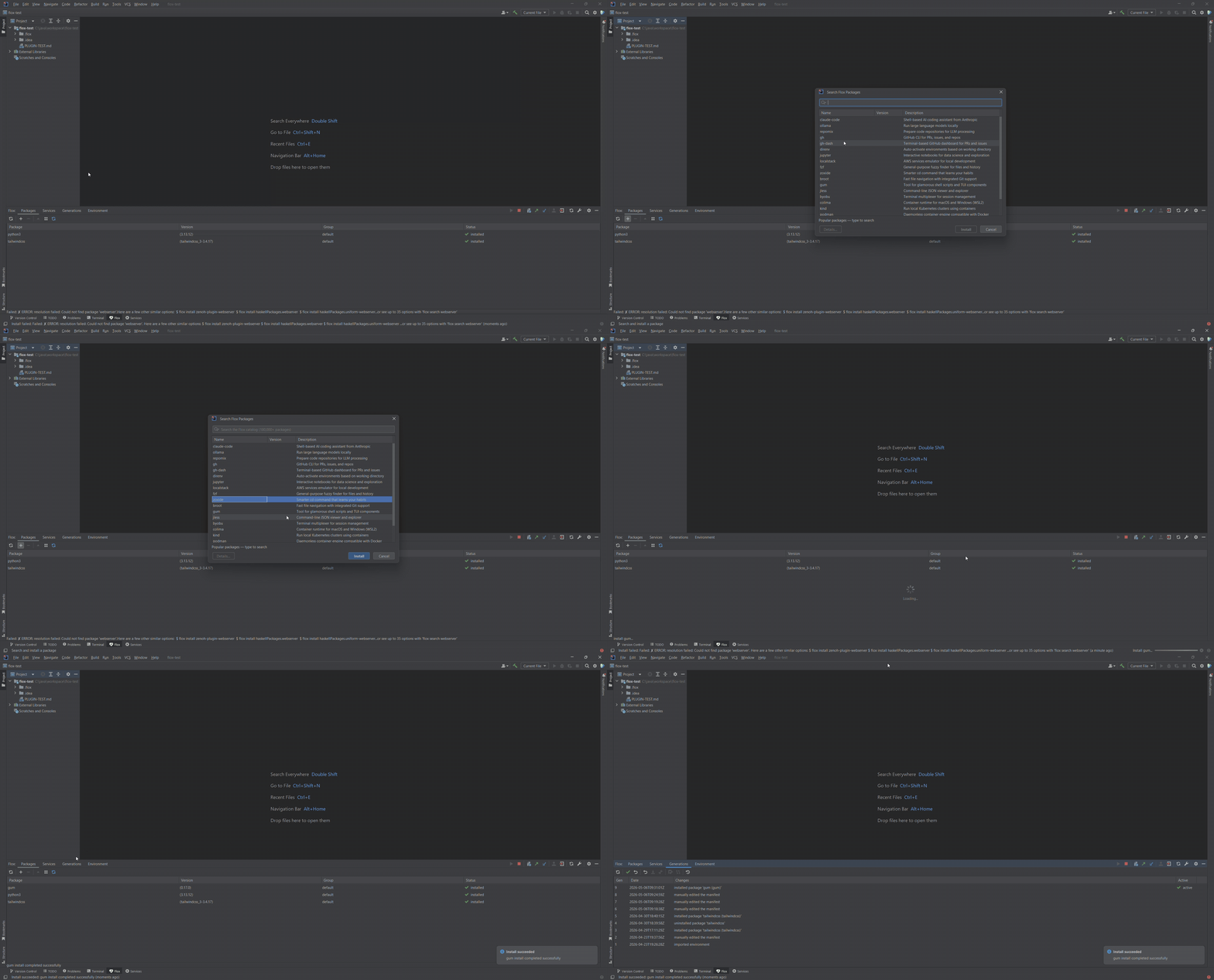
The Packages tab lists the installed packages in a searchable table with name, version, group and status.
- Search the Flox catalog of 180,000+ Nixpkgs from a dialog
- Install, remove, upgrade, or upgrade all
- The table refreshes when
manifest.tomlormanifest.lockchanges on disk
03
Services and Live Logs
List, start, stop and restart the services defined in your manifest, one at a time or all at once. Each service has a live log (
flox services logs --follow) in an embedded console.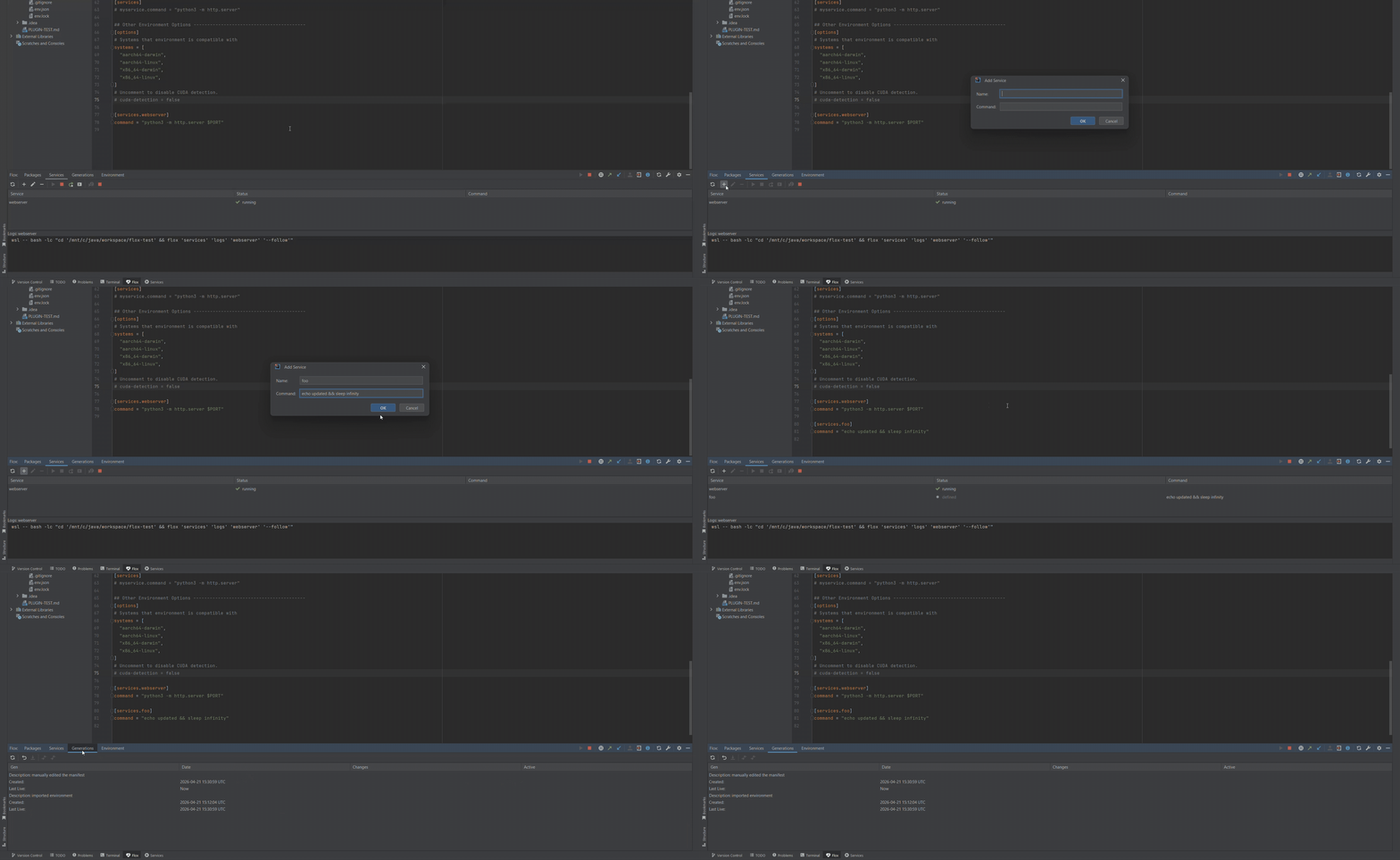
04
Generation History and Rollback
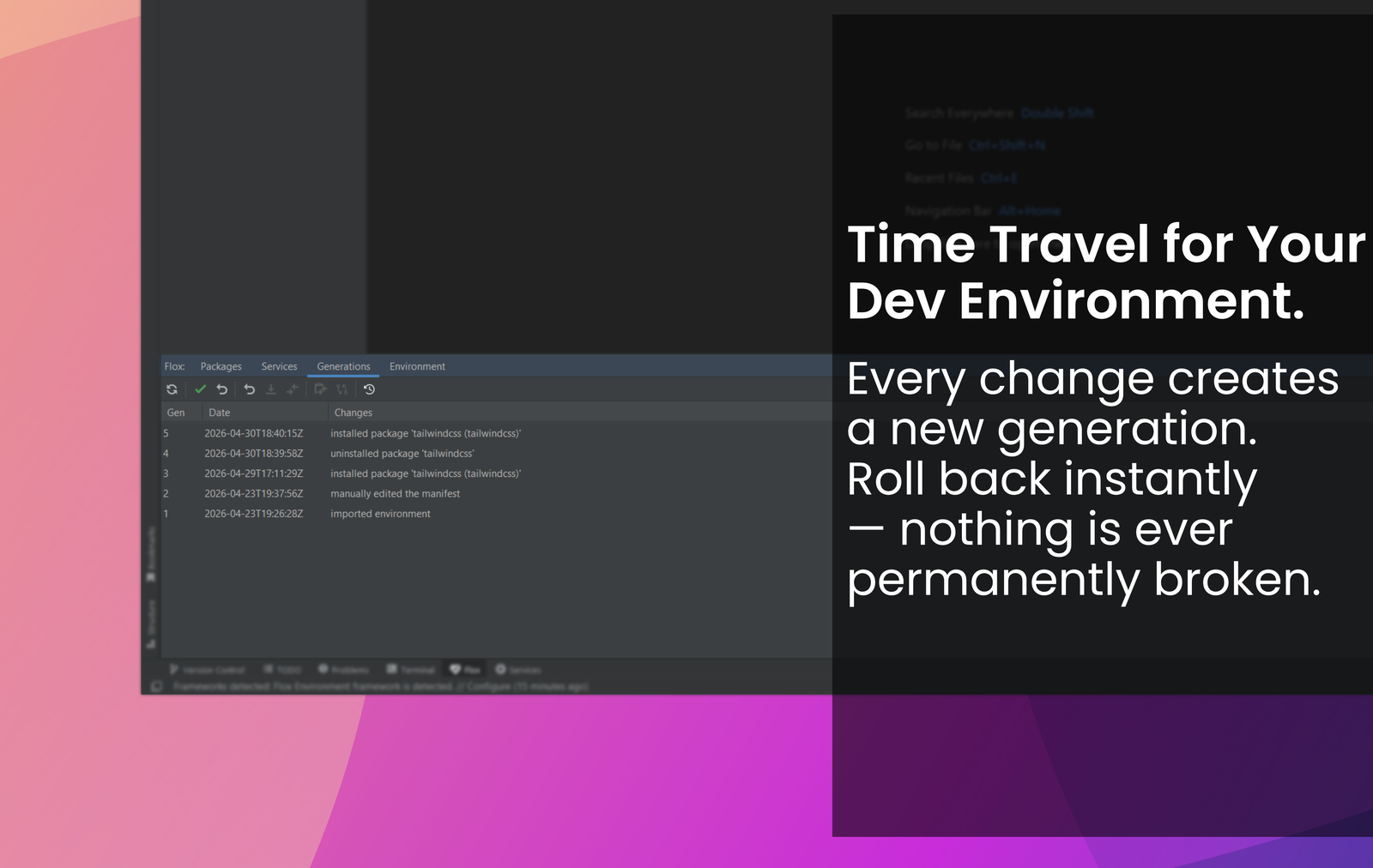
View the full generation history of your environment. Roll back to the previous generation or switch to any specific one. Diff any two generations, or compare one with the current state, in the JetBrains diff viewer.
05
Environment, Variables and Hooks
The Environment tab shows the
[vars] table and the hook.on-activate script content. Open manifest.toml for direct editing. A JSON schema for the manifest gives you completion and validation in the editor.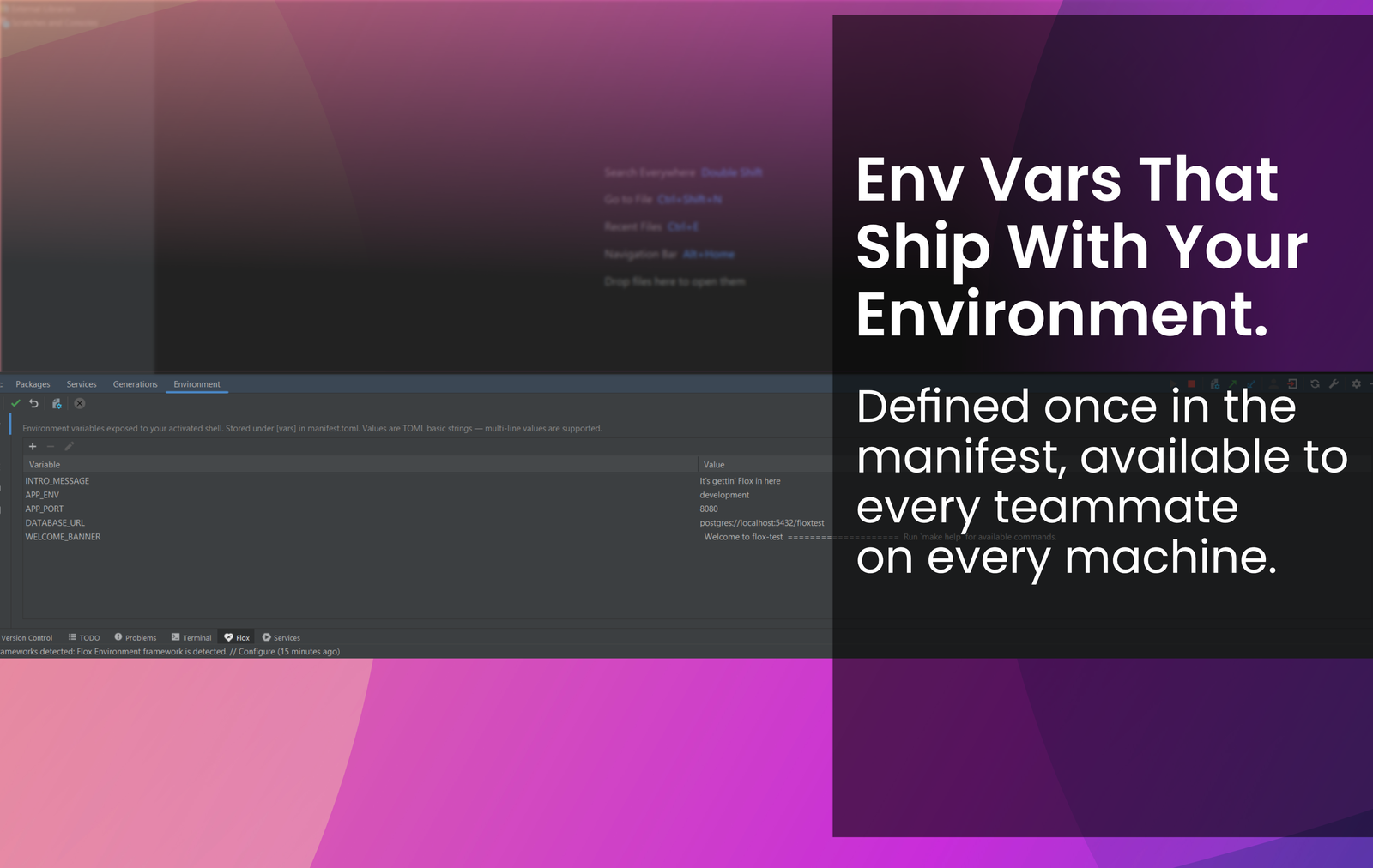
06
Detection, Terminal and FloxHub
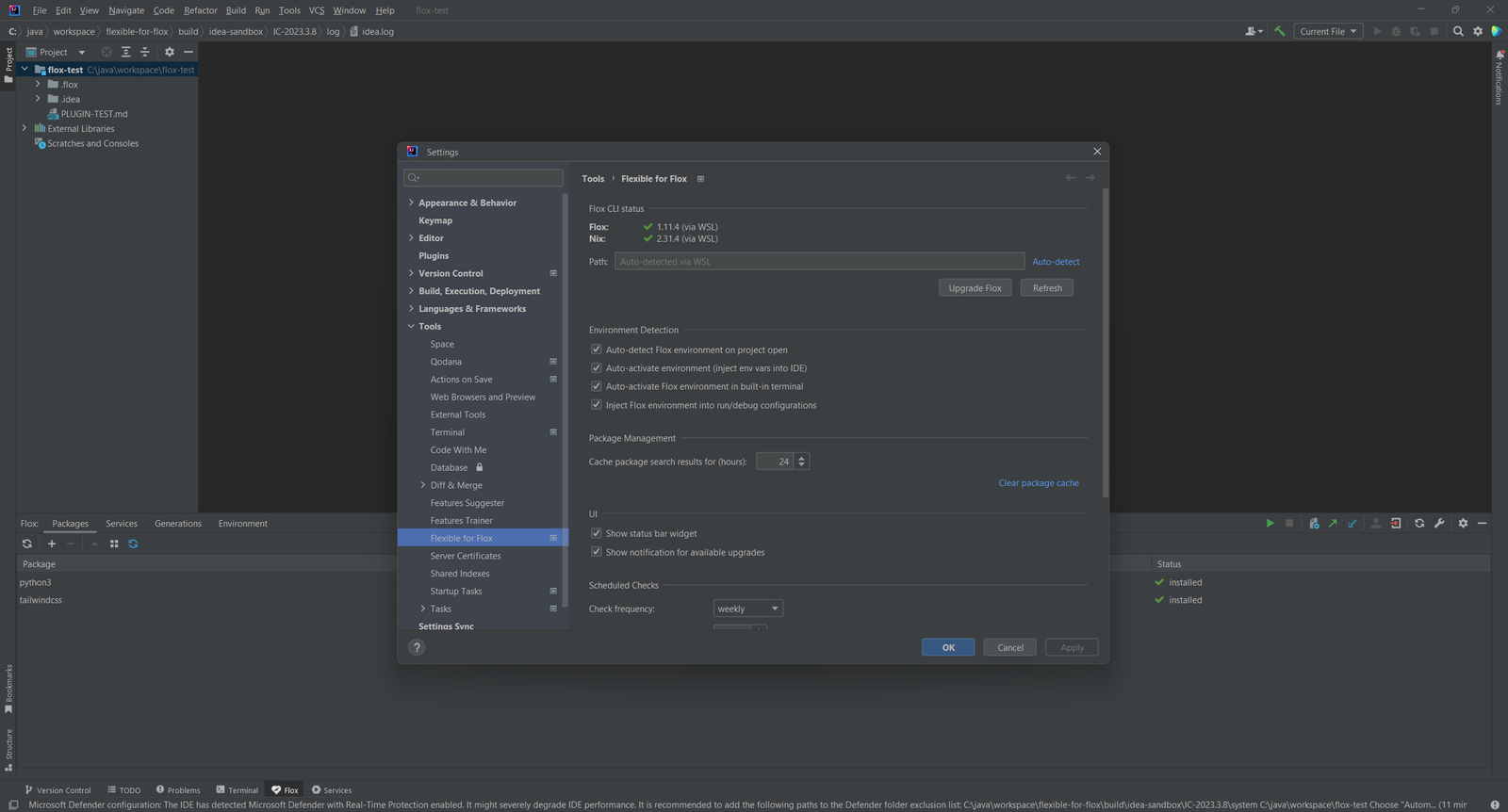
The plugin finds
.flox/ environments when you open a project and shows the name, package count, generation and FloxHub login in a status bar widget.- Activates the environment in the built-in terminal and injects it into run configurations
- Logs in to FloxHub and pushes or pulls the environment, with conflict resolution
- Builds artifacts, publishes them to FloxHub and containerizes the environment as an OCI tarball
07
Pricing
Flexible for Flox is a paid plugin with a 7-day trial. See the current price on JetBrains Marketplace.