


JetBrains IDE Plugin
Flexible for Base UI: Completion & Live Preview for React
Complete Base UI components and subcomponents in JSX and TSX, with auto-import, hover docs and a live-preview component browser.
IntelliJ IDEA · PyCharm · WebStorm · CLion · + All JetBrains IDEs (2023.3+)
- 37
- Components and 4 utilities in the browser
- Auto-import
- On every accepted completion
- Hover
- Props, subcomponents and examples
01
Smart Completion and Auto-Import
Type
< in a JSX or TSX file and complete every Base UI component and subcomponent. Dotted names such as Accordion.Root, Select.Trigger and Dialog.Portal work too.- Accepting a completion inserts or updates the import from
@base-ui-components/react - Works in
.tsx,.jsx,.tsand.jsfiles
02
Component Browser
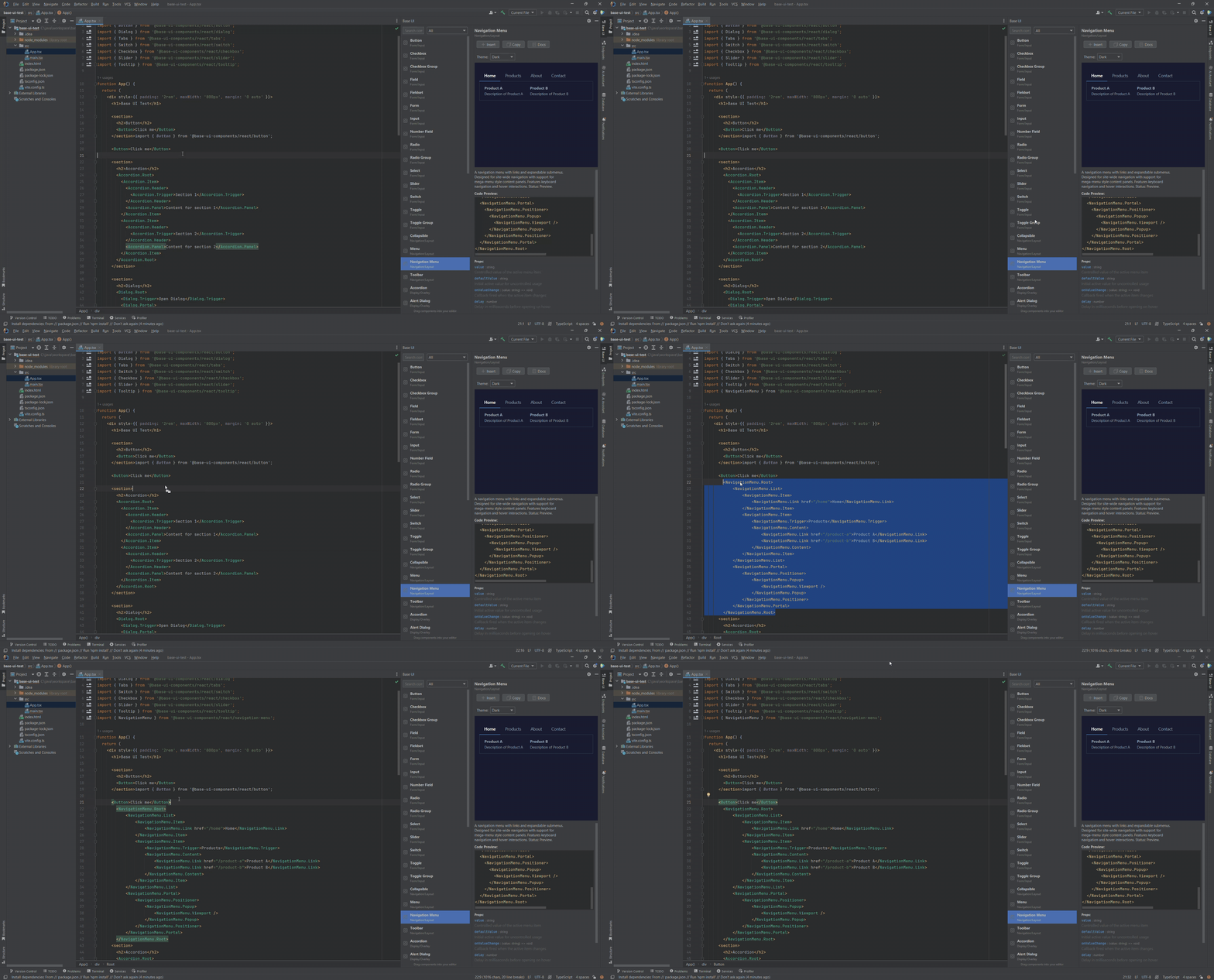
A visual browser in the right sidebar lists all 37 components and 4 utilities.
- Filter by category: Form/Input, Navigation/Layout, Display/Overlay, Data Display
- Filter by name with live search
- Drag a component into your editor and the import is added for you
- Copy the code snippet with one click
03
Live Preview
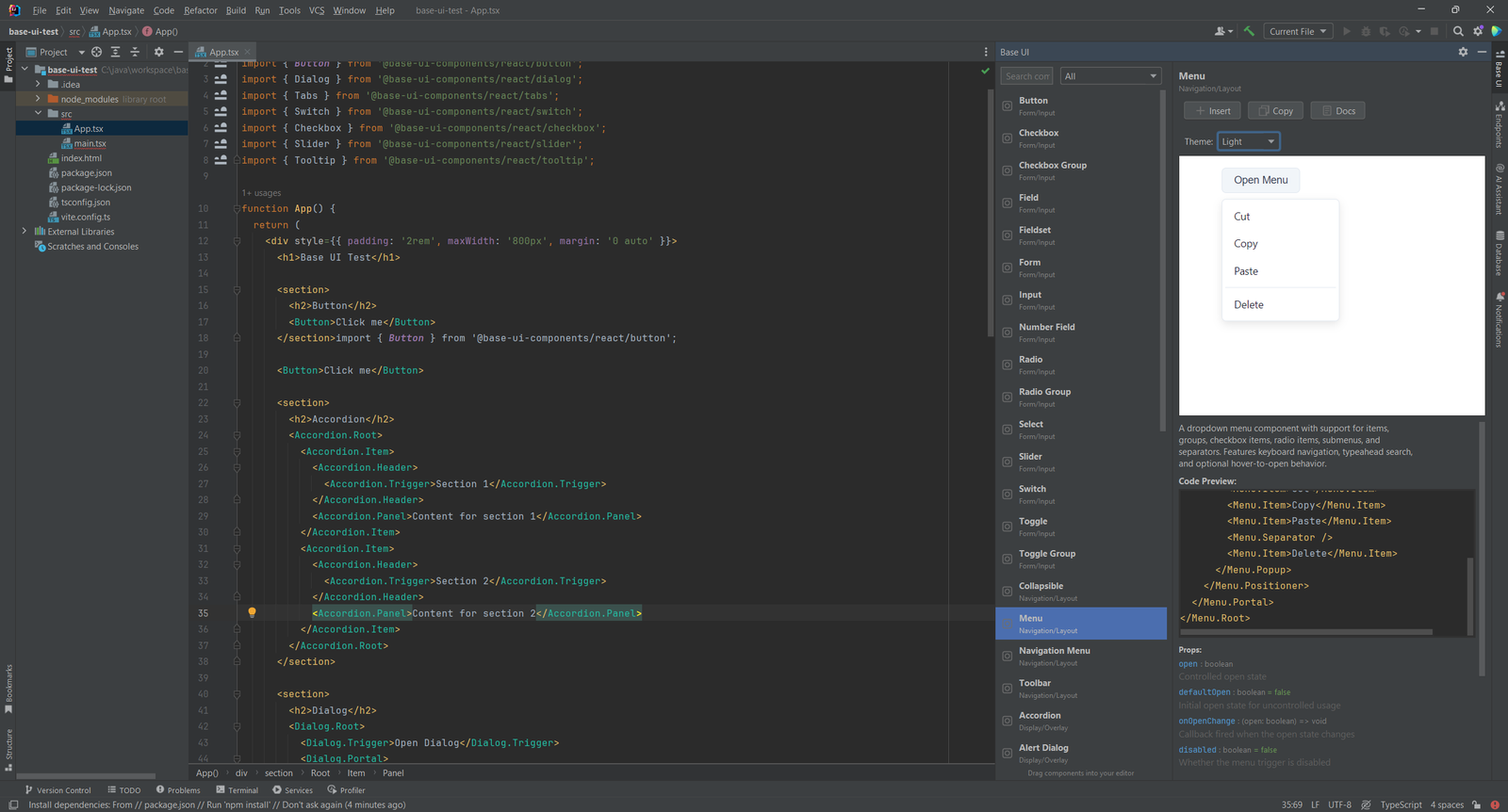
See a rendered preview of each component in the tool window. Switch between a light and a dark preview theme. The preview updates when you select a different component.
04
Hover Documentation and Props
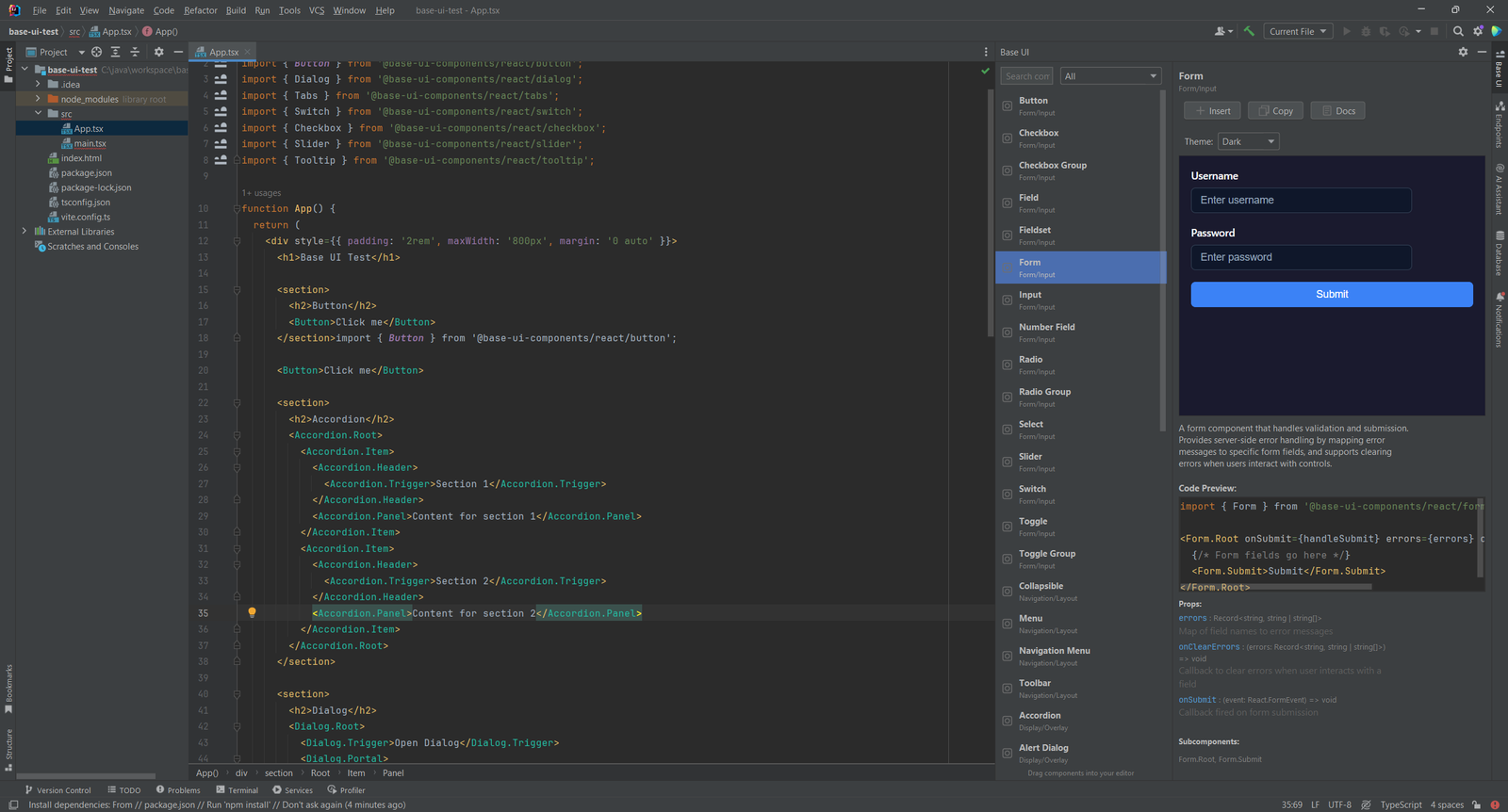
Hover over a Base UI tag, or press F1 or Ctrl+Q, for the full documentation. Click a component in the browser to see the same details in a panel.
- Every prop with its type, required or optional status and default value
- All subcomponents of the component
- Typical usage examples
- A link to the official base-ui.com page
05
Gutter Icons and Settings
Icons appear next to Base UI imports in the editor gutter. Click one to open the official documentation for that component in your browser.
Configure the plugin at Settings > Tools > Flexible For Base UI. You can switch completion, documentation, line markers and live preview on or off, or disable the whole plugin with one switch.
Simple, Transparent Pricing
Flexible for Base UI is a one-time purchase. Buy through JetBrains Marketplace.
Individual
For solo developers
$9.90one-time
Pay once through JetBrains Marketplace
- Complete Base UI components and subcomponents
- Auto-import on every completion
- Hover docs with props and examples
- Component browser with live preview
TEAMS
Organization
For teams and companies
$19.90one-time
Pay once through JetBrains Marketplace
- Everything in Individual
- For teams and companies
- One-time purchase, no subscription
- Buy through JetBrains Marketplace
Open source contributors and individual developers: Contact us for discounts. We support the community.