


JetBrains IDE Plugin
Flexible for Arduino: ESP32 Build, Flash & Debug in IDE
Build, flash and monitor your ESP32, Arduino, STM32, nRF52 or RP2040 board from one run configuration, without leaving your JetBrains IDE.
4.7
4 ratings · JetBrains Marketplace
IntelliJ IDEA · PyCharm · WebStorm · CLion · + All JetBrains IDEs (2023.3+)
- 4
- Build backends: ESP-IDF, Arduino CLI, PlatformIO, Zephyr
- Serial
- Monitor with COM port auto-detection
- Pin
- Viewer with clickable board diagram
01
What Developers Are Saying
★★★★★
“Great plugin! Does what it promises and works well. The interactive pin-layout gui is especially useful - I don’t have to tab out to the pinout diagram any more. Devs are super responsive to issues. Great stuff!”
chenn — JetBrains Marketplace
★★★★★
“Unbelievably Excellent! I love using pycharm for everything, and this let’s me stay aligned with that forever mission. Thanks!”
Shayaan Danish — JetBrains Marketplace
02
Pin Viewer & Sketch Pin Mapper
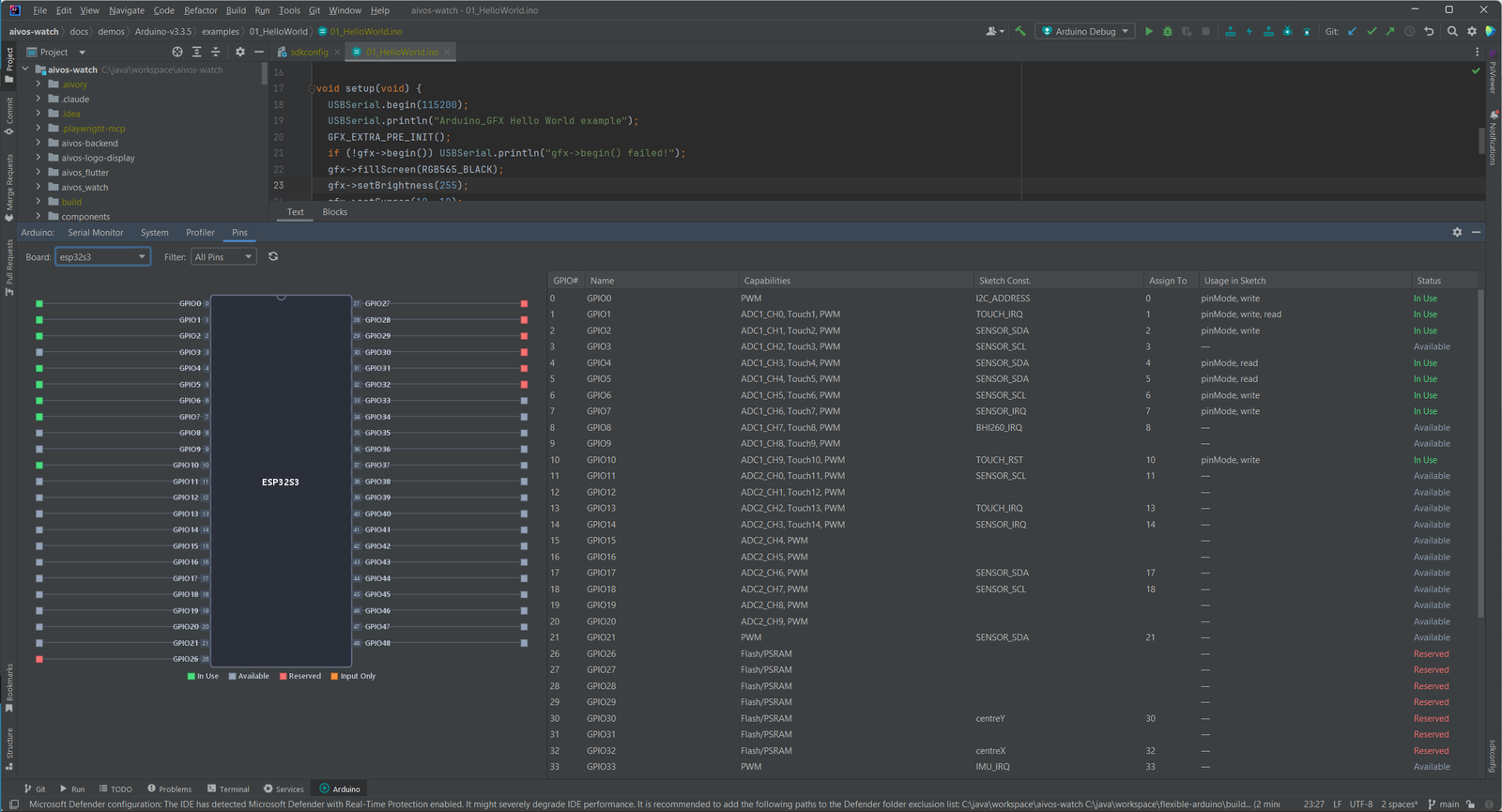
See your board as a chip diagram and know which pins your sketch already uses.
- Clickable pins on an IC diagram that sync to the pin table
- The table lists GPIO number, name, capabilities, usage in sketch and status (In Use, Available, Reserved, Input Only)
- The Sketch Pin Mapper finds
const int,#defineand variable pin assignments in your sketch - Reassign a pin from a dropdown and apply it to the source with one click
- Boards include the ESP32 family, ESP8266, Arduino Uno, Nano, Mega and Leonardo, RP2040 Pico and Pico 2, Teensy 4.0 and 4.1, nRF52840 and STM32 Nucleo, Blue Pill and Black Pill
03
Build, Flash & Monitor
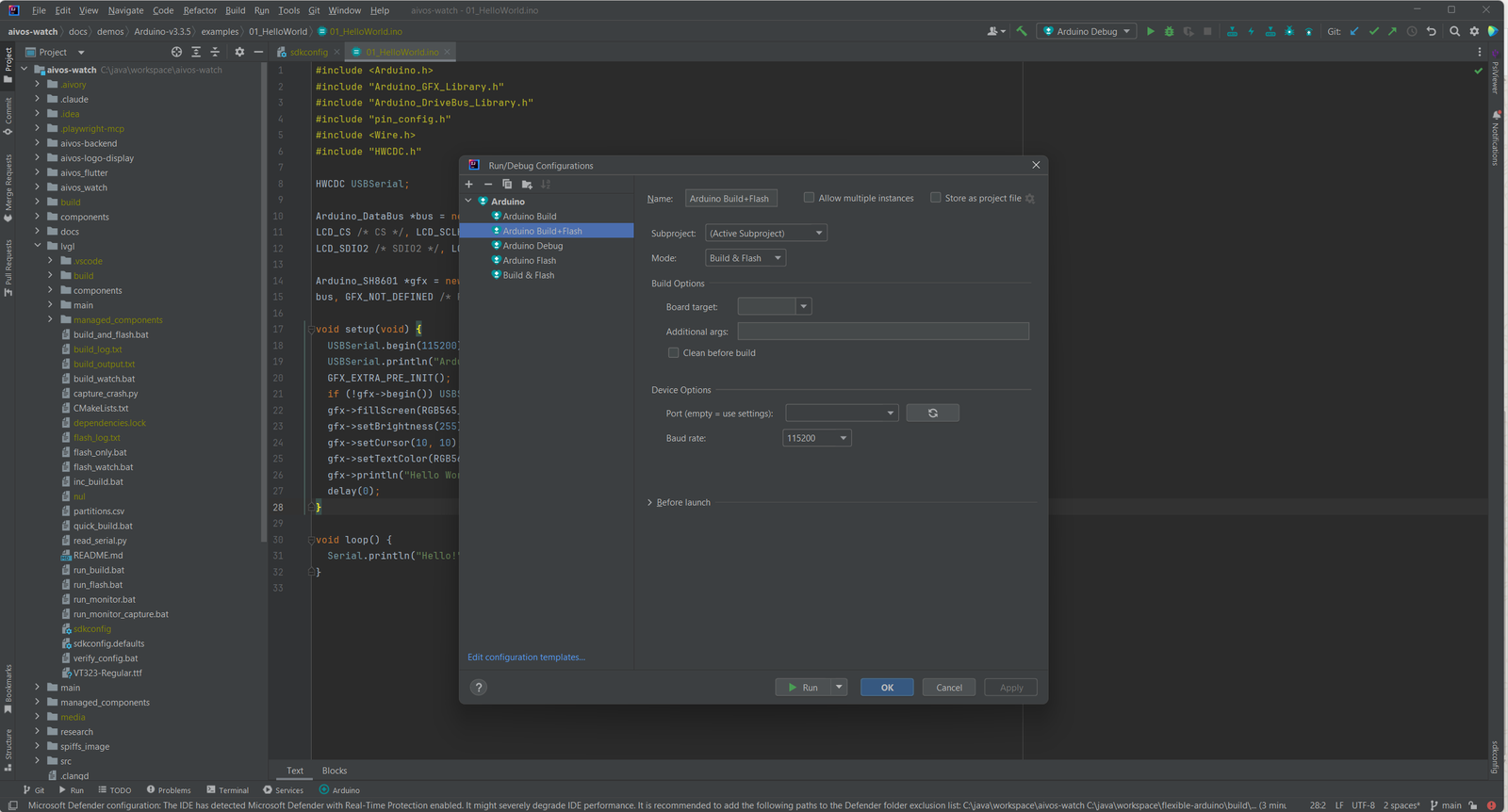
One run configuration builds and flashes your board. Pick the mode with a selector: Build, Flash, Monitor or Build & Flash.
- Four build backends: ESP-IDF (
idf.py), Arduino CLI, PlatformIO and Zephyr/West - Set the COM port, baud rate, flash mode and upload method per run
- Build output shows errors and jumps to the source line
- Library Manager installs LVGL, TFT_eSPI and Adafruit GFX with one click
04
Serial Monitor
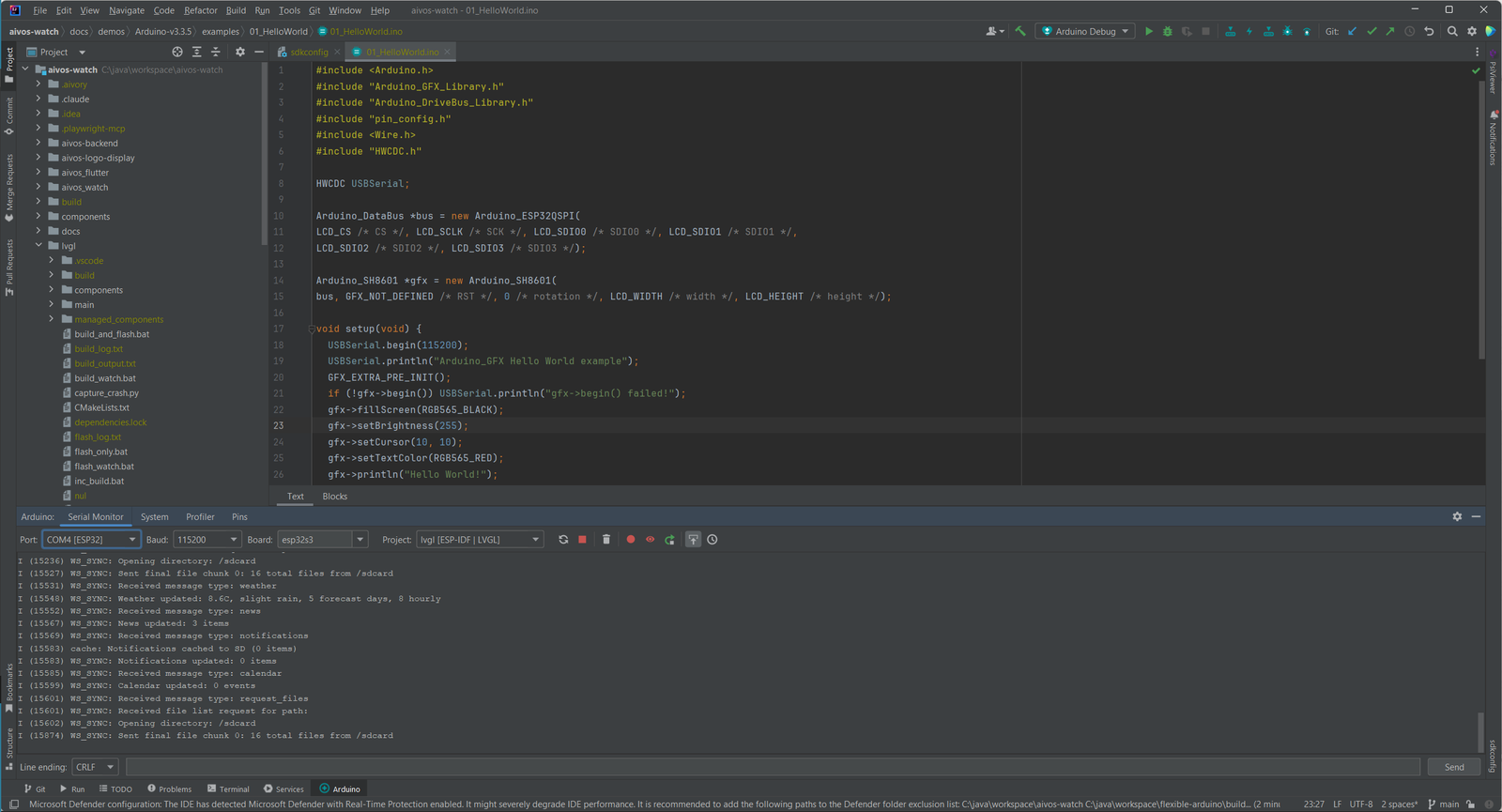
Read what your board prints without leaving the IDE. The Serial Monitor finds your COM port for you.
- COM port auto-detection with ESP32 and Arduino VID/PID filtering
- Baud rates from 9600 to 921600
- Auto-scroll, clear, timestamps and line-ending options
- Send commands to the device, with DTR/RTS control and auto-reconnect
- Explain With AI sends the last output, a crash backtrace or a boot loop to your AI assistant
05
Visual Blocks Editor
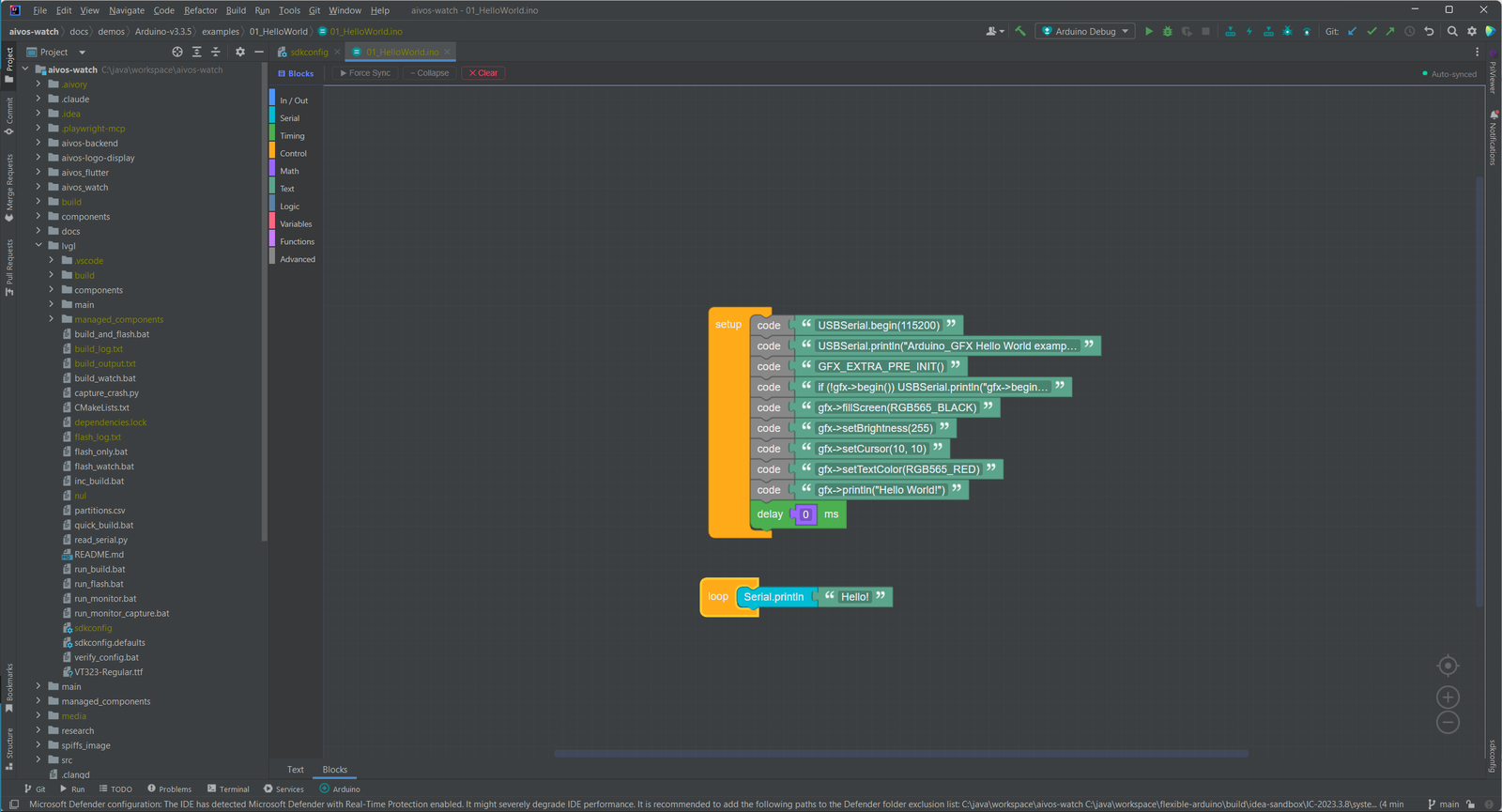
Prefer blocks to typing? Switch a sketch file from Text to Blocks. The editor builds Arduino C++ from drag-and-drop blocks.
- Blockly visual editor for sketch files
- Block categories such as In/Out, Serial, Timing, Control, Math, Text, Logic, Variables and Functions
- Generates Arduino C++ code from the blocks
06
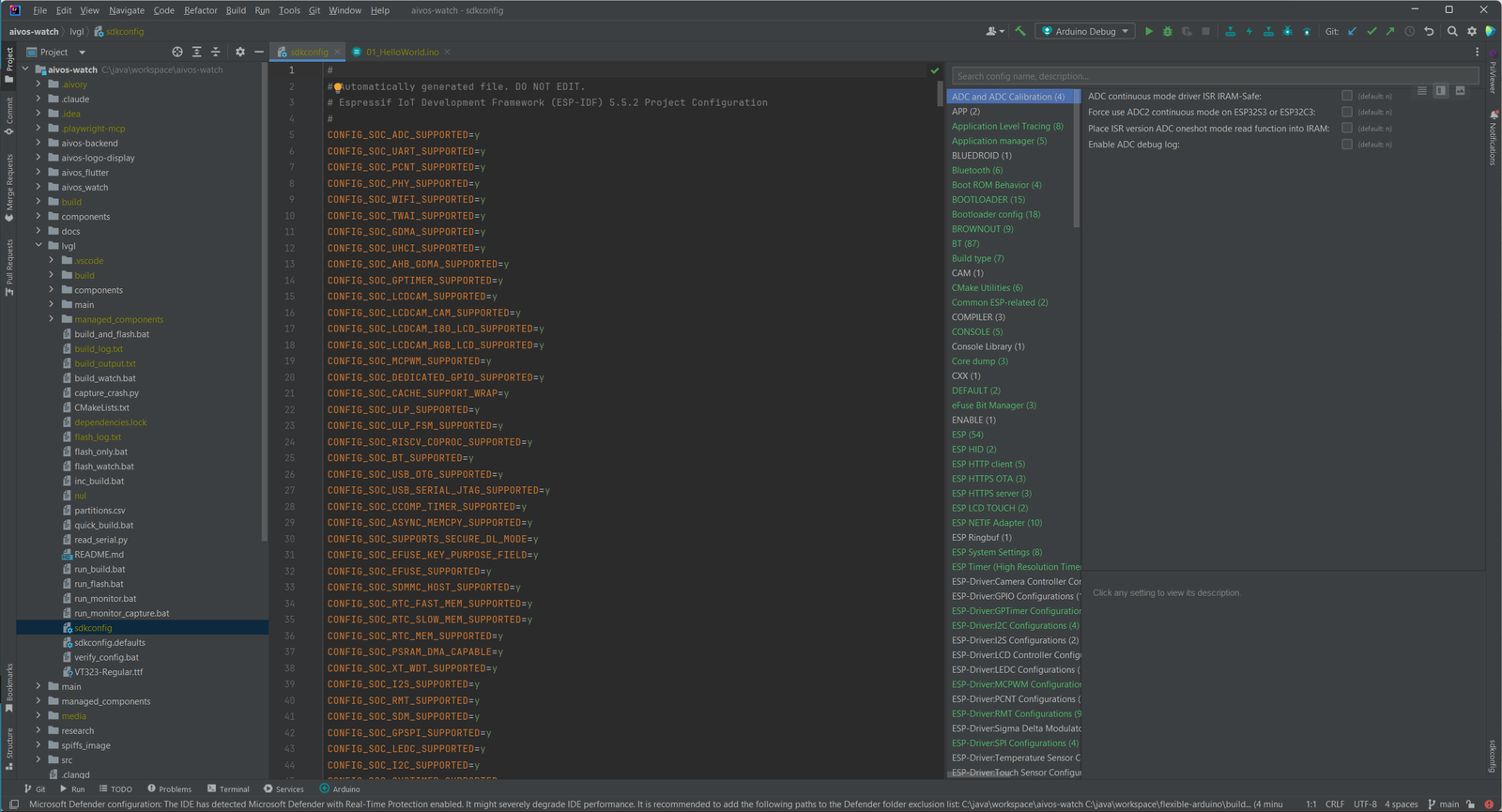
sdkconfig Editor
Edit ESP-IDF settings in a searchable editor instead of a plain text file.
- Search and category grouping for sdkconfig options
- An inline tool window for quick edits
- ESP-IDF is found automatically, including toolchains and the Python environment
- Works with ESP-IDF v4.x and v5.x
07
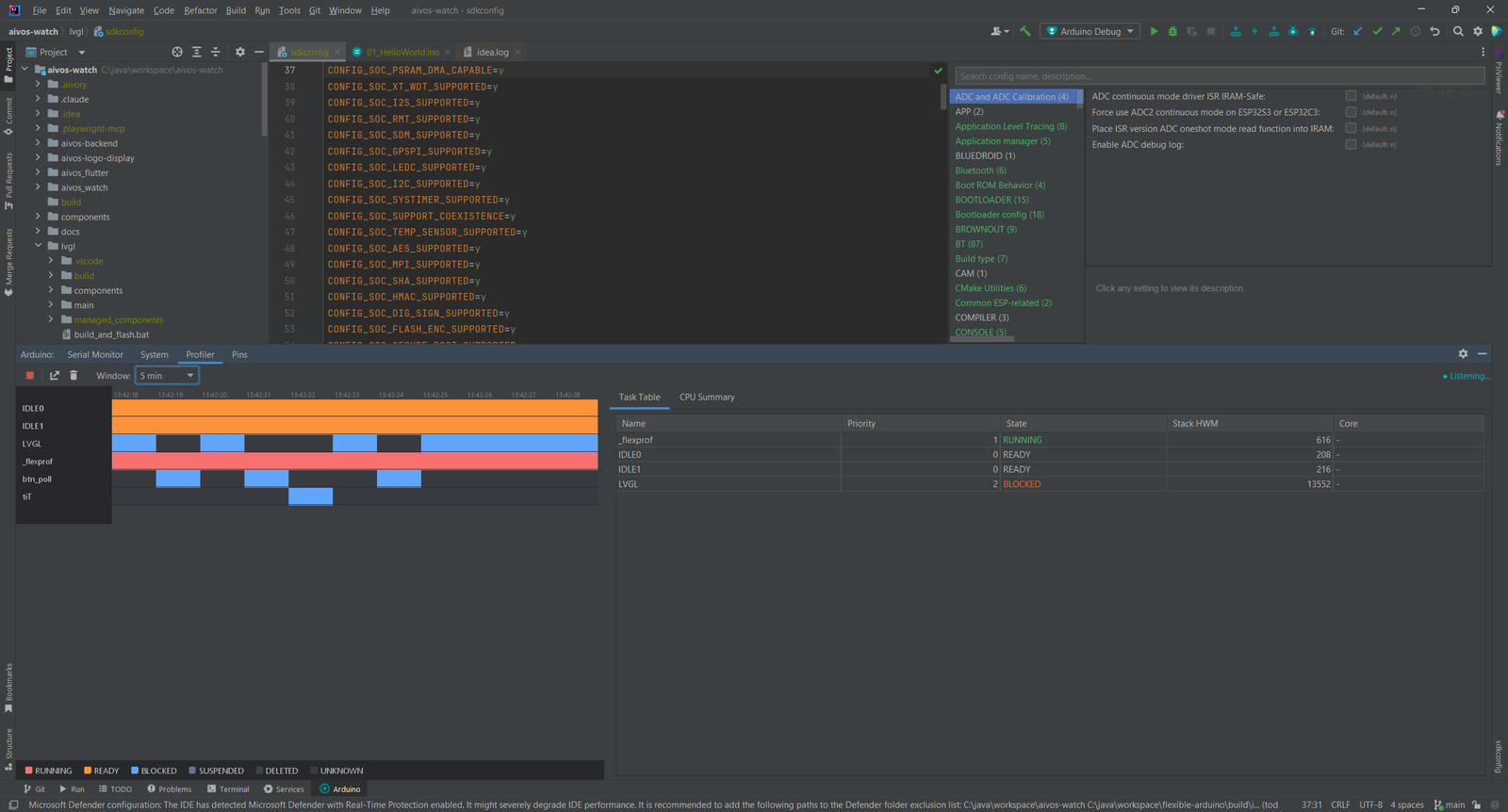
Profile Your Device
The Pro features show what runs on the chip while it runs.
- Device Profiler streams runtime performance data from the device
- Memory Analyzer shows RAM and Flash use per section and component
- JTAG/GDB debugging via OpenOCD in the JetBrains Debug tool window
- OTA upload for wireless firmware updates
Simple, Transparent Pricing
Flexible for Arduino is a freemium plugin with a 7-day trial. Purchase through JetBrains Marketplace.
Individual
For solo developers
$2.90/month
or $29/year (save 17%)
- Build, flash and monitor from one run configuration
- Serial Monitor and Pin Viewer
- AI chat with your own agent
- Works in all JetBrains IDEs (2023.3+)
TEAMS
Organization
For teams and companies
$6.90/month
or $69/year (save 17%)
- Everything in Individual
- A license for teams and companies
- Purchase through JetBrains Marketplace
- 7-day free trial
Students & open source contributors: Contact us for discounts. We support the community.
Flash your next board from the IDE you already use.
Install Flexible for Arduino from the JetBrains Marketplace and open an ESP32 or Arduino project.