


JetBrains IDE Plugin
Flexible Elixir: Elixir and Phoenix IDE for JetBrains
Download an Elixir SDK with one click, lint with Credo and debug breakpoints, all inside your JetBrains IDE.
4.4
1 rating · JetBrains Marketplace
JetBrains IDEs: IntelliJ IDEA · PyCharm · WebStorm · PhpStorm · and other JetBrains IDEs
- 1-click
- Elixir SDK download, plus asdf/mise detection
- Credo
- Built-in linting
- 50+
- Live templates for Phoenix and LiveView
01
What Developers Are Saying
★★★★★
“Five stars because the core is good, and the development is active and genuinely shaped by user requests on GitHub. The author is responsive and ships improvements quickly. So despite the plugin still being young and missing some features, it’s heading in a great direction.”
Jon Lauridsen — JetBrains Marketplace
02
One-Click Elixir SDK Download
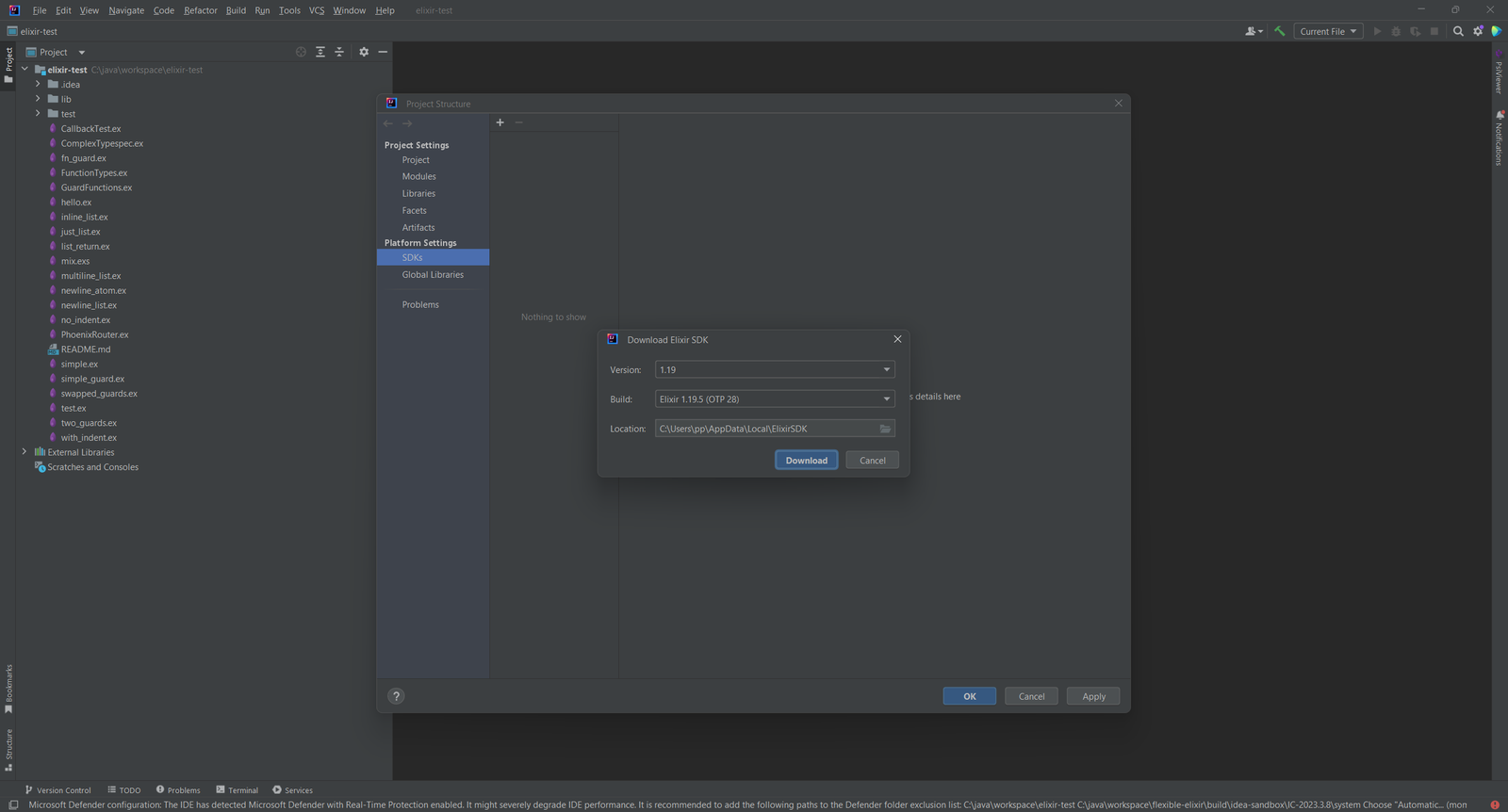
No Elixir installed yet? Download an SDK from Tools > Elixir > Download Elixir SDK. Pick a version and a build, then press Download.
- Download SDKs from official Elixir releases
- Auto-detection of installs from system paths, asdf, mise/rtx and kiex
- Per-project SDK selection
03
Mix, IEx and Formatter Settings
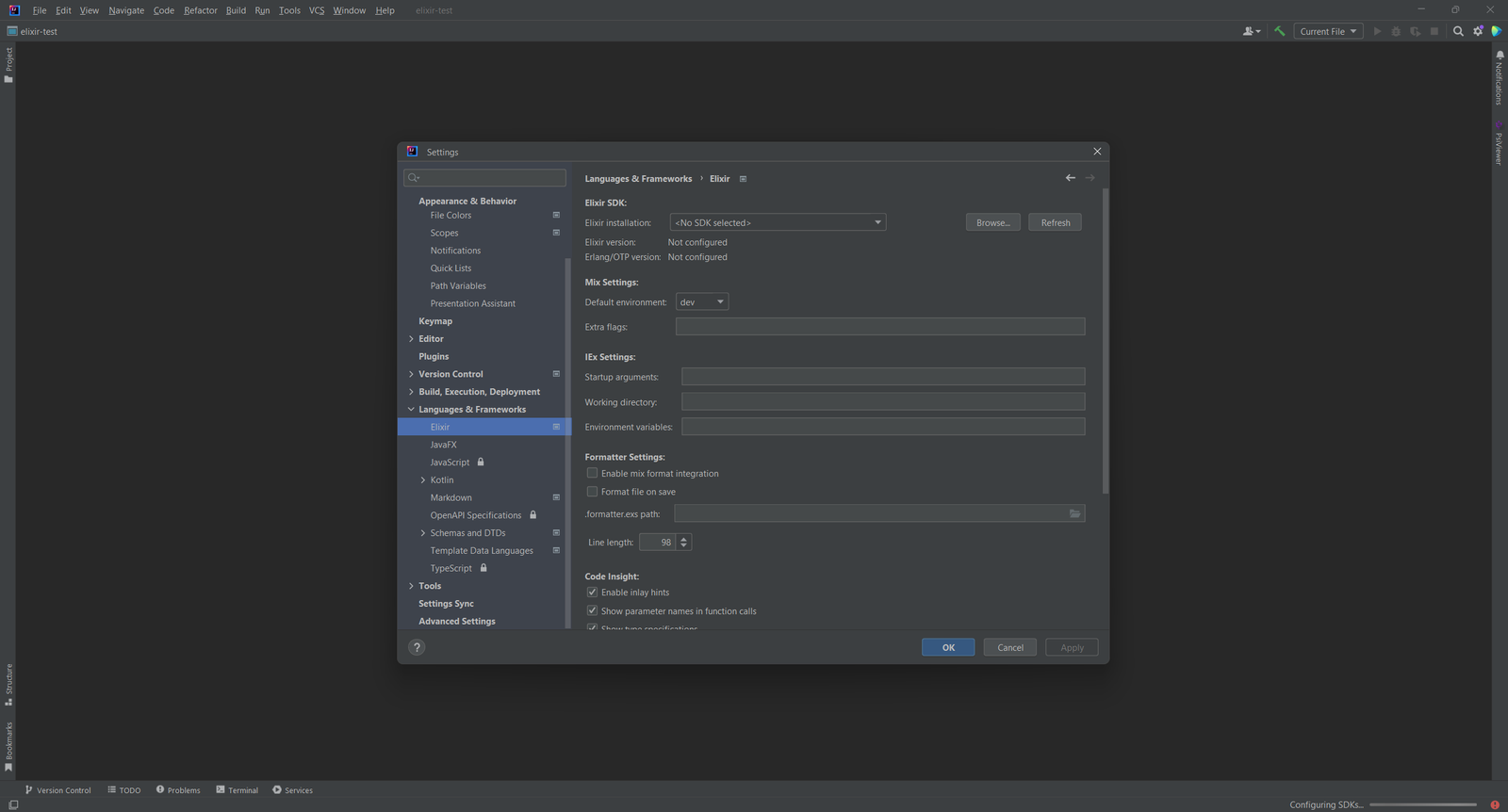
One settings page holds your SDK and the tools around it.
- Default Mix environment, extra flags, IEx startup arguments and working directory
- Mix format integration, with an option to format a file on save
- Inlay hints and parameter names in function calls
04
Run Configurations
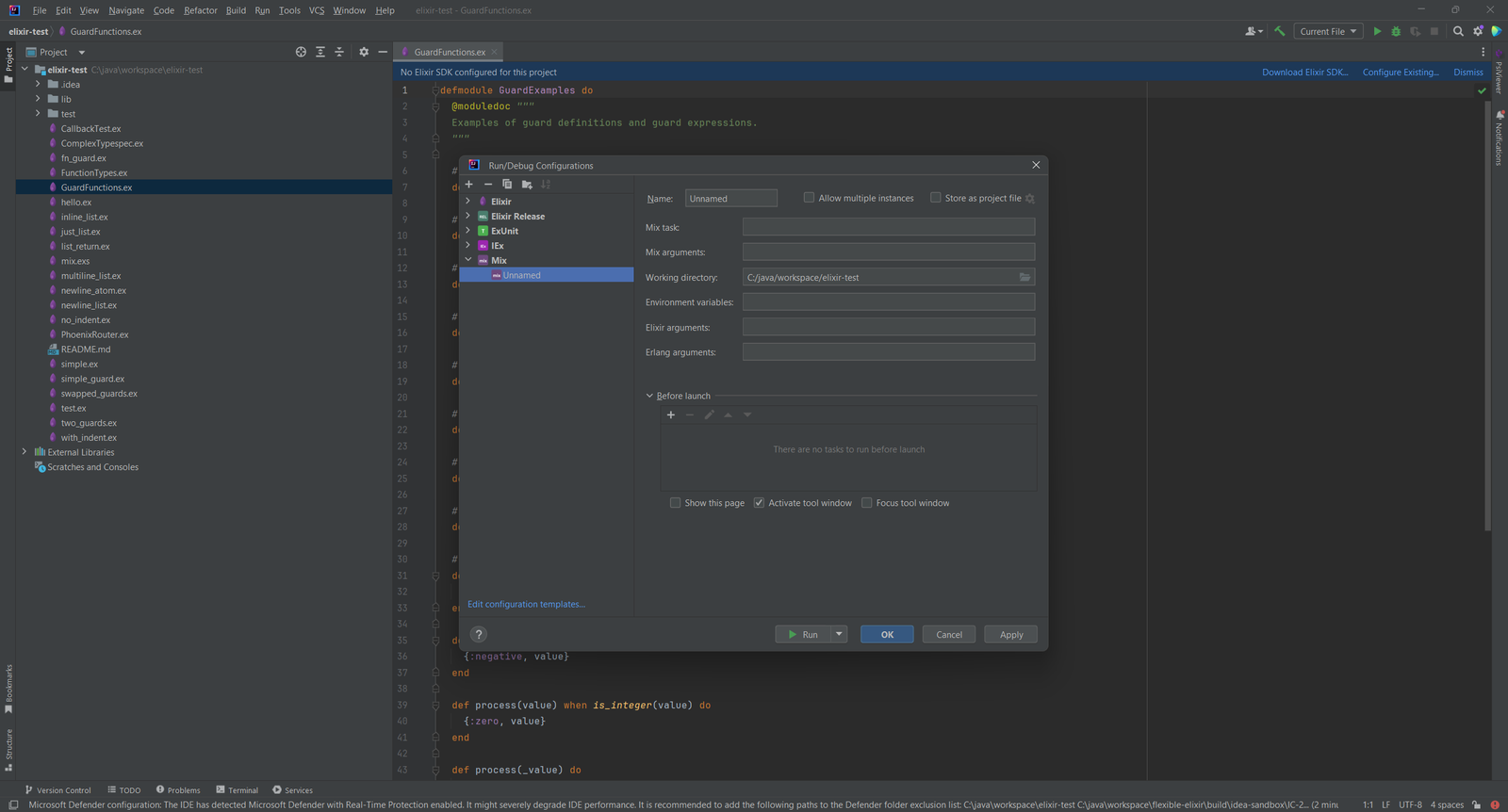
Run Elixir the way your project does.
- Mix tasks with custom arguments
- ExUnit test runner with individual test support
- IEx console with project context
- Elixir Release runner (start, stop, daemon, remote, eval)
05
Language Support, Debugger and Templates
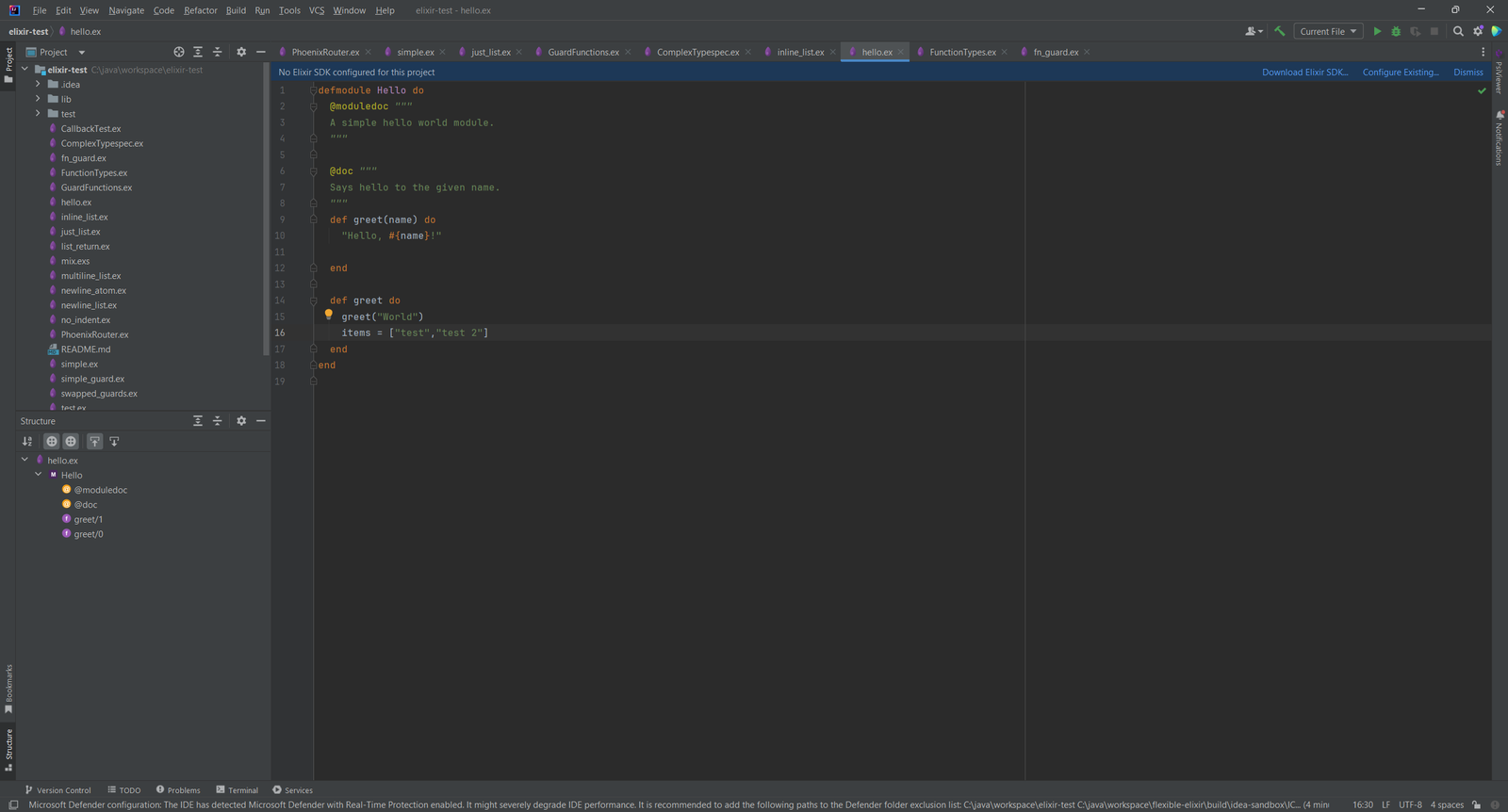
Write Elixir with highlighting and navigation, then debug it.
.ex,.exs,.eex,.heexand.leexfiles with customizable color schemes and code folding- Go to Definition, Find Usages, Structure View and rename refactoring
- Breakpoints, step into/over/out, variable inspection and expression evaluation
- 50+ live templates for Elixir, Phoenix, Ecto, OTP and ExUnit
- Credo linting for style checks
06
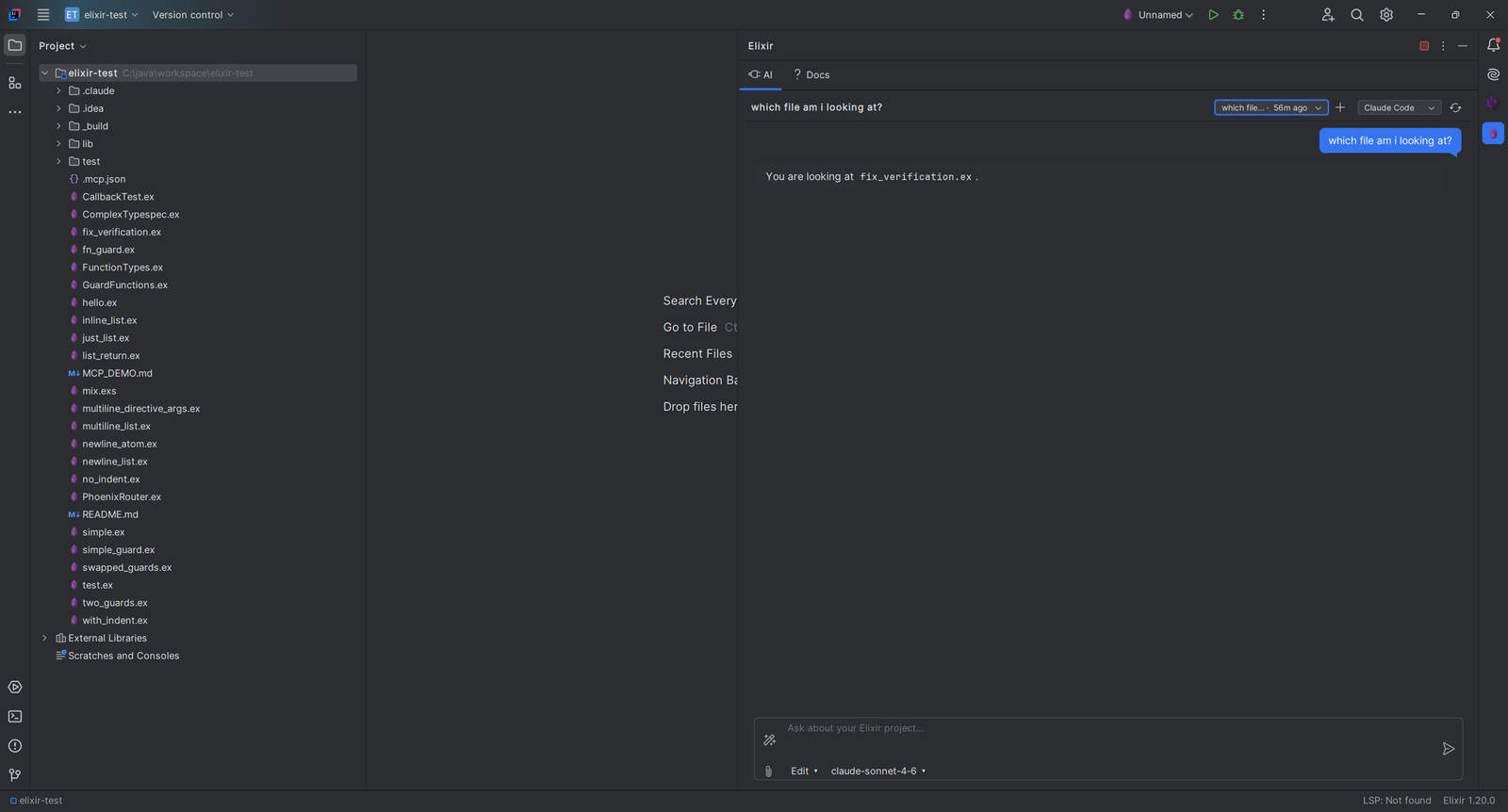
Ask About Your Project
The Elixir tool window has an AI tab and a Docs tab next to your project files.
- Type a question about your project, for example which file you are looking at
- Choose the AI agent from a selector in the tab
Simple, Transparent Pricing
Start with a 7-day free trial. Purchase through JetBrains Marketplace.
Individual
For solo developers
$1.90/month
or $19/year (save 17%)
- One-click SDK download
- Credo linting
- Debugger with breakpoints
- 50+ live templates
TEAMS
Organization
For teams and companies
$4.90/month
or $49/year (save 17%)
- Everything in Individual
- A license for teams and companies
- Purchase through JetBrains Marketplace
- 7-day free trial
Students & open source contributors: Contact us for discounts. We support the community.
Write Elixir in Your JetBrains IDE Today
Install Flexible Elixir from the JetBrains Marketplace and download an SDK from the Tools menu.