


JetBrains IDE Plugin
Flexible Delphi: Delphi and Free Pascal in the IDE
Edit Delphi and Free Pascal code in a JetBrains IDE, with a form designer that links every event to its code. The plugin opens old Delphi projects with binary forms, and current Delphi code with generics, anonymous methods and inline variables. The parser is native, so no language server is needed.
IntelliJ IDEA · CLion · PyCharm · WebStorm · PhpStorm · GoLand · Rider · + All JetBrains IDEs (2023.3 and newer)
- Form designer
- Component palette, canvas and Object Inspector
- Binary DFM
- Old forms open in the designer and save back as binary
- MCP
- Tools that give AI agents your code structure and forms
01
A Form Designer Inside the IDE
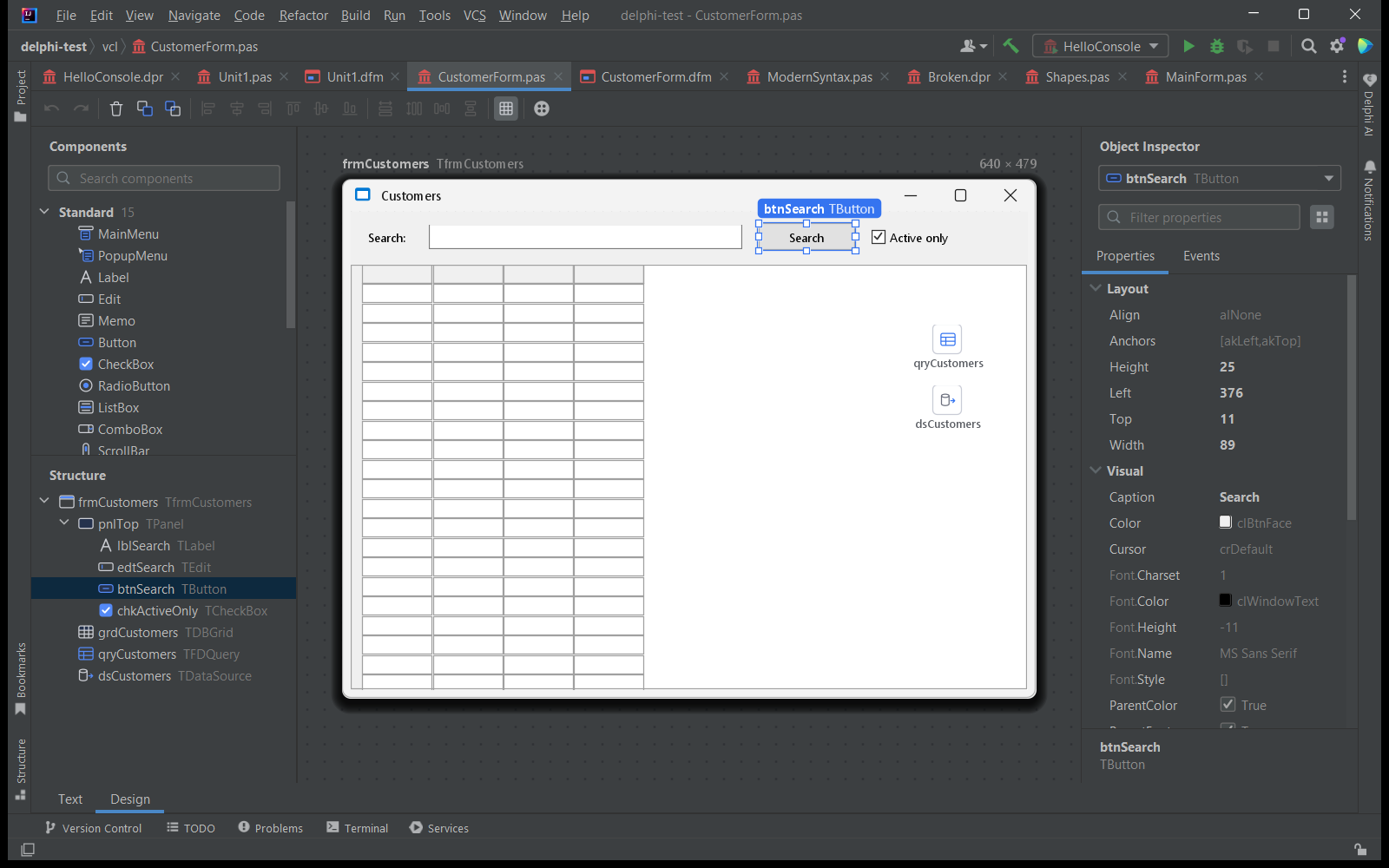
Design Delphi forms in a JetBrains IDE. The designer has a component palette with search, a canvas and an Object Inspector. The Structure panel lists every component of the form, and Layout and Visual properties sit in the inspector.
02
Build a First Form
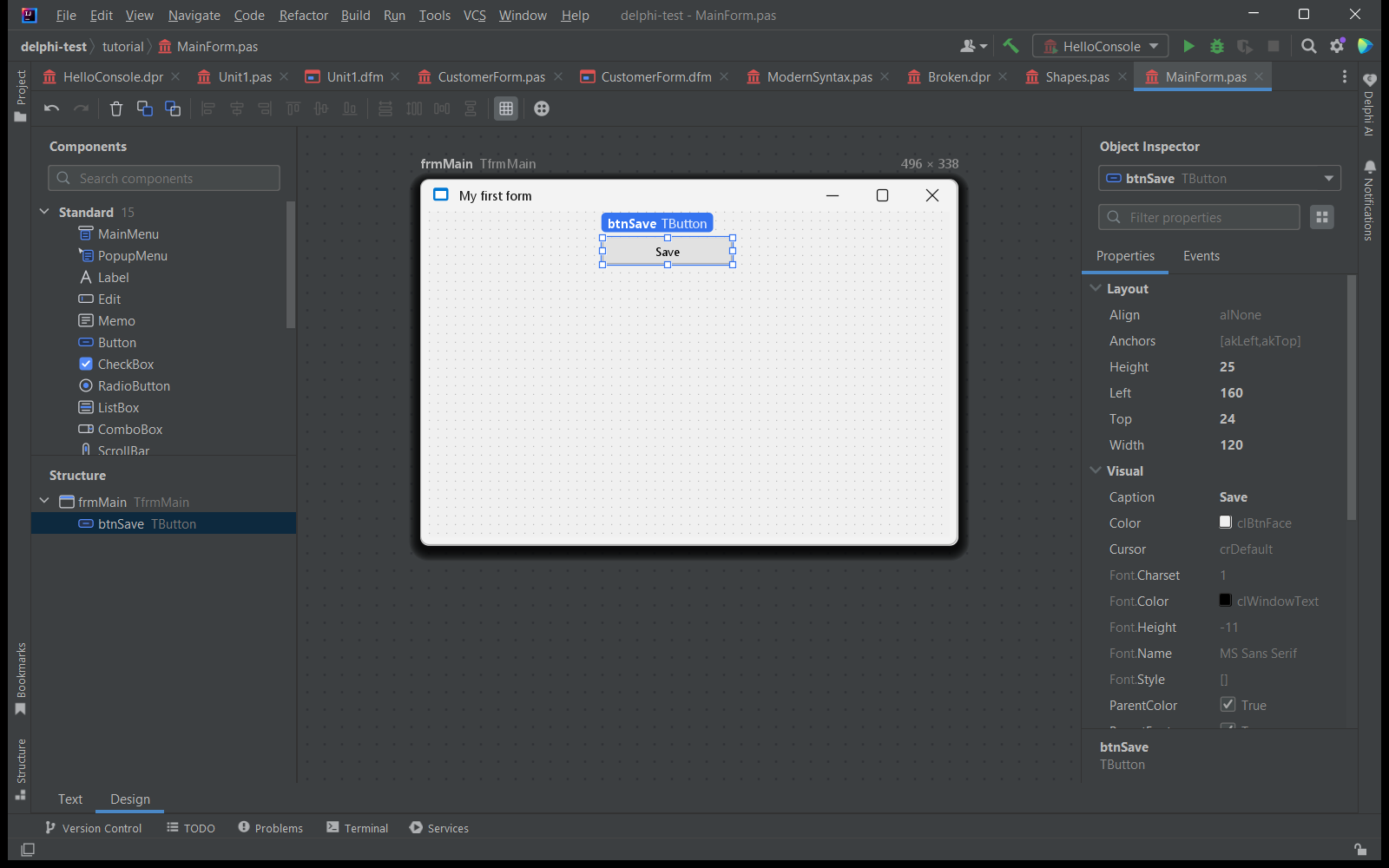
Pick a component from the palette, drop it on the form and set its properties. Double-click a component or an event to create the handler and jump to its code. The plugin links every event to its code.
03
Code Completion
Complete members of your classes as you type. In the screenshot, completion after
Shape. lists the methods Area, Create and Describe and the field FName. The parser is native, so no language server is needed.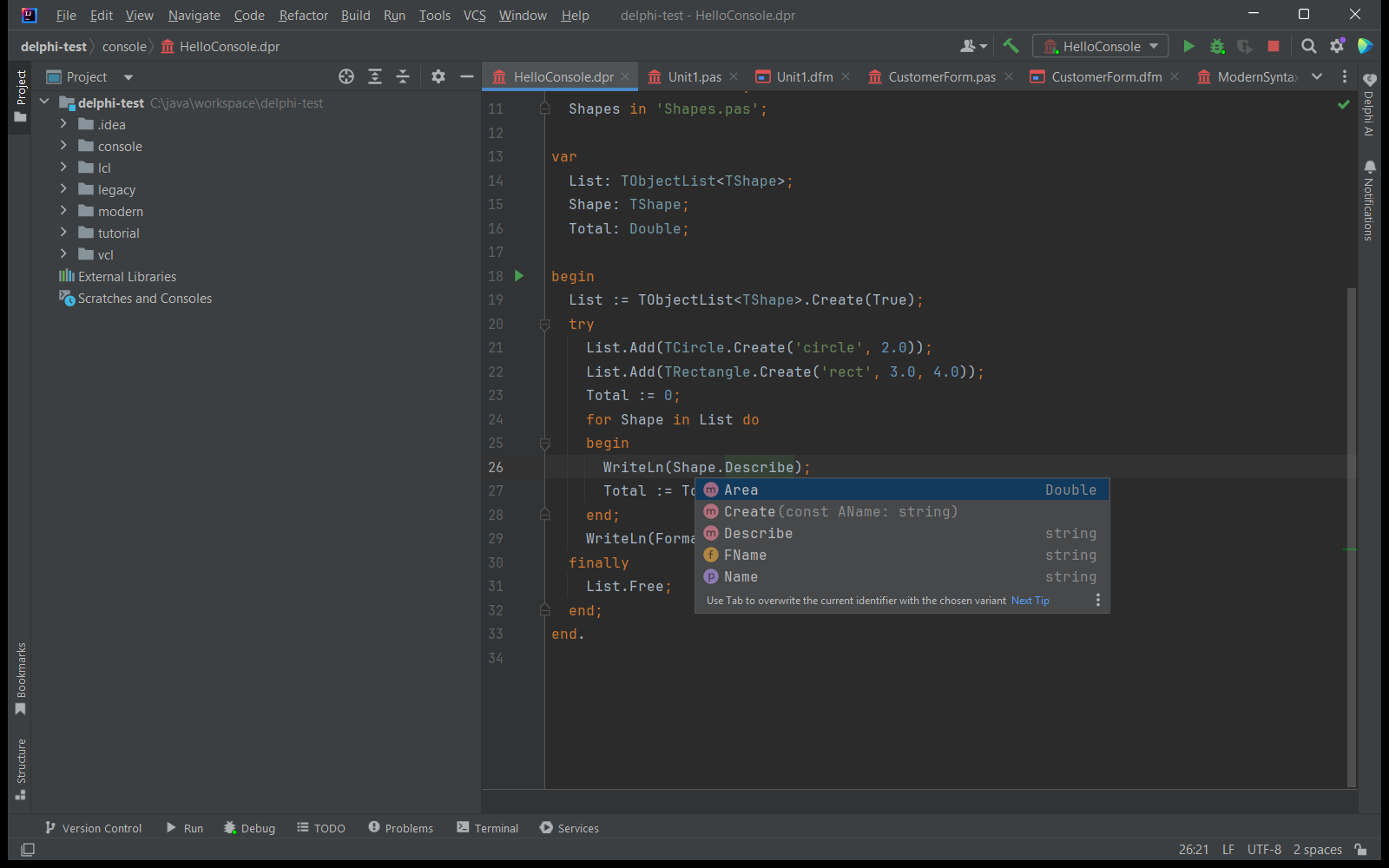
04
Hover Docs for RTL and VCL
Hover a symbol to read its signature, parameters, return value and the unit it lives in. Docs come from
/// XMLDoc comments and for 320 RTL and VCL symbols.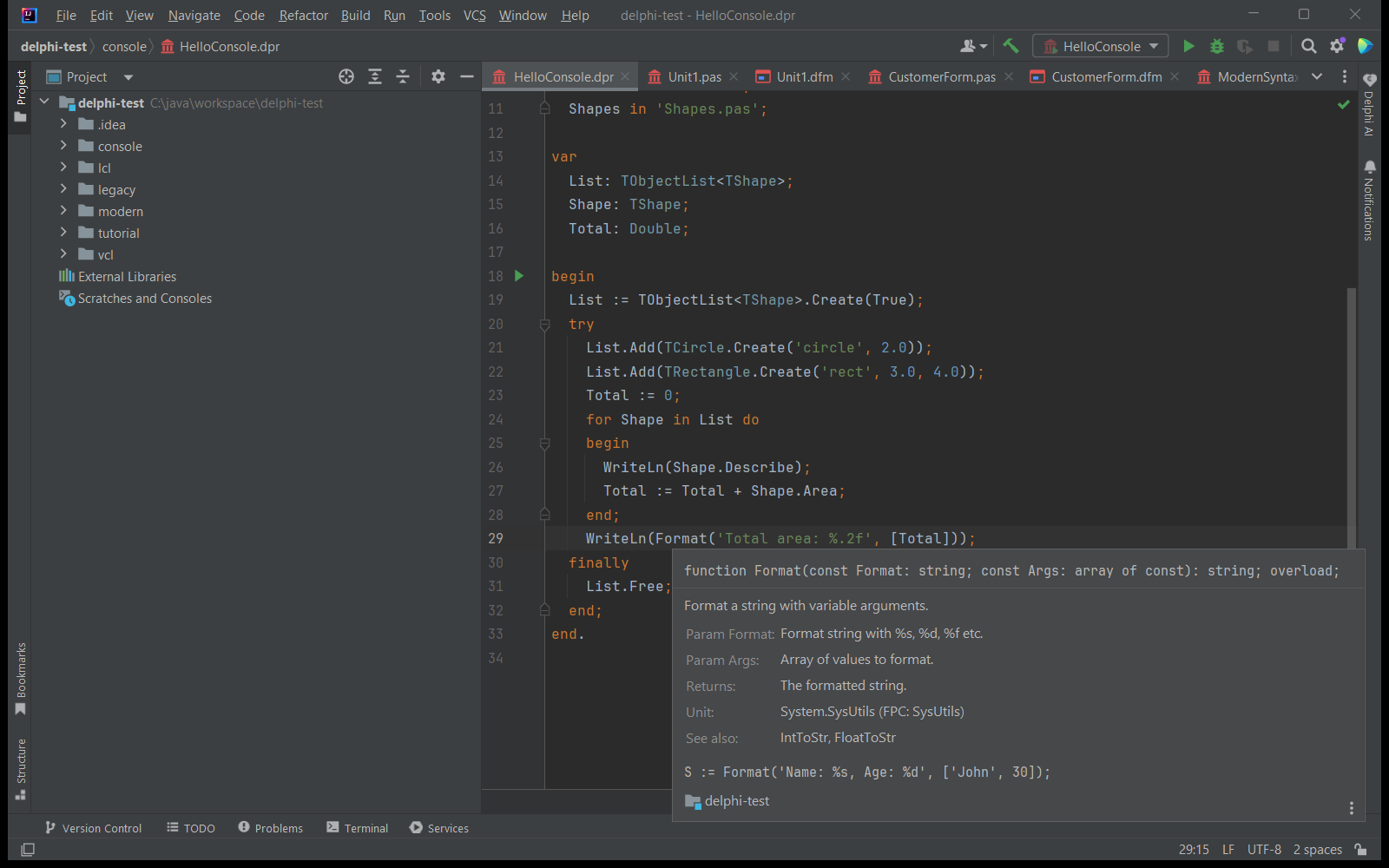
05
Compile and Debug
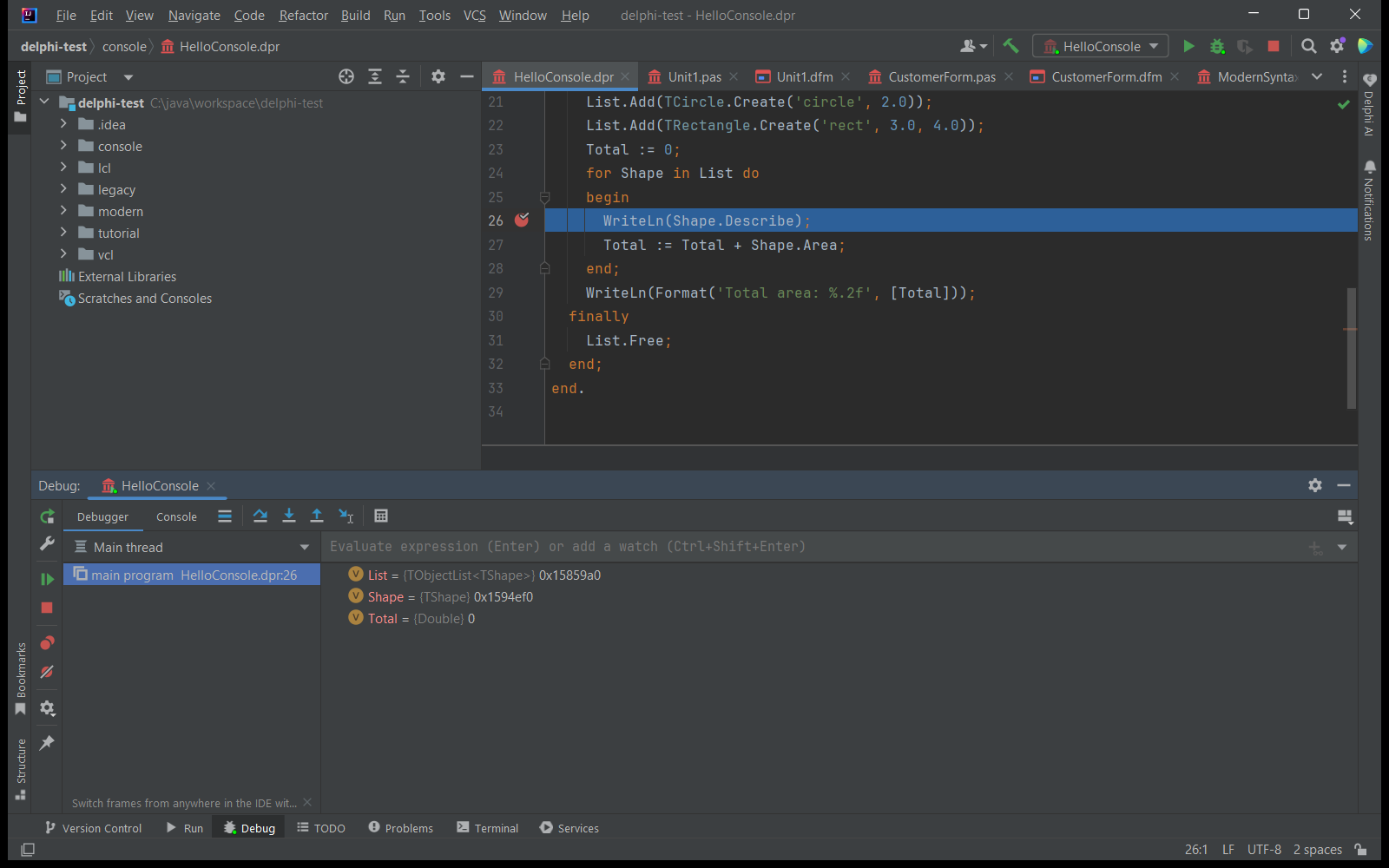
Set SDKs for Free Pascal, Lazarus and Delphi and click the compiler messages to jump to the code. The GDB debugger works with Free Pascal and Lazarus builds. Breakpoints, stepping and variable values show in the Debug tool window.
06
Switch Between Text and Design
Every form has a Text tab and a Design tab. Press F12 to move between a form and its code. The editor evaluates
{$IFDEF} blocks with the project defines and greys out inactive code. It also reads old projects: text DFM, LFM and FMX files, and binary DFM files of older Delphi versions.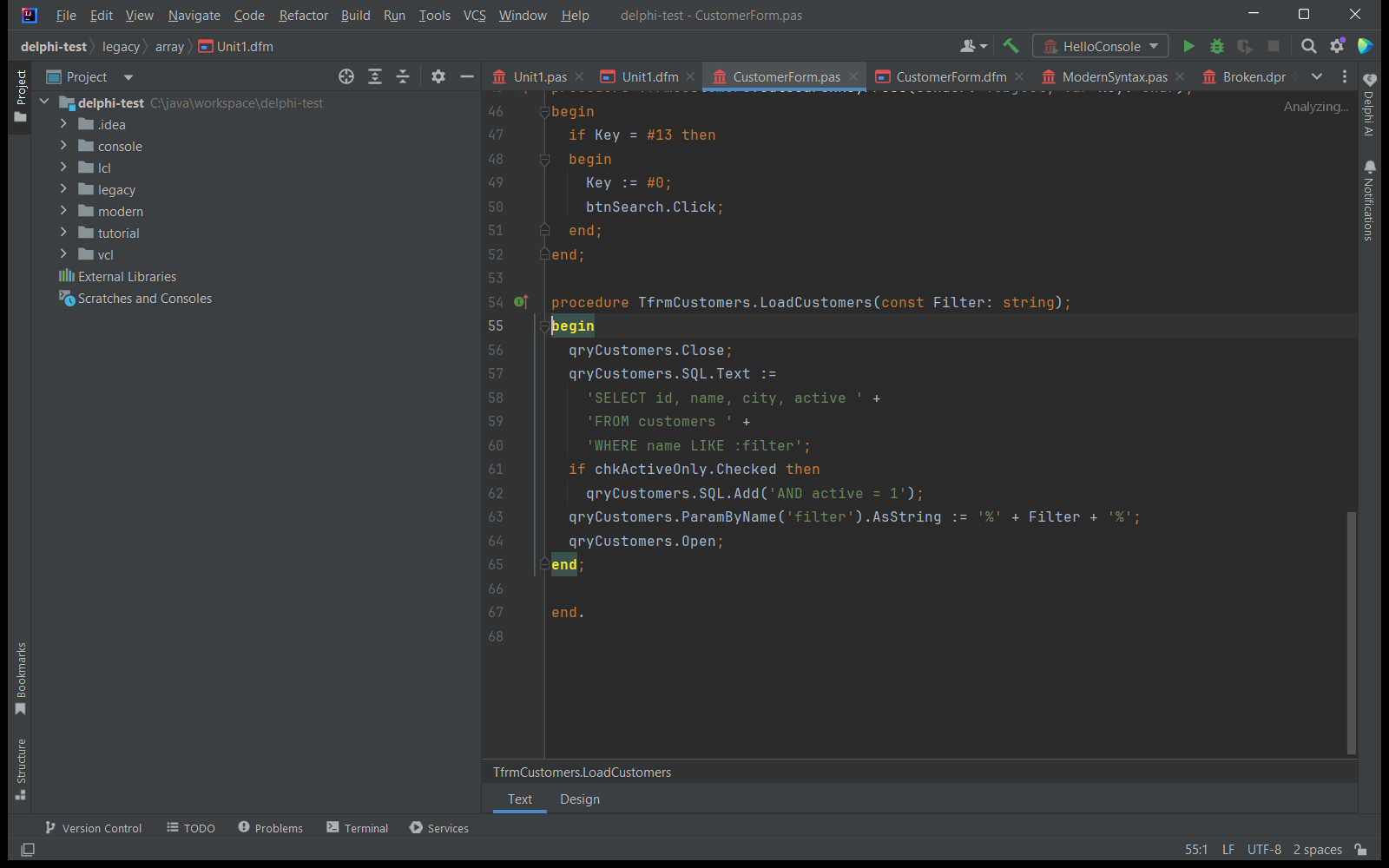
Simple, Transparent Pricing
Start with a 30-day free trial. Purchase through JetBrains Marketplace.
Individual
For solo developers
$9.90/month
- Form designer with Object Inspector
- Delphi, Free Pascal, Turbo Pascal and ISO Pascal
- Open and save binary DFM forms
- Compile and debug Free Pascal and Lazarus
TEAMS
Organization
For teams and companies
$24.90/month
- Everything in Individual
- Organization license for teams and companies
- Purchase through JetBrains Marketplace
Students, teachers & open source: Free for students, teachers and open source projects. Non-profits and startups get 50% off. Contact us to claim it. Report a bug or an idea and get 20% off the annual license, or one month free.
Bring Your Delphi Code Into a Modern IDE
Install Flexible Delphi from the JetBrains Marketplace and open a folder with
.pas, .dpr or .dfm files. Flexible Delphi is an unofficial plugin. It is not affiliated with Embarcadero Technologies, the Free Pascal and Lazarus projects, or JetBrains.