


JetBrains IDE Plugin
Flexible COBOL: COBOL Editing and Debugging in the IDE
Navigate COBOL programs and copybooks, compile, run and debug with GnuCOBOL, and send jobs to z/OS over z/OSMF, all inside a JetBrains IDE. The parser is native, so no language server is needed.
IntelliJ IDEA · CLion · PyCharm · WebStorm · PhpStorm · GoLand · Rider · + All JetBrains IDEs (2023.3 and newer)
- 391
- NIST COBOL-85 programs parsed with zero errors
- z/OSMF
- Compile, link and run on z/OS from the IDE
- MCP
- Tools that give AI agents your program outline
01
Understand Legacy Code Fast
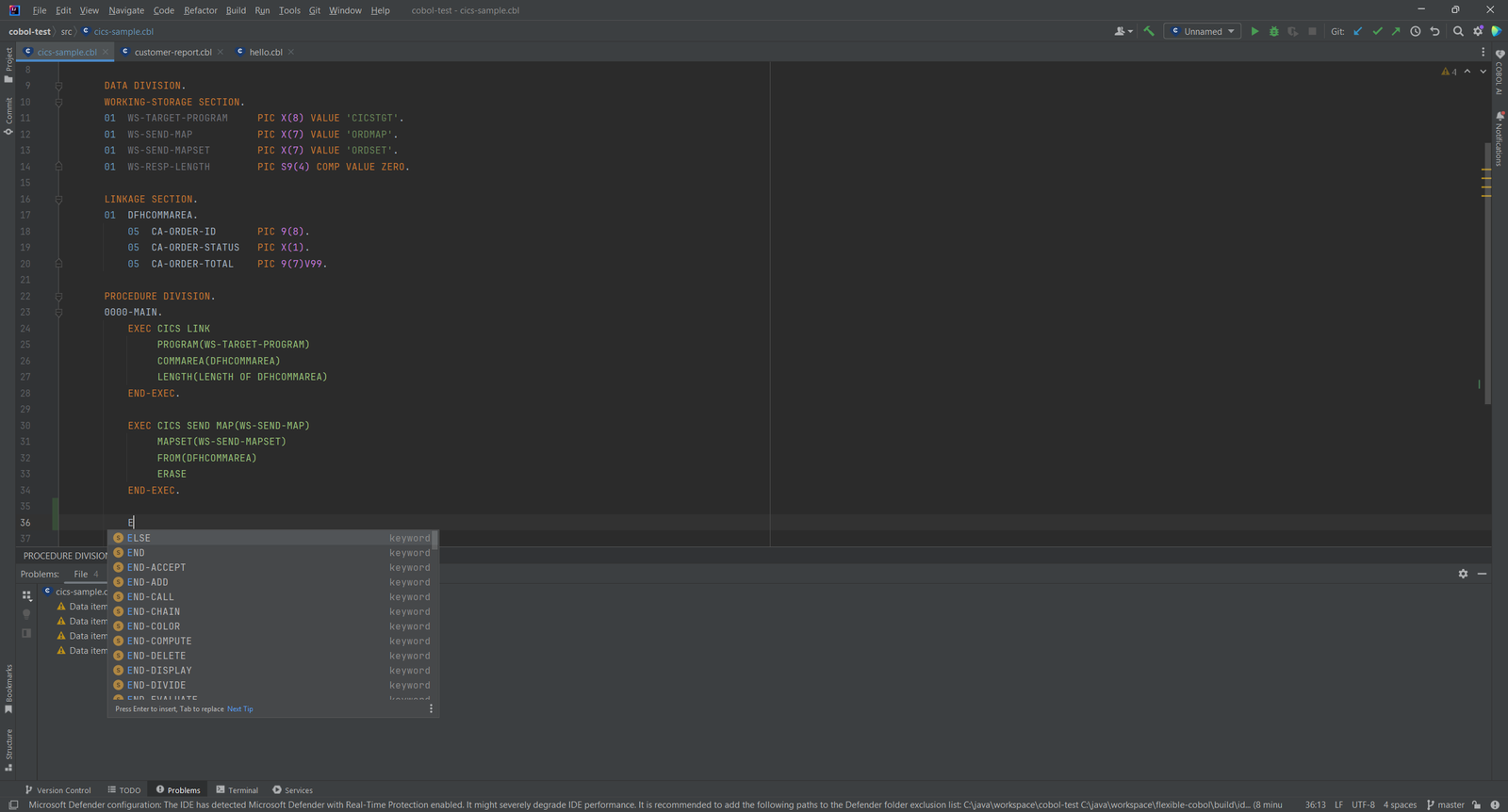
Open a COBOL program and get context-aware completion, go to declaration and find usages. The plugin knows the IBM Enterprise COBOL and GnuCOBOL dialects, in fixed and free source format. EXEC SQL and EXEC CICS blocks are parsed too.
- Completion that fits the position: verbs at a statement start, ELSE and END-IF inside an open IF
- Call hierarchy across CALL, PERFORM and CICS LINK/XCTL
- Copybook resolution across configurable paths, with REPLACING-aware rename
- Structure view of every division, section and paragraph
02
Hover Docs and Inspections
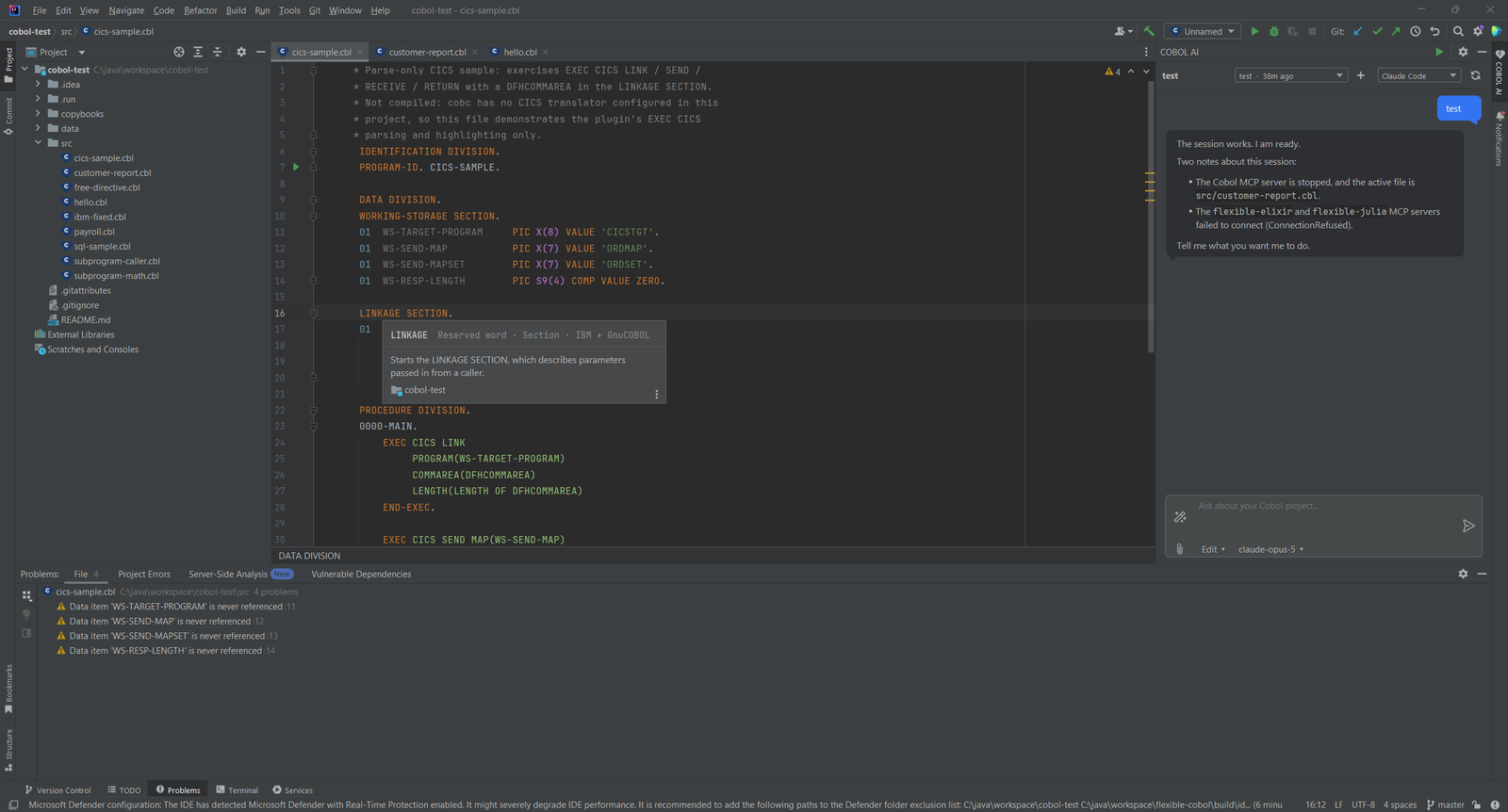
Press Ctrl+Q on a verb, a reserved word, a PIC symbol or a CICS command to read its documentation. The plugin has 10 inspections with quick fixes, such as unused data items, unresolved COPY and missing scope terminators.
03
Compile, Run and Debug
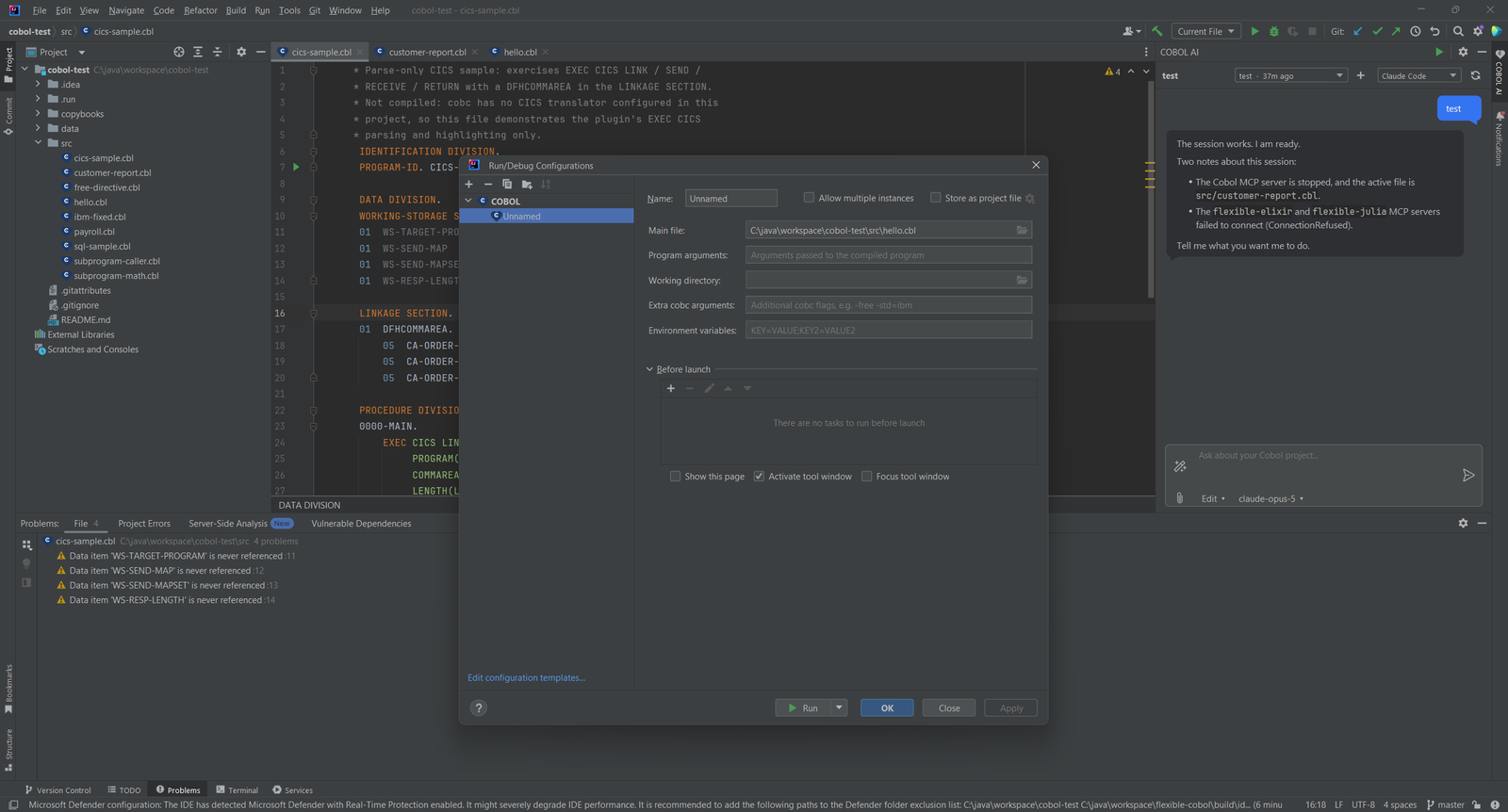
Run COBOL programs with GnuCOBOL from a run configuration. Set the main file, program arguments, working directory, extra cobc flags and environment variables. Compiler errors are clickable. The debugger steps by COBOL line and shows your data by COBOL name.
04
Start a New Project
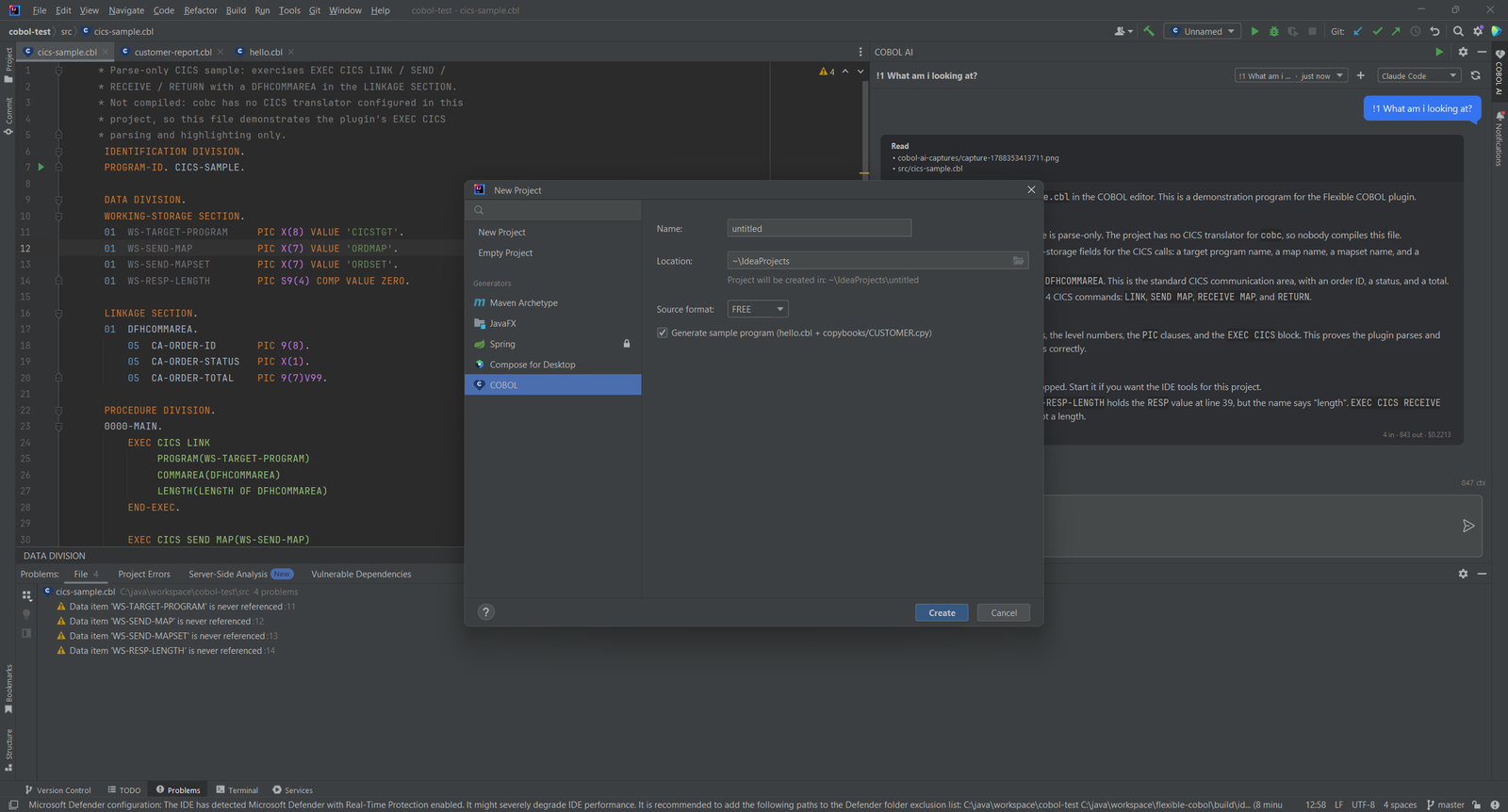
The new project wizard has a COBOL generator. Pick the source format and let it create a sample program with a copybook, so you can run something right away.
05
Readable Colors
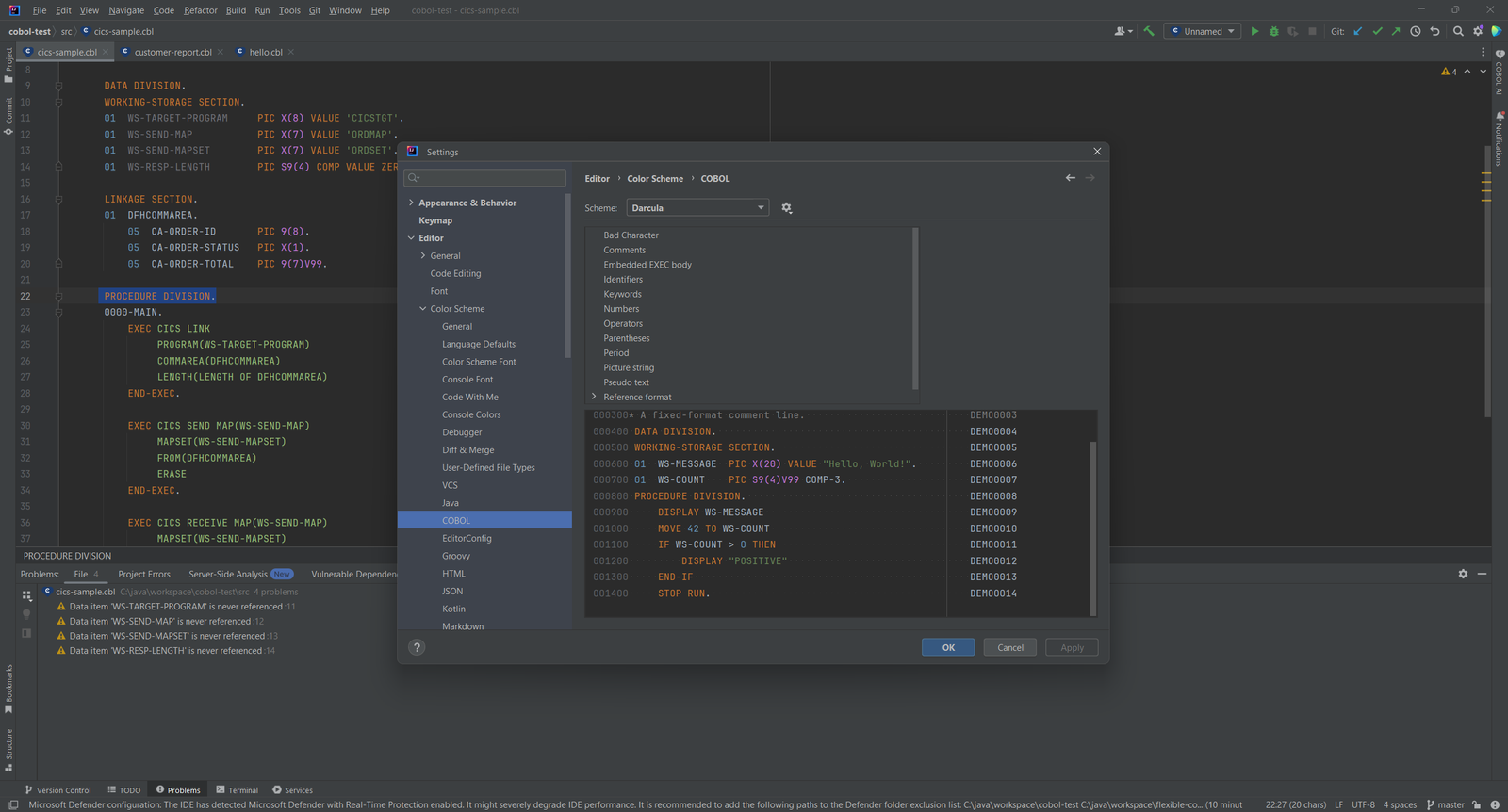
The plugin ships color schemes for Default and Darcula. Divisions, picture strings, pseudo text and the embedded EXEC body each have their own color. In fixed format the sequence and indicator areas are dimmed.
06
AI That Can Read Your Programs
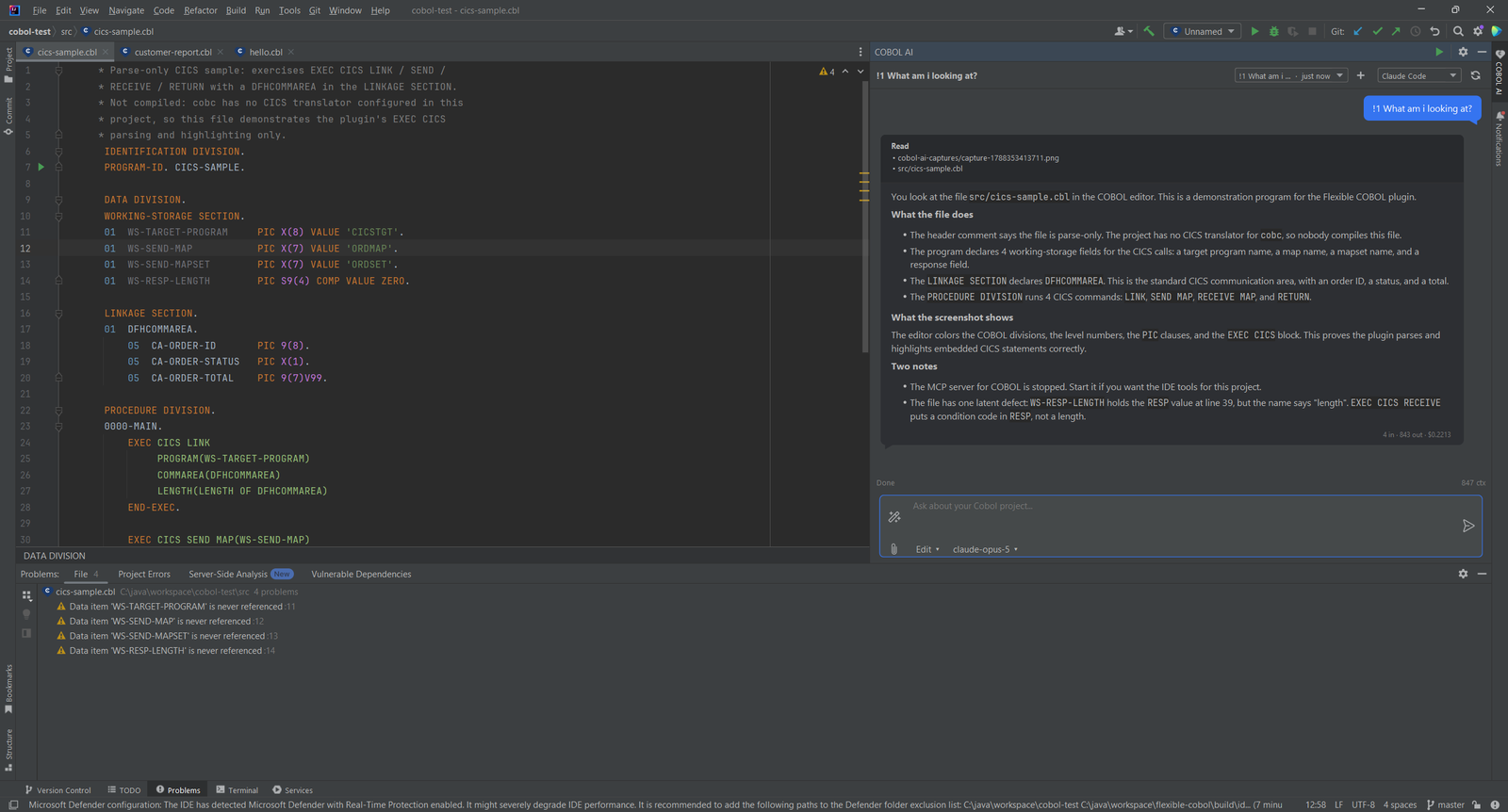
Ask questions about your COBOL project in the AI chat. It works with Claude Code, Codex, Gemini, Cursor and other agents, or with your own API key. The MCP server of the plugin gives any MCP client the program outline, data items, usages and call graph.
Simple, Transparent Pricing
Try it free from JetBrains Marketplace. Purchase through JetBrains Marketplace.
Individual
For solo developers
$7.90/month
- Native COBOL parser, no language server
- Copybook navigation and call hierarchy
- GnuCOBOL compile, run and debug
- z/OS over z/OSMF
TEAMS
Organization
For teams and companies
$19.90/month
- Everything in Individual
- Organization license for teams and companies
- Purchase through JetBrains Marketplace
Students & open source: Flexible COBOL is free for students and open source projects. Non-profits get 50% off. Contact us to claim it. Report a bug or an idea and get 20% off the annual license, or one month free.
Bring COBOL Into a Modern IDE
Install Flexible COBOL from the JetBrains Marketplace and open a COBOL project. Flexible COBOL is an unofficial plugin. It is not affiliated with IBM, GnuCOBOL or JetBrains.