


JetBrains IDE Plugin
AEM Integration
IntelliJ IDEA · WebStorm · PyCharm · PhpStorm · + All JetBrains IDEs
- HTL
- Complete Sightly template support
- Deploy
- CRX, Maven, VLT, filesystem
- Debug
- Remote debugging with auto-detection
01
HTL Autocomplete & data-sly
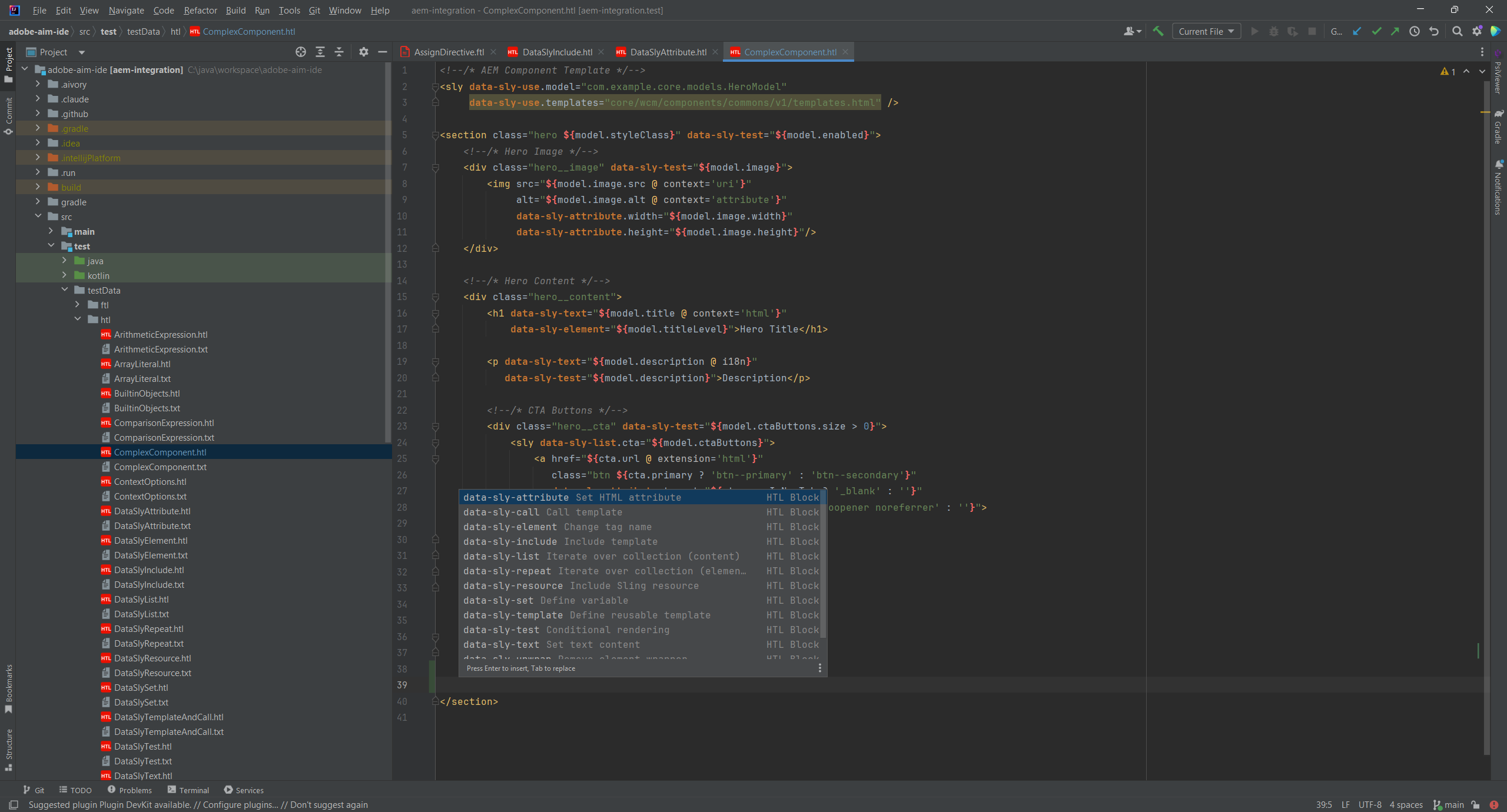
Stop memorizing HTL syntax. AEM Integration provides intelligent code completion for all data-sly-* block statements, expression language constructs, and built-in objects. Write Sightly templates faster with context-aware suggestions.
As you type, the IDE suggests relevant HTL directives, context options, and Use-API methods. Every suggestion includes documentation and parameter hints, so you can code without constantly checking the documentation.
Key features
- Complete HTL grammar with expression language ${…}
- Syntax highlighting and code completion for block statements
- Built-in objects and context options completion
- Code folding for HTML elements and HTL blocks
- data-sly-use, data-sly-list, data-sly-test, and more
02
FreeMarker Support
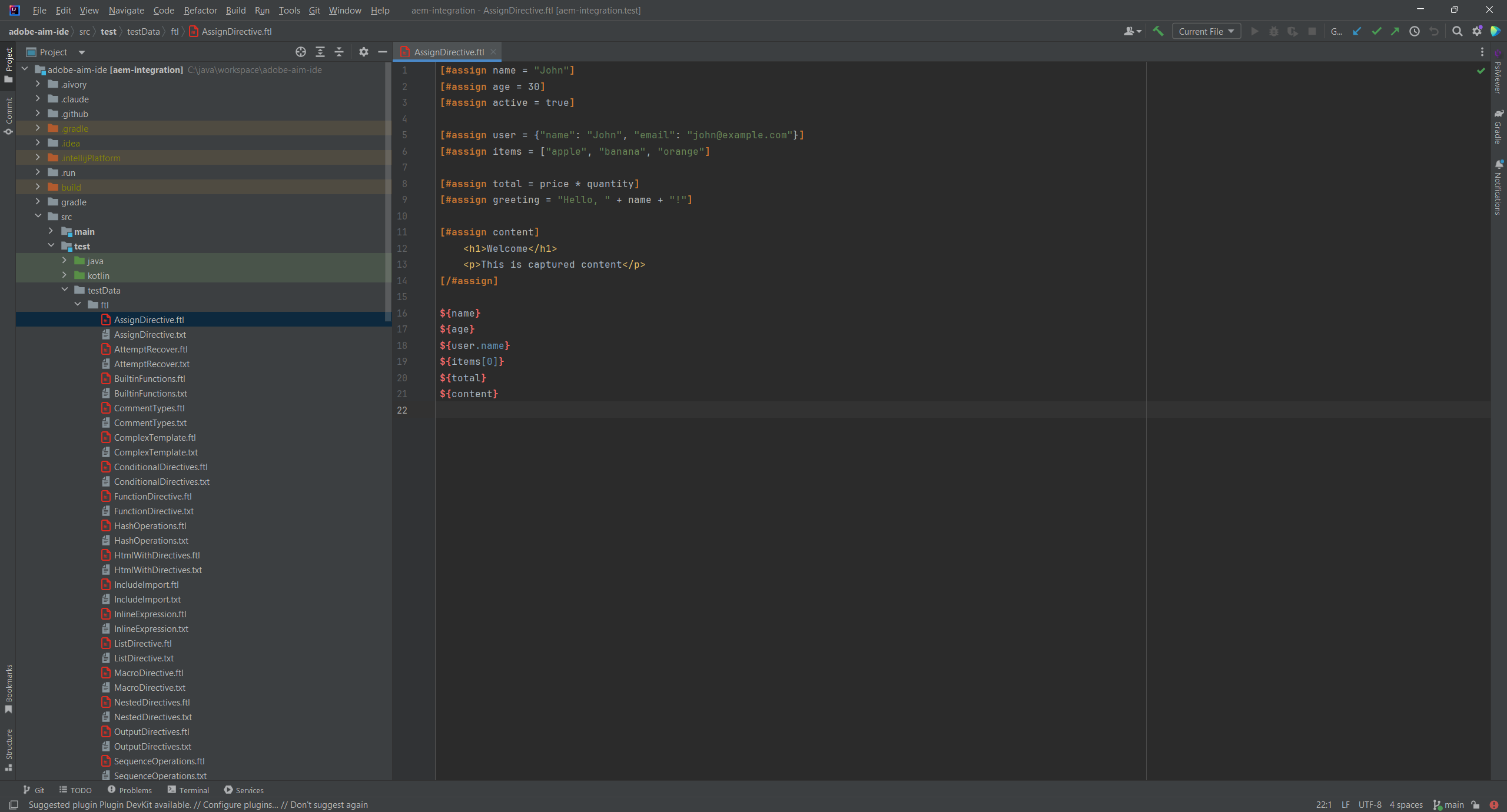
Full FreeMarker template support for AEM projects. Whether you’re using FreeMarker for email templates, notifications, or custom rendering, get the same professional IDE experience as with HTL.
Navigate your templates with ease using go-to-definition from variables to their definitions, and explore your template structure with the Structure View showing macros and template hierarchy.
FreeMarker features
- Full grammar support with directives and expressions
- Go-to-definition from variables to definitions
- Structure View showing macros and template structure
- Code completion for directives and built-in functions
- Real-time syntax validation
03
Full Documentation
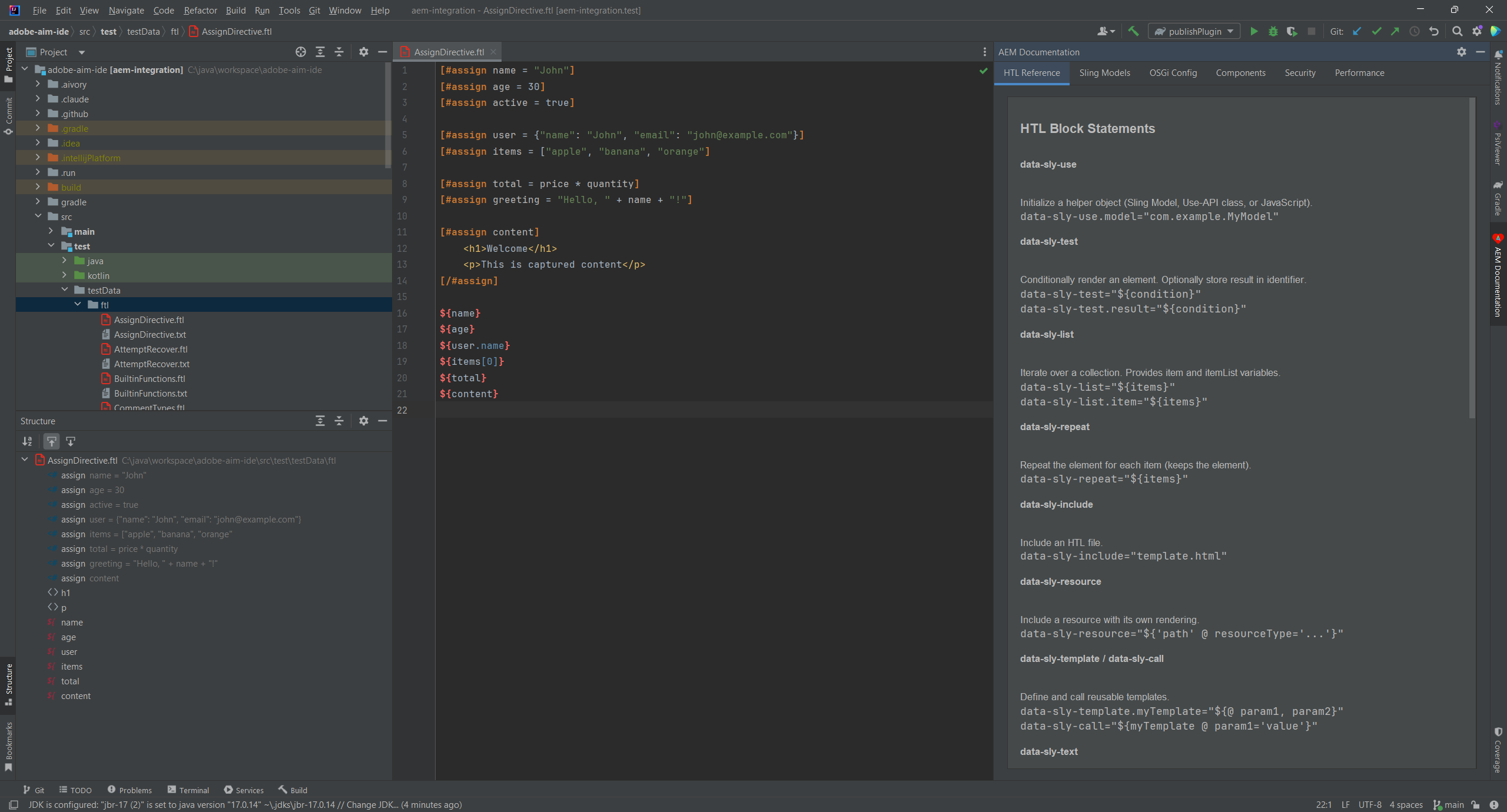
Everything you need to master AEM development, right inside your IDE. Hover over any HTL directive, Sling annotation, or OSGi configuration to see detailed documentation instantly.
No more browser tabs, no more context switching. The documentation panel shows syntax, parameters, usage examples, and links to official Adobe documentation. Learn as you code.
Documentation includes
- Complete HTL block statement documentation
- Sling Models annotation reference
- OSGi component and service annotations
- Dialog property type descriptions
- Quick examples and usage patterns
04
HTL Template Creation
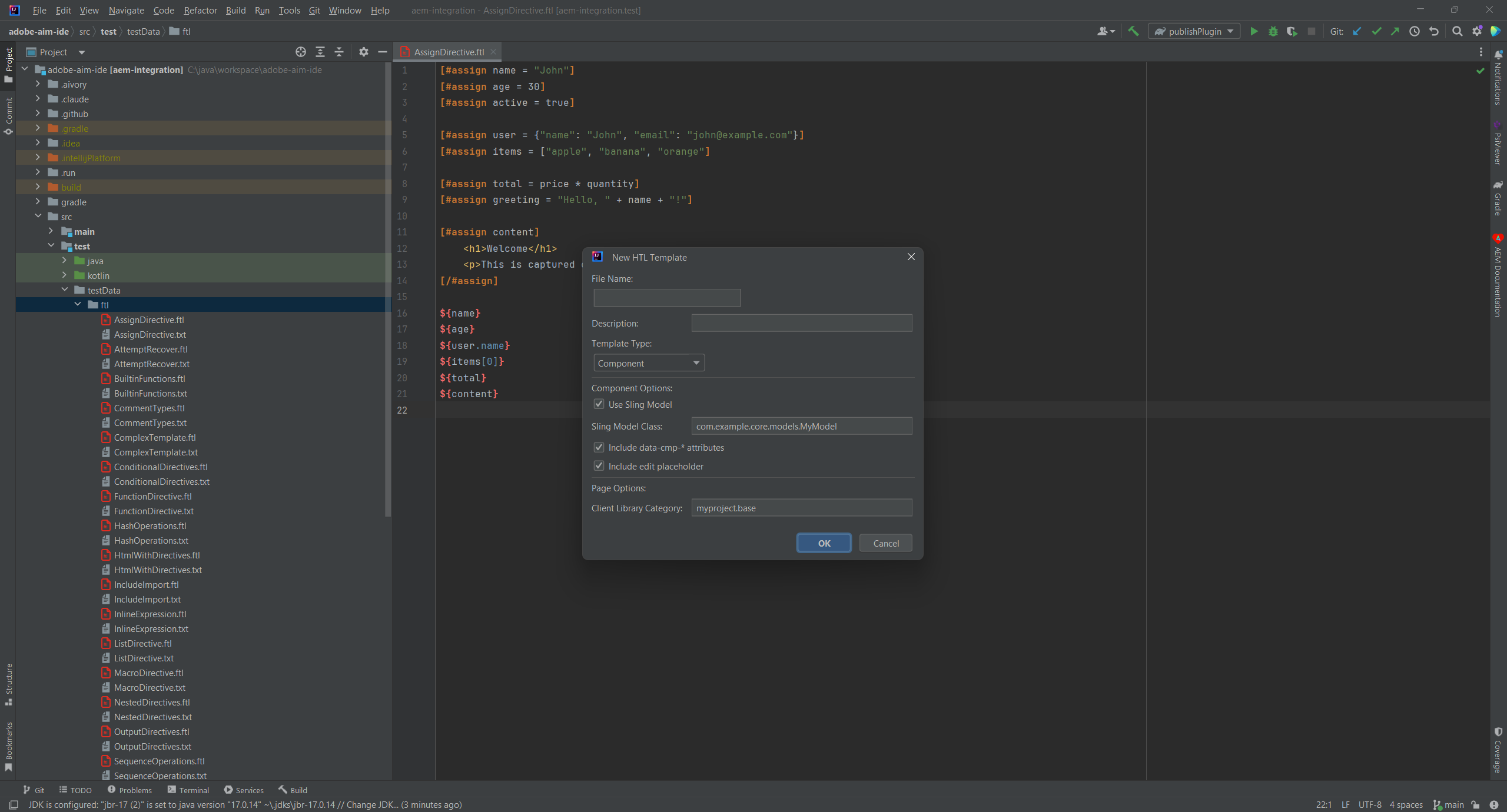
Create new HTL templates with pre-configured boilerplate. File templates include common structures, proper DOCTYPE declarations, and placeholder content to get you started quickly.
Touch UI dialogs, Classic UI dialogs, cq:editConfig files – all available as templates. Stop copying and pasting from old projects. Start fresh with proper structure every time.
Template features
- HTL component templates with common patterns
- Touch UI dialog templates (Granite/Coral UI)
- Classic UI dialog templates with xtype
- cq:editConfig templates for actions and listeners
- ClientLibs structure templates
05
Run & Debug
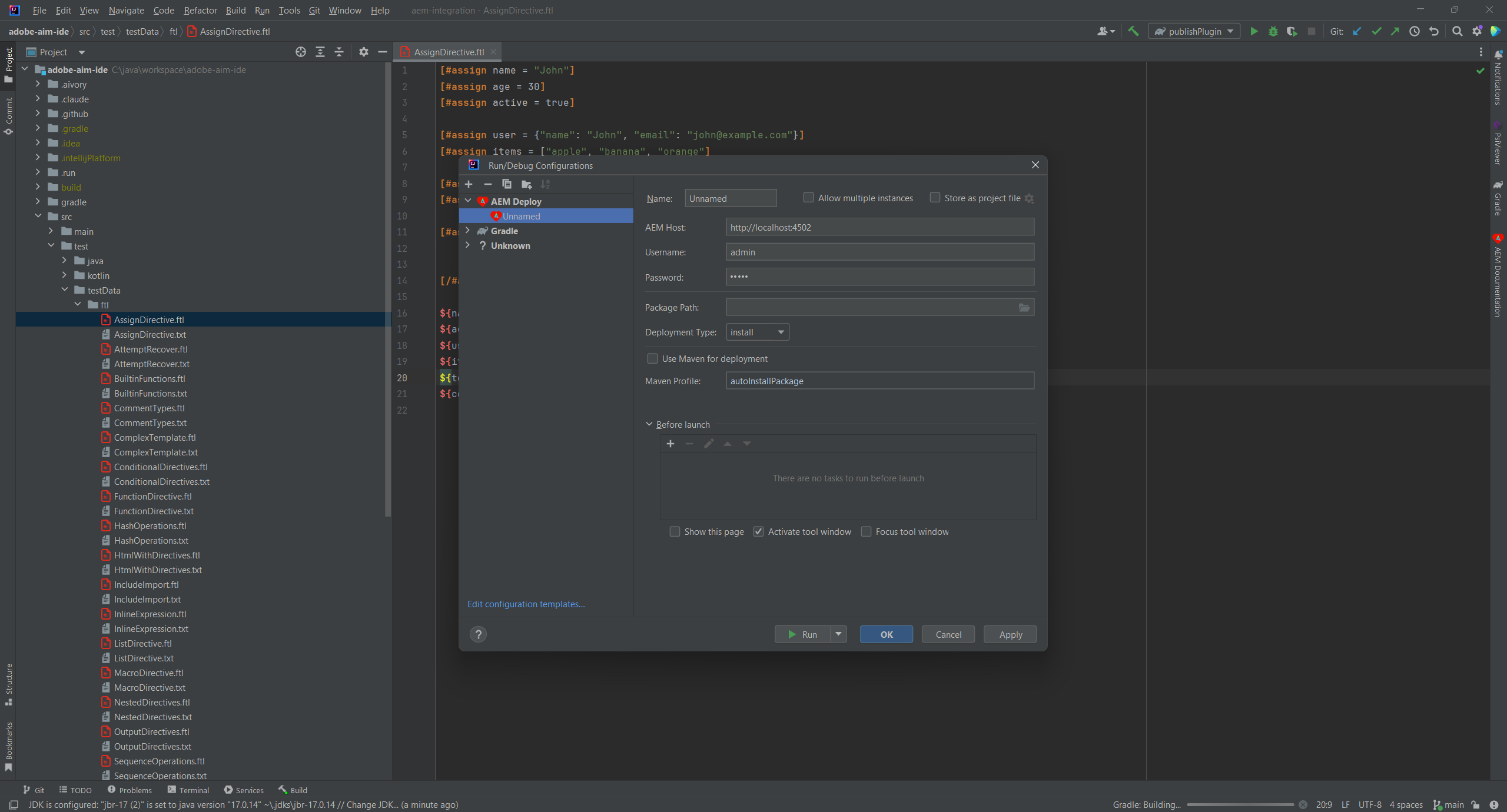
Deploy to AEM and debug your code without leaving the IDE. Multiple deployment methods support any workflow – from quick file sync for development to full Maven builds for CI/CD.
Remote debugging auto-detects your AEM instance’s debug port and connects seamlessly. Set breakpoints in Sling Models, servlets, or OSGi services and step through your code in real-time.
Server management
- Secure credential storage for AEM instances
- Multiple deployment methods (CRX, Maven, VLT, filesystem)
- Remote debugging with auto-detection
- Log viewer with real-time tailing and filtering
- One-click deploy from IDE toolbar
06
More IDE Features You’ll Love
HTL & Templating
- data-sly-* block statements
- Expression language ${…}
- Code folding for HTML and HTL
- FreeMarker template support
Dialog & Content
- Touch UI (Granite/Coral UI) completion
- Classic UI xtype completion
- cq:editConfig actions and listeners
- ClientLibs and filter.xml validation
Server & Deployment
- CRX, Maven, VLT, filesystem deploy
- Log viewer with real-time tailing
- Secure credential storage
- Dispatcher .any and .farm support
Sling & OSGi
- Sling Models annotation support
- Field generator for injection setup
- OSGi console integration
- ACS Commons annotation support
Simple, Transparent Pricing
Individual
For solo developers
$6.90/month
or $69/year (save 17%)
- All IDE features
- HTL & FreeMarker support
- Dialog completion
- Server management
- All future updates
TEAMS
Organization
For teams and companies
$15.90/month
or $159/year (save 17%)
- Everything in Individual
- Team license management
- Shared server configurations
- Priority support
- Invoice billing

Built by AEM Experts
Made by Ilscipio GmbH, developers with deep expertise in Adobe Experience Manager, enterprise content management, and JetBrains plugin development. We’ve built AEM solutions for clients across industries and understand the challenges of AEM development firsthand.
We created AEM Integration because proper IDE tooling makes a massive difference in AEM developer productivity. From HTL templates to OSGi services, from dialog creation to deployment – this plugin covers the entire AEM development workflow. We built it because we needed it ourselves, and now we’re sharing it with the community.